
 Crusader_Floppa Pluto412 RandyMclean Hendo200 Astakirstine FrederikTFE itzryan5313 xAlphaOne The_Seananigan myrealm10 Liamkey Cryoshock7 NotRecapz ChilligX softdrinks76 CheeseWhistle BurritoCaliente McAhlic FoucksbaHo NotSaturn_ SwagDagger11 Grizz2006 Heron12 Sheepyrunner Lil_Sword wesdd Mystic231 KILLER_CHICKEN3 Gocka9 Showzoe SupremeSauce Nerwiwi DazeAce Briguy55 henachoko1203 newc0m2 ruzx007878 LutfiMah Hibebou stuartbeat Maximus32 KSI_Wannabe mango871 U_289 Majan343 blkbsstt BerkEren jolee3732 TICOTIGRE sleepbest Boss_Schmitty FluffyGwen __Fischkopf__ Kaladrius Starvarsas7 Hewrice Klash07 JimmySprinkles OnkelNaske Bill96
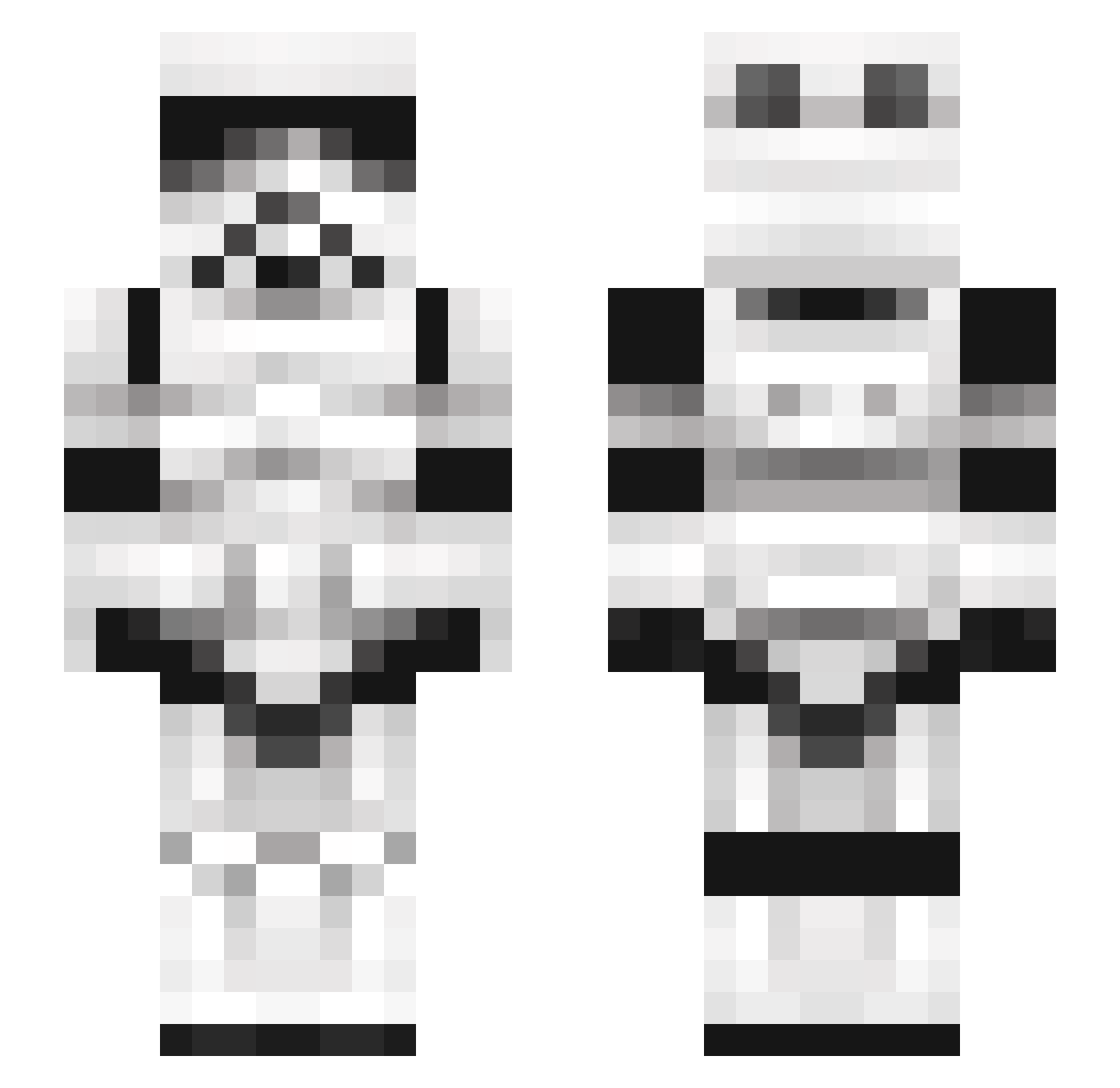
Minecraft skin of LeafTiger. Rotate the 3D model with your mouse or finger to view the skin from every angle, then download it as a PNG file and use it in Minecraft: Bedrock Edition or Java Edition for free. Rate the skin with stars to help other players find the best skins in our collection.
How to install the LeafTiger skin
- Press the Download button above to save the skin as a PNG file.
- Minecraft: Bedrock Edition (PE): open the Dressing Room from the main menu (or tap your character → Edit Character), go to Classic Skins → Owned, press the + (new skin) button, choose the downloaded PNG and pick the Slim (Alex) model. Works on PC and mobile; consoles cannot import custom skins.
- Minecraft: Java Edition: open the Minecraft Launcher, go to the Skins tab, click New Skin, load the PNG, pick the Slim (Alex) model and press Save & Use. You can also upload it at minecraft.net → Profile → Change Skin.
The skin does not show up after import - what should I do?
Restart Minecraft and open the Dressing Room again - imported skins sometimes appear only after a restart. Also make sure you selected the imported skin and picked the Slim (Alex) model.
Which model should I choose, Classic or Slim?
This skin is designed for the Slim (Alex) model. If you pick the wrong model, the arms of the skin will look stretched or squeezed.
Is this skin free to use?
Yes. Press Download, save the PNG file and use it in Minecraft: Bedrock Edition or Java Edition - no payment or registration needed. The skin also works on multiplayer servers and Realms.
More Stormtrooper Minecraft skins
See all 527 Stormtrooper skins
More skins
Looking for more? Go back to all Minecraft skins and check the top skins of the week, month and all time, or find any player's skin by nickname.