
Ubnull - Minecraft Skins & Skin History
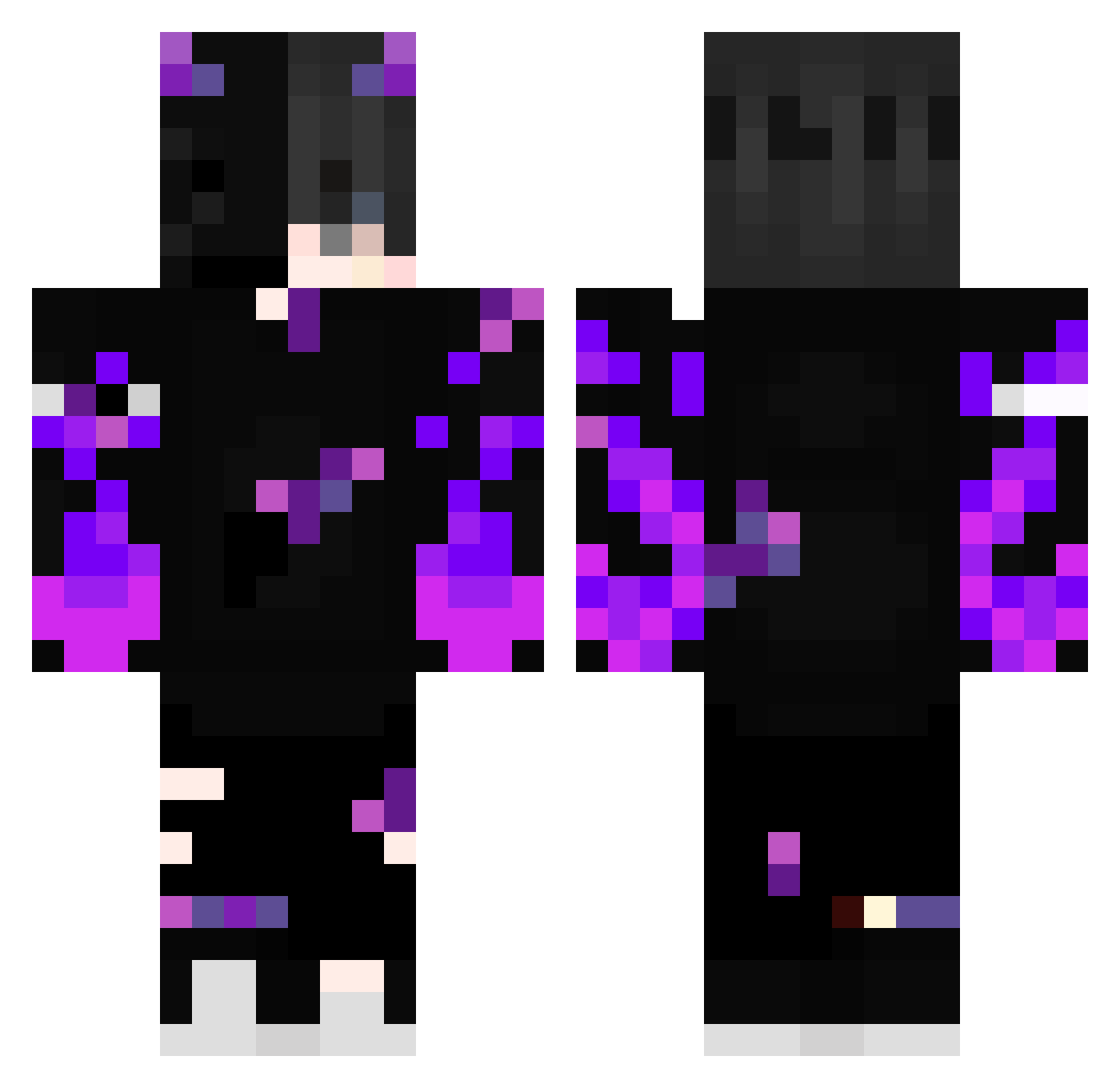
Current Minecraft skin of the player Ubnull, loaded from the official Mojang API. Rotate the 3D model with your mouse or finger, then download the skin as a PNG file and use it in Minecraft: Bedrock Edition or Java Edition for free. When Ubnull changes their skin, this page updates automatically and the old skin stays in the history below.
Other players with this skin (388)
Ubnull was the 199th player we have seen with this skin, first spotted on 21.09.2026. The same skin was seen on these players. Open a nickname to see their current skin and skin history.
 Kuojames Lorenzonapoli10 aottti mamateooo NekoFlowerss LksxD Frosty_adrix Orca1502 Tenko_1 Gods_soul RazenFF Antuan123 FINICIAS Dalek_Zone khxnxnek GuilhermeTab ZeroCarton92065 MRFRANK1E CGG110 SolidCamp570477 thedarkdrone__ lightamonder Raffay209 LoRd_DeMoN_321 Zangi_15 That_Taro Nebula2008 lolpop5967 ro11_ yasutam Gamer19112002 sparky0369 koffi13 Loyalx7 P_C_401 onigiri1123 Dqrkware CocaOK3269 Cyriix2 pxnd_xlix Seishir00 lorenzo_7800 Churrito18 NagatoNTB fs_Frees Kr0wll DarrenKzb sunkaru VibezwitCam creeper05872 Swallzy35 Ph4ntom4ss4in ZuluHydra283553 GodChicken777 Feurtitox DrDiddinut ColtenFenix J3MAND3S Hm1016 elsoyseh
More Demon Minecraft skins
How to install the Ubnull skin
- Press the Download button above to save the skin as a PNG file.
- Minecraft: Bedrock Edition (PE): open the Dressing Room from the main menu (or tap your character → Edit Character), go to Classic Skins → Owned, press the + (new skin) button, choose the downloaded PNG and pick the Classic (Steve) model. Works on PC and mobile; consoles cannot import custom skins.
- Minecraft: Java Edition: open the Minecraft Launcher, go to the Skins tab, click New Skin, load the PNG, pick the Classic (Steve) model and press Save & Use. You can also upload it at minecraft.net → Profile → Change Skin.
The skin does not show up after import - what should I do?
Restart Minecraft and open the Dressing Room again - imported skins sometimes appear only after a restart. Also make sure you selected the imported skin and picked the Classic (Steve) model.
Which model should I choose, Classic or Slim?
This skin is designed for the Classic (Steve) model. If you pick the wrong model, the arms of the skin will look stretched or squeezed.
Is the skin of Ubnull free to download?
Yes. Press Download, save the PNG file and use it in Minecraft: Bedrock Edition or Java Edition - no payment or registration needed. The skin also works on multiplayer servers and Realms.
More skins
Looking for more? Go back to all Minecraft skins and check the top skins of the week, month and all time, or find any player's skin by nickname.