
Hm1016 - Minecraft Skins & Skin History
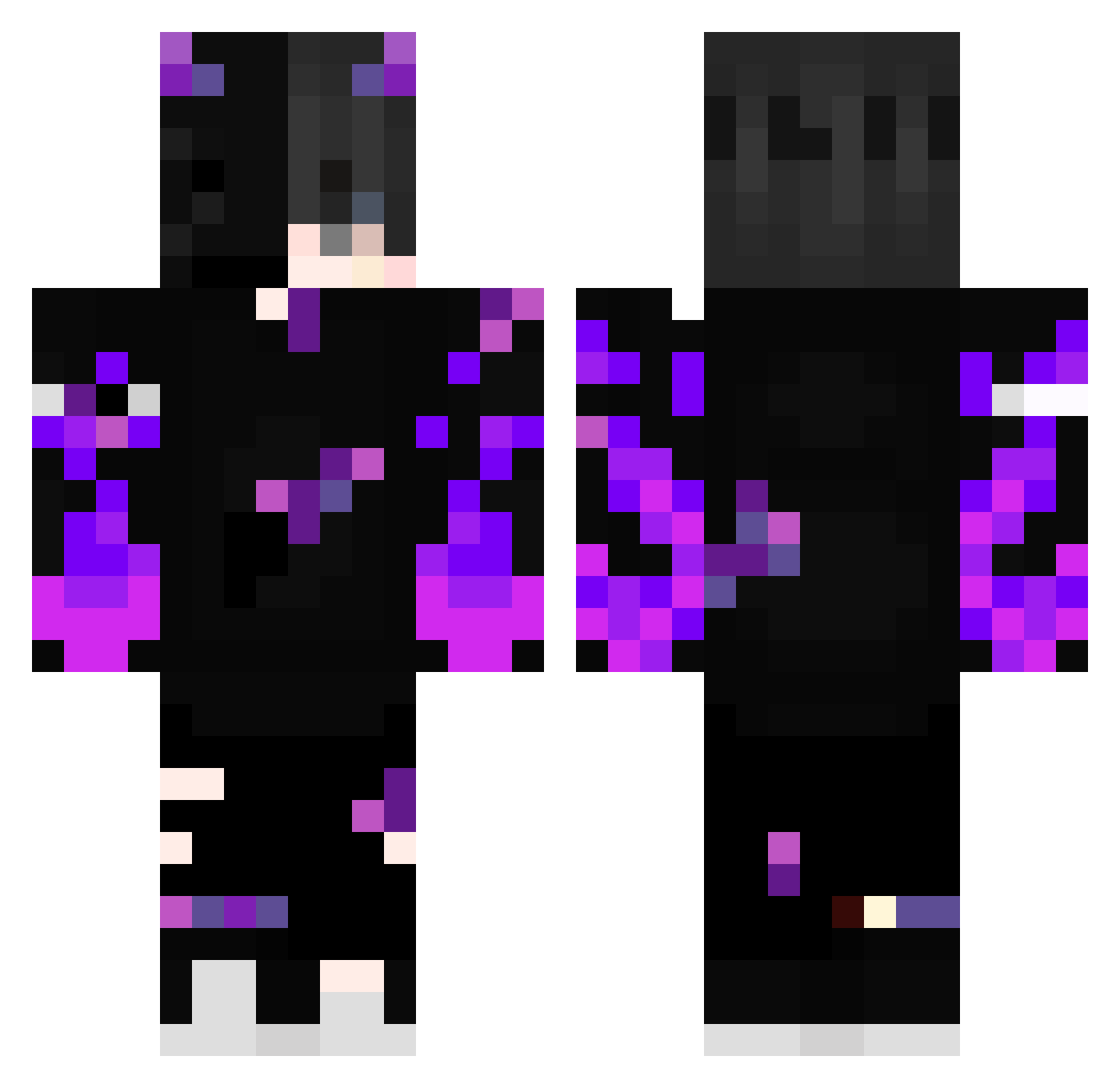
Current Minecraft skin of the player Hm1016, loaded from the official Mojang API. Rotate the 3D model with your mouse or finger, then download the skin as a PNG file and use it in Minecraft: Bedrock Edition or Java Edition for free. When Hm1016 changes their skin, this page updates automatically and the old skin stays in the history below.
Other players with this skin (388)
Hm1016 was the 239th player we have seen with this skin, first spotted on 29.09.2026. The same skin was seen on these players. Open a nickname to see their current skin and skin history.
 ColtenFenix DrDiddinut ANJIM_027 Feurtitox Reynaldy GodChicken777 ZEENOVA Ph4ntom4ss4in Swallzy35 Costiwt illumiro k1rAAn BraindeadCoreTTV VibezwitCam KatSleeping DarrenKzb KAPLAN500 Kr0wll KnownNotFound 669_helsi JantQ_ Loulou33750 Arthurandal2 Pewzx__ fs_Frees NagatoNTB Seishir00 pxnd_xlix NAVEMOYAL BladeBaby CocaOK3269 Dqrkware Lutifers onigiri1123 gutekpc koffi13 Teardd Elute1712 yasutam nico_1604 irofild63 lolpop5967 Nebula2008 _repus00902 Zangi_15 DaquavisMC12 Octane56 LoRd_DeMoN_321 Suguru2013 Raffay209 birddddddddddddd Psychotante77 Nika_Kabula0 SolidCamp570477 Shuniq yvit5 Neroxx08 Alfrido Unterhosenjango_ DodoVogel1809
More Demon Minecraft skins
How to install the Hm1016 skin
- Press the Download button above to save the skin as a PNG file.
- Minecraft: Bedrock Edition (PE): open the Dressing Room from the main menu (or tap your character → Edit Character), go to Classic Skins → Owned, press the + (new skin) button, choose the downloaded PNG and pick the Classic (Steve) model. Works on PC and mobile; consoles cannot import custom skins.
- Minecraft: Java Edition: open the Minecraft Launcher, go to the Skins tab, click New Skin, load the PNG, pick the Classic (Steve) model and press Save & Use. You can also upload it at minecraft.net → Profile → Change Skin.
The skin does not show up after import - what should I do?
Restart Minecraft and open the Dressing Room again - imported skins sometimes appear only after a restart. Also make sure you selected the imported skin and picked the Classic (Steve) model.
Which model should I choose, Classic or Slim?
This skin is designed for the Classic (Steve) model. If you pick the wrong model, the arms of the skin will look stretched or squeezed.
Is the skin of Hm1016 free to download?
Yes. Press Download, save the PNG file and use it in Minecraft: Bedrock Edition or Java Edition - no payment or registration needed. The skin also works on multiplayer servers and Realms.
More skins
Looking for more? Go back to all Minecraft skins and check the top skins of the week, month and all time, or find any player's skin by nickname.