
SteSpeed - Minecraft Skins & Skin History
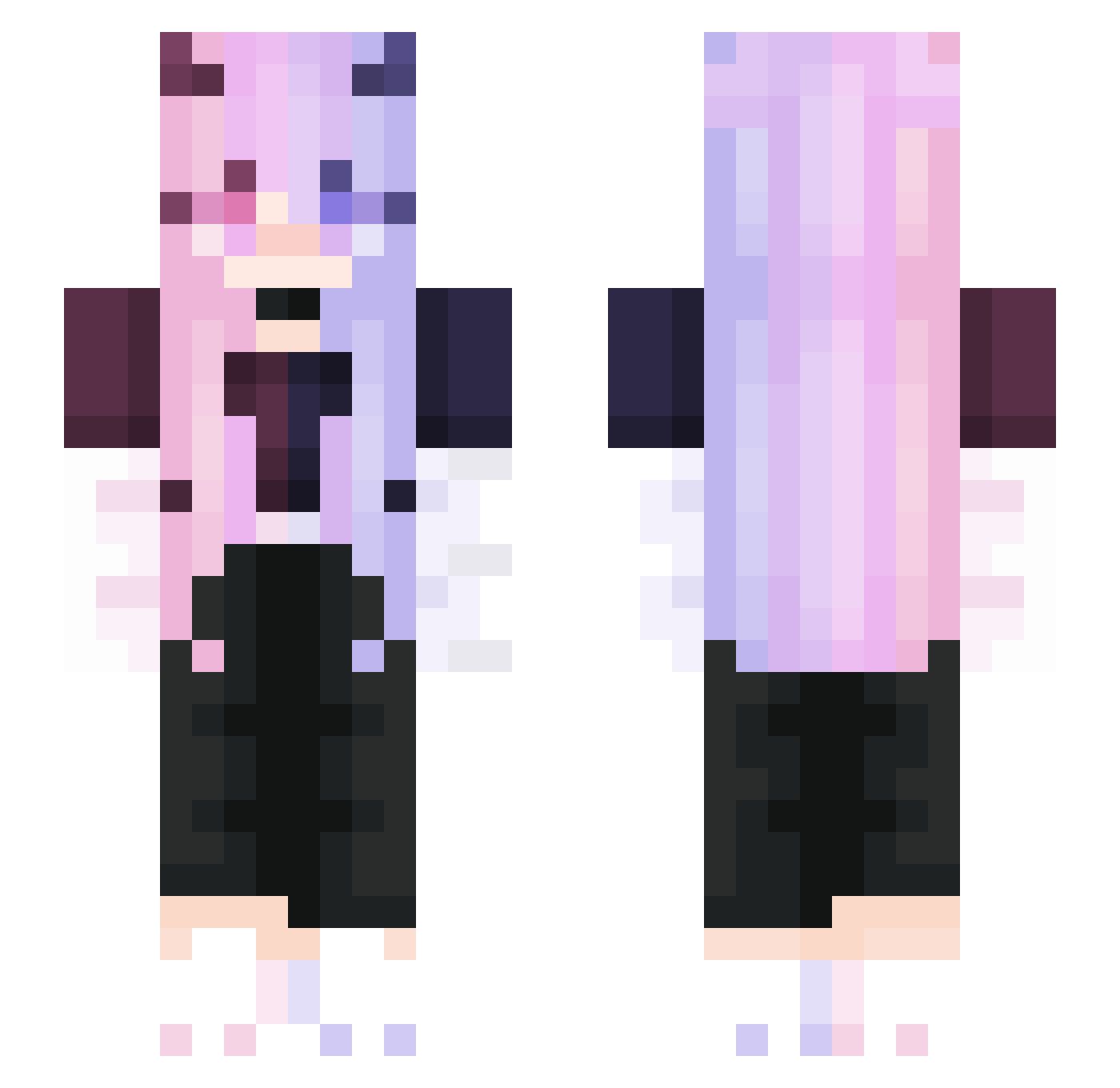
Current Minecraft skin of the player SteSpeed, loaded from the official Mojang API. Rotate the 3D model with your mouse or finger, then download the skin as a PNG file and use it in Minecraft: Bedrock Edition or Java Edition for free. When SteSpeed changes their skin, this page updates automatically and the old skin stays in the history below.
Other players with this skin (276)
SteSpeed was the 198th player we have seen with this skin, first spotted on 30.09.2026. The same skin was seen on these players. Open a nickname to see their current skin and skin history.
 CRHs SoccerDaniel Serein_13 bjh1216 Bexalia Pxggyz Misucore09 Mythic_Emma elookkai Rinseee KalinChan142 SN12_TW kiessyxD dunhill4976 YoulanDaier YudachiPoii mewodia Malenkoe_Zlo feiyueNotFound SsssskkkkK Blanc1684 shenglonger320 ImGMoneyy HHZ_ iscreamjojo Huan_Li Xiangyu_6A9 garret2324 beatsboy27 triinuk Oniiri zLqire Huan1313 AX_Stella2 Devil4947 SangHoney1014 Reazes Abest2002 Yokesg Violetvinyx Patrycja1809022 Wugezi DanyuDanyu Samirinka MirriH3X takumi10235 Istovirtuose Ti_Zao Gatoi Soymilk0_0 Kevin29261 Thompson0227 Punderful20 synBouquet juliaenot verypaper CKSTYLE Volua Ningxiaoche kitanoshima
More Demon Minecraft skins
How to install the SteSpeed skin
- Press the Download button above to save the skin as a PNG file.
- Minecraft: Bedrock Edition (PE): open the Dressing Room from the main menu (or tap your character → Edit Character), go to Classic Skins → Owned, press the + (new skin) button, choose the downloaded PNG and pick the Slim (Alex) model. Works on PC and mobile; consoles cannot import custom skins.
- Minecraft: Java Edition: open the Minecraft Launcher, go to the Skins tab, click New Skin, load the PNG, pick the Slim (Alex) model and press Save & Use. You can also upload it at minecraft.net → Profile → Change Skin.
The skin does not show up after import - what should I do?
Restart Minecraft and open the Dressing Room again - imported skins sometimes appear only after a restart. Also make sure you selected the imported skin and picked the Slim (Alex) model.
Which model should I choose, Classic or Slim?
This skin is designed for the Slim (Alex) model. If you pick the wrong model, the arms of the skin will look stretched or squeezed.
Is the skin of SteSpeed free to download?
Yes. Press Download, save the PNG file and use it in Minecraft: Bedrock Edition or Java Edition - no payment or registration needed. The skin also works on multiplayer servers and Realms.
More skins
Looking for more? Go back to all Minecraft skins and check the top skins of the week, month and all time, or find any player's skin by nickname.