
SpookyOhs - Minecraft Skins & Skin History
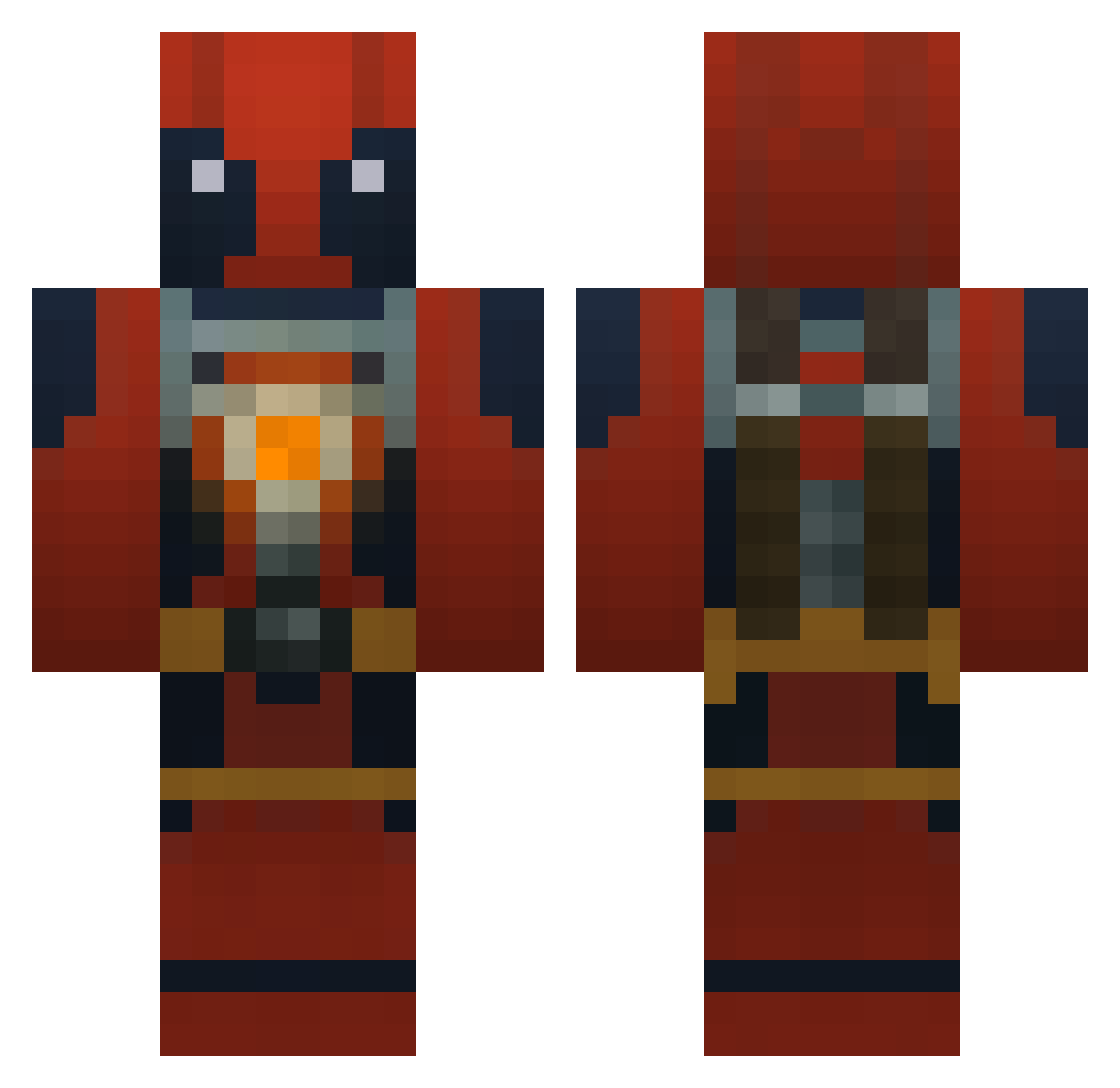
Current Minecraft skin of the player SpookyOhs, loaded from the official Mojang API. Rotate the 3D model with your mouse or finger, then download the skin as a PNG file and use it in Minecraft: Bedrock Edition or Java Edition for free. When SpookyOhs changes their skin, this page updates automatically and the old skin stays in the history below.
Other players with this skin (772)
SpookyOhs was the 639th player we have seen with this skin, first spotted on 10.10.2026. The same skin was seen on these players. Open a nickname to see their current skin and skin history.
 x_furykid_x AndyKnr Pizzaminator jsbsword bstl123 L_Kirin Devast D3adpool97 beafcake101 Deadpool62705 GewoonFietsbakje Cookie052 Bartendercat casinoznek3 hstephens5 Badazzname69 oprange KilgoreWolfe Medlifan SpannerRash yakazumo _DeadFool_ nomitssss SquintFlipper WadeWilson65 _IsoJoe_ Tomato1355 Luzipher Deadpools22 tictoc39 D3ADP00L Dsi36 kingWolf23 rhinor18 Master_Stephen Titanmasterr DirtyHobo86 TACO_MUNKEY kfc23 TheVikingKing Sw3glez ar5401 Itsa_Deadpool Shireal MajorMango Gtamasta abemand200 DeinBesterFeind Baconbeet Pero1337 SlothDemonKing Se_Yks Yanksterr JustZane18 Drazil16 MrTraxis demonmaster101 Mob_of_Narwhals draftslayer Gallagher1235
More Deadpool Minecraft skins
How to install the SpookyOhs skin
- Press the Download button above to save the skin as a PNG file.
- Minecraft: Bedrock Edition (PE): open the Dressing Room from the main menu (or tap your character → Edit Character), go to Classic Skins → Owned, press the + (new skin) button, choose the downloaded PNG and pick the Classic (Steve) model. Works on PC and mobile; consoles cannot import custom skins.
- Minecraft: Java Edition: open the Minecraft Launcher, go to the Skins tab, click New Skin, load the PNG, pick the Classic (Steve) model and press Save & Use. You can also upload it at minecraft.net → Profile → Change Skin.
The skin does not show up after import - what should I do?
Restart Minecraft and open the Dressing Room again - imported skins sometimes appear only after a restart. Also make sure you selected the imported skin and picked the Classic (Steve) model.
Which model should I choose, Classic or Slim?
This skin is designed for the Classic (Steve) model. If you pick the wrong model, the arms of the skin will look stretched or squeezed.
Is the skin of SpookyOhs free to download?
Yes. Press Download, save the PNG file and use it in Minecraft: Bedrock Edition or Java Edition - no payment or registration needed. The skin also works on multiplayer servers and Realms.
More skins
Looking for more? Go back to all Minecraft skins and check the top skins of the week, month and all time, or find any player's skin by nickname.