
 PhantomPro26 Carl_99_ Schizhobbit Javetinte darknincarnate XxxFrostyXx TmVaga Roartoy SNIPERHAWK77 TNTmasterTurbo Alf06t N8then TiGris1993 Alejandra554 Gdub3628 theCPTFIVE xmaymoo Klandoman TLATTKy TylorL bababoi013 Priime1337 Gibzn TheBoss3844 Handy_Brandy JacobOneMX Jamor930 OtisTheGamer666 cr787879 Slimm_Jimm69 Mrchicken121212 NIP_0929 SScorpion9 mustangbryce5522 Zaida123 hagrids_pis CousinJenkins23 ema122401 dyru00 Fendsenvovic FluffyRex0772 burhansen augustasgloop69 MotyPod33 Soulstealer2016 Zippl_Back Farcus1 Fortnite_X_God DelightfulComa Sweske dit3x Lipstikcz StudentLab13 Chico0101 Lord_Justin zRayONE MrKIMIL ColossalXero LordParker22 phantomxilef
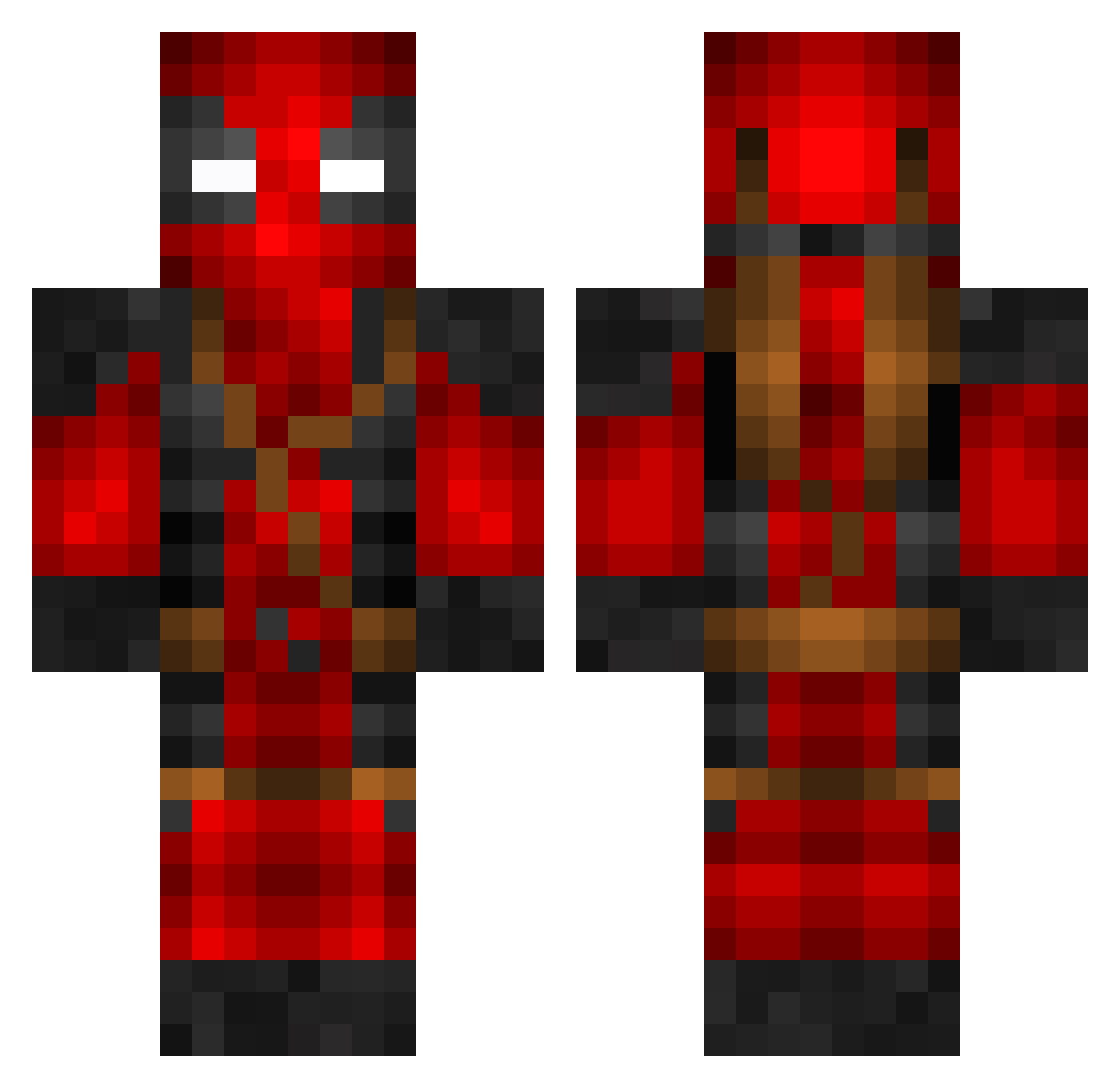
Minecraft skin of Mateo6288. Rotate the 3D model with your mouse or finger to view the skin from every angle, then download it as a PNG file and use it in Minecraft: Bedrock Edition or Java Edition for free. Rate the skin with stars to help other players find the best skins in our collection.
How to install the Mateo6288 skin
- Press the Download button above to save the skin as a PNG file.
- Minecraft: Bedrock Edition (PE): open the Dressing Room from the main menu (or tap your character → Edit Character), go to Classic Skins → Owned, press the + (new skin) button, choose the downloaded PNG and pick the Classic (Steve) model. Works on PC and mobile; consoles cannot import custom skins.
- Minecraft: Java Edition: open the Minecraft Launcher, go to the Skins tab, click New Skin, load the PNG, pick the Classic (Steve) model and press Save & Use. You can also upload it at minecraft.net → Profile → Change Skin.
The skin does not show up after import - what should I do?
Restart Minecraft and open the Dressing Room again - imported skins sometimes appear only after a restart. Also make sure you selected the imported skin and picked the Classic (Steve) model.
Which model should I choose, Classic or Slim?
This skin is designed for the Classic (Steve) model. If you pick the wrong model, the arms of the skin will look stretched or squeezed.
Is this skin free to use?
Yes. Press Download, save the PNG file and use it in Minecraft: Bedrock Edition or Java Edition - no payment or registration needed. The skin also works on multiplayer servers and Realms.
More Deadpool Minecraft skins
More skins
Looking for more? Go back to all Minecraft skins and check the top skins of the week, month and all time, or find any player's skin by nickname.