
Dsi36 - Minecraft Skins & Skin History
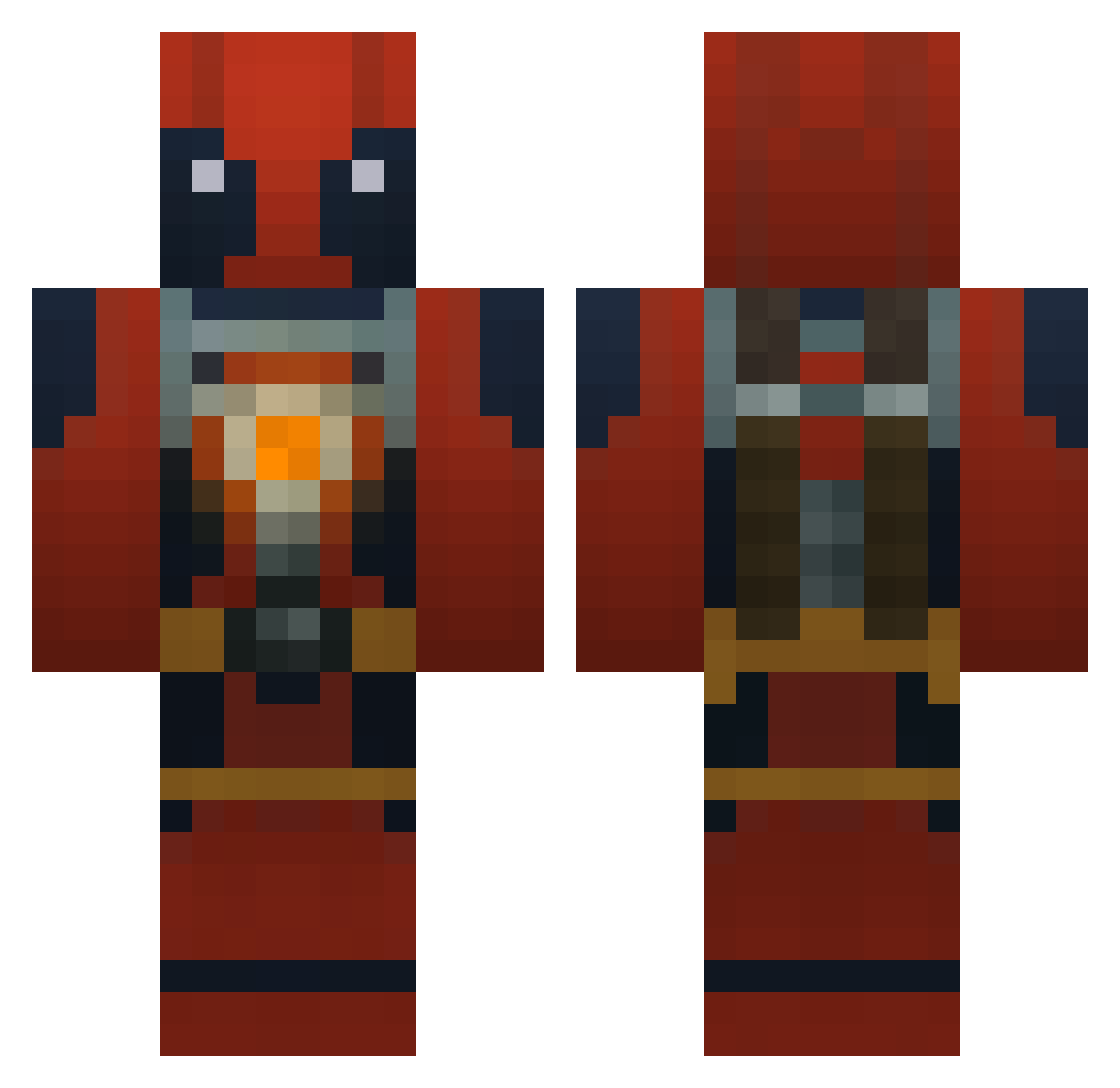
Current Minecraft skin of the player Dsi36, loaded from the official Mojang API. Rotate the 3D model with your mouse or finger, then download the skin as a PNG file and use it in Minecraft: Bedrock Edition or Java Edition for free. When Dsi36 changes their skin, this page updates automatically and the old skin stays in the history below.
Other players with this skin (772)
Dsi36 was the 658th player we have seen with this skin, first spotted on 12.10.2026. The same skin was seen on these players. Open a nickname to see their current skin and skin history.
 WadeWilson65 Master_Stephen nomitssss Titanmasterr DirtyHobo86 _DeadFool_ TACO_MUNKEY kfc23 Sw3glez ar5401 SpannerRash Medlifan oprange Badazzname69 Gtamasta hstephens5 DeinBesterFeind casinoznek3 Cookie052 GewoonFietsbakje beafcake101 Se_Yks Yanksterr demonmaster101 Mob_of_Narwhals draftslayer L_Kirin Kiriq ProphetOfPhil bstl123 jsbsword Brave_Williams AYA42 Pizzaminator cobytheman7 AndyKnr TOPDAWG8 Balzibub x_furykid_x SpookyOhs Lonin03 Bushido360PR immabe06 joshmeister Freakofmind hsw45678 Devast picsou85 jackbear8 lachiu Andrew801 Xefou Luke_Das D3adpool97 Deadpool62705 Bartendercat KilgoreWolfe FoodieIntern Tmaagaard8149 Zhardhal
More Deadpool Minecraft skins
How to install the Dsi36 skin
- Press the Download button above to save the skin as a PNG file.
- Minecraft: Bedrock Edition (PE): open the Dressing Room from the main menu (or tap your character → Edit Character), go to Classic Skins → Owned, press the + (new skin) button, choose the downloaded PNG and pick the Classic (Steve) model. Works on PC and mobile; consoles cannot import custom skins.
- Minecraft: Java Edition: open the Minecraft Launcher, go to the Skins tab, click New Skin, load the PNG, pick the Classic (Steve) model and press Save & Use. You can also upload it at minecraft.net → Profile → Change Skin.
The skin does not show up after import - what should I do?
Restart Minecraft and open the Dressing Room again - imported skins sometimes appear only after a restart. Also make sure you selected the imported skin and picked the Classic (Steve) model.
Which model should I choose, Classic or Slim?
This skin is designed for the Classic (Steve) model. If you pick the wrong model, the arms of the skin will look stretched or squeezed.
Is the skin of Dsi36 free to download?
Yes. Press Download, save the PNG file and use it in Minecraft: Bedrock Edition or Java Edition - no payment or registration needed. The skin also works on multiplayer servers and Realms.
More skins
Looking for more? Go back to all Minecraft skins and check the top skins of the week, month and all time, or find any player's skin by nickname.