
SkeptikL - Minecraft Skins & Skin History
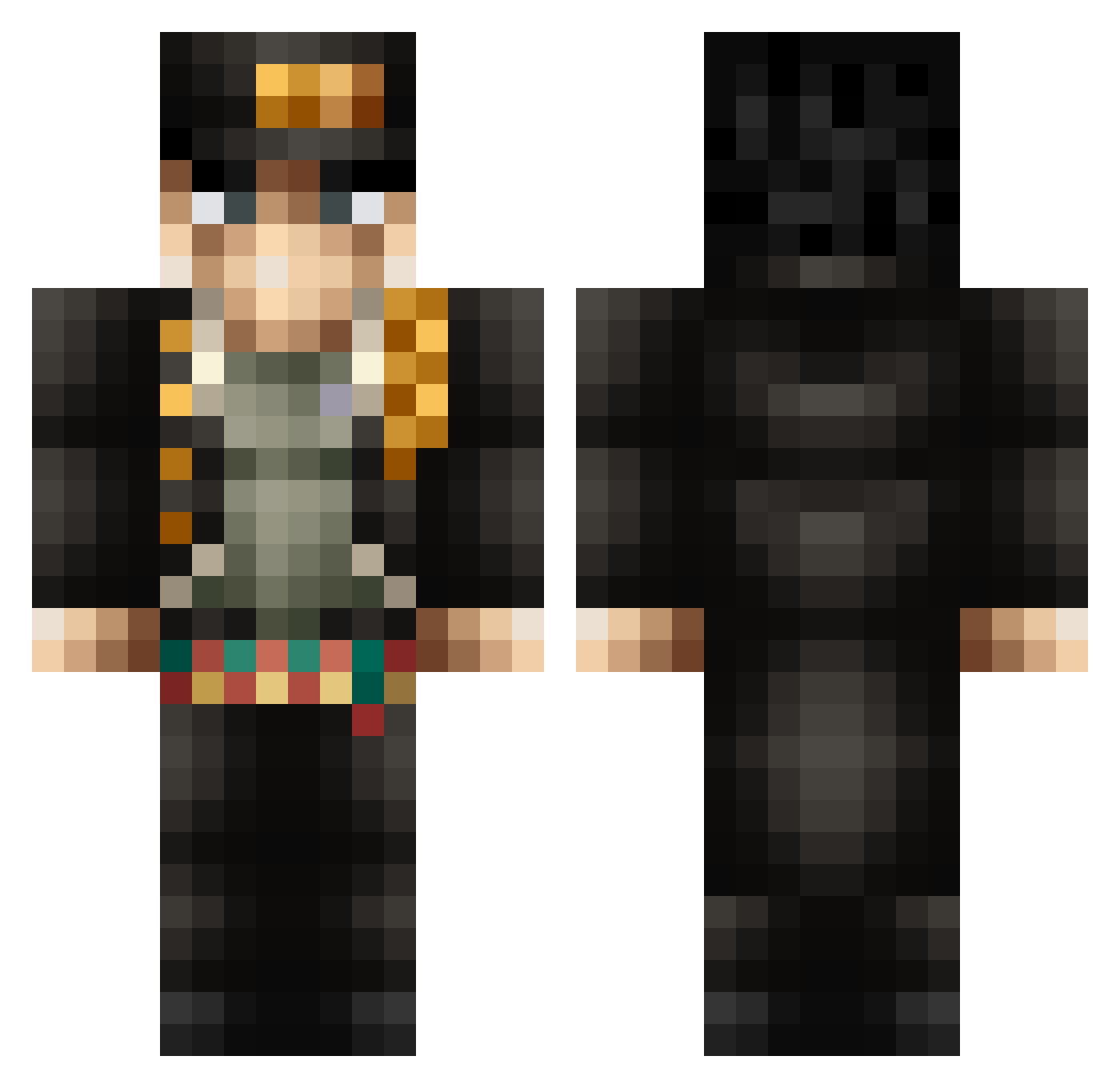
Current Minecraft skin of the player SkeptikL, loaded from the official Mojang API. Rotate the 3D model with your mouse or finger, then download the skin as a PNG file and use it in Minecraft: Bedrock Edition or Java Edition for free. When SkeptikL changes their skin, this page updates automatically and the old skin stays in the history below.
Other players with this skin (367)
SkeptikL was the 182nd player we have seen with this skin, first spotted on 16.09.2026. The same skin was seen on these players. Open a nickname to see their current skin and skin history.
 pep2507 SavageGl0ck WertubiseTv BlitzLeFarouche Gotre123456 Outlaw218 ItachiPvPUchiha Akira10315 Roxo2012 Lebonamipolonais Marclov1n BarraganRay Kraken5263 NachoGamer11 MrSquid2306 Brandonn730 MR_87 Daftvitor luisversluys007 someone034 PseudoInaproprie ChilledTrooper dg44xd meowmeow1225 Pedro_Gamer1233 UnchiNT NoxZeke JotaroKujooh Outist Chokelahoma CyberWestGG Krypt0miner Foxandsonic rinowar kencl1e Oxyzz_IT sayelii F3niXofficial Didine_FuraxYT Guapzaddy tomino64 Omochi_Kai ChoveGaming Maniaquito11 Samuelwasbooted gappy____ BIZCOCHUELO69 BuildMaster997 Mile__ thecop360 Whatcar Laimutiss Skuuge Squaretrunks shashlik2 Dr_Kirby emal12 ciaciallo_ MasterCraft1609 BillyTheCreeper
More Jotaro Kujo Minecraft skins
How to install the SkeptikL skin
- Press the Download button above to save the skin as a PNG file.
- Minecraft: Bedrock Edition (PE): open the Dressing Room from the main menu (or tap your character → Edit Character), go to Classic Skins → Owned, press the + (new skin) button, choose the downloaded PNG and pick the Classic (Steve) model. Works on PC and mobile; consoles cannot import custom skins.
- Minecraft: Java Edition: open the Minecraft Launcher, go to the Skins tab, click New Skin, load the PNG, pick the Classic (Steve) model and press Save & Use. You can also upload it at minecraft.net → Profile → Change Skin.
The skin does not show up after import - what should I do?
Restart Minecraft and open the Dressing Room again - imported skins sometimes appear only after a restart. Also make sure you selected the imported skin and picked the Classic (Steve) model.
Which model should I choose, Classic or Slim?
This skin is designed for the Classic (Steve) model. If you pick the wrong model, the arms of the skin will look stretched or squeezed.
Is the skin of SkeptikL free to download?
Yes. Press Download, save the PNG file and use it in Minecraft: Bedrock Edition or Java Edition - no payment or registration needed. The skin also works on multiplayer servers and Realms.
More skins
Looking for more? Go back to all Minecraft skins and check the top skins of the week, month and all time, or find any player's skin by nickname.