
Purkie1010 - Minecraft Skins & Skin History
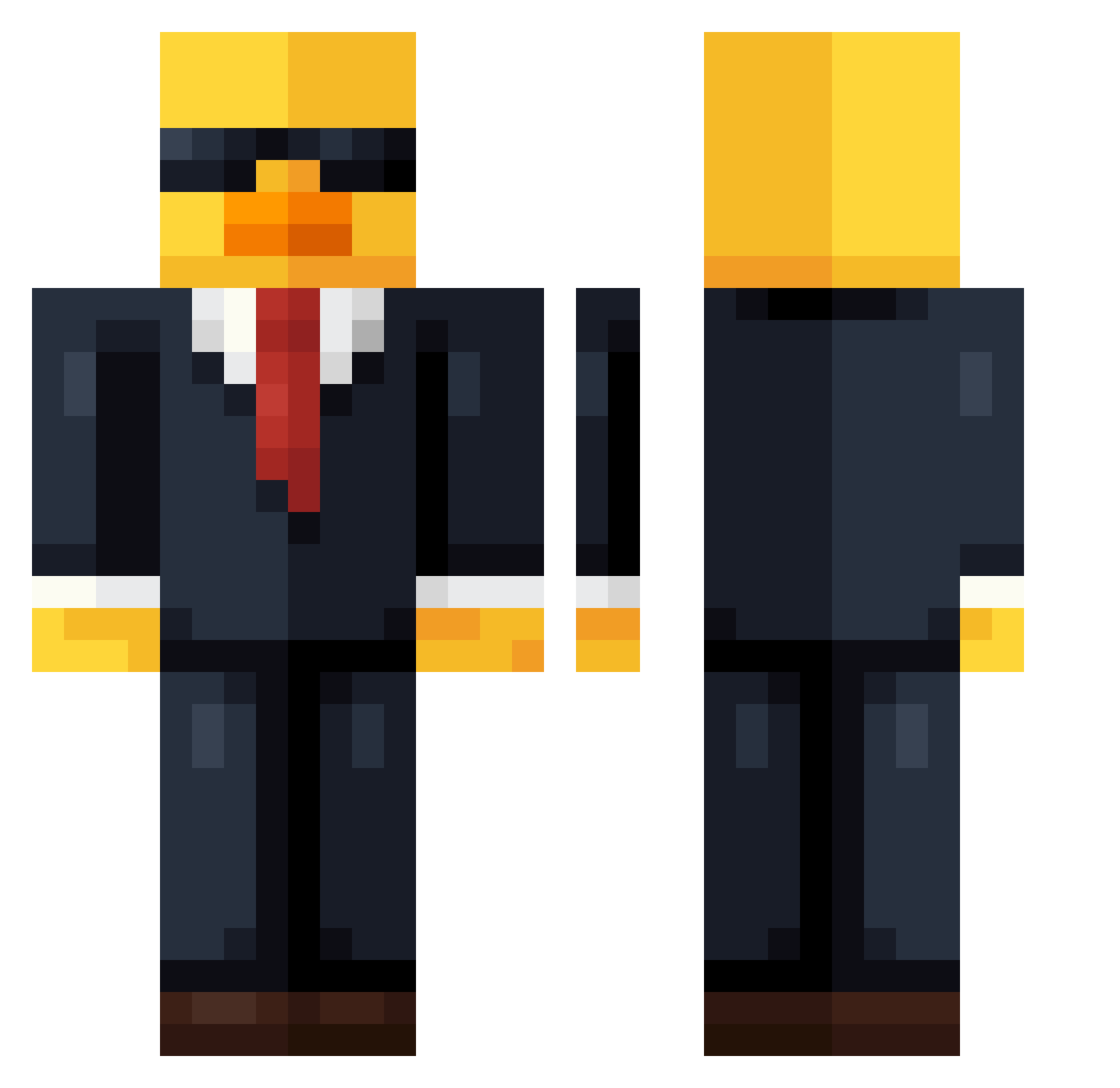
Current Minecraft skin of the player Purkie1010, loaded from the official Mojang API. Rotate the 3D model with your mouse or finger, then download the skin as a PNG file and use it in Minecraft: Bedrock Edition or Java Edition for free. When Purkie1010 changes their skin, this page updates automatically and the old skin stays in the history below.
Other players with this skin (736)
Purkie1010 was the 319th player we have seen with this skin, first spotted on 14.09.2026. The same skin was seen on these players. Open a nickname to see their current skin and skin history.
 Facu29 Zuwuu Quazy5538 not_lolly Konsti_2pac MothyRichmond THZIN42 IchBimsGhosti143 TAEWON2011 Duncthehunk Orestix Niho_n Dizzo05 Bazrah67 Wojackk Jacksonn_8 Lanstede Jacksterc1256 Kr1sV_1 TARDIS5777 TianLeo henzy194 frede4040 Hezi69 guiilherme06 sangin07 Thom6 _Kazuhaa m3f1n naiiyz AcousticSigmaXXX nightmareW1 aleexus Alesio2d aq1d NahNebula kreut Cosmic_55 MrCheek123 sa_toshi_ EragonSolette NT152592 InF_Paradox MrWatermelonFN YTBENSI vfisco1 Luizito16 OKurtz_ JimmyMocha cutejianee1972 Mogax zzzzzoxxinn urbarber1 Gurke1421 butane_11 bpcupid 4K1F_ MisterSkuba Stopiey M000nshine
More Duck Minecraft skins
How to install the Purkie1010 skin
- Press the Download button above to save the skin as a PNG file.
- Minecraft: Bedrock Edition (PE): open the Dressing Room from the main menu (or tap your character → Edit Character), go to Classic Skins → Owned, press the + (new skin) button, choose the downloaded PNG and pick the Classic (Steve) model. Works on PC and mobile; consoles cannot import custom skins.
- Minecraft: Java Edition: open the Minecraft Launcher, go to the Skins tab, click New Skin, load the PNG, pick the Classic (Steve) model and press Save & Use. You can also upload it at minecraft.net → Profile → Change Skin.
The skin does not show up after import - what should I do?
Restart Minecraft and open the Dressing Room again - imported skins sometimes appear only after a restart. Also make sure you selected the imported skin and picked the Classic (Steve) model.
Which model should I choose, Classic or Slim?
This skin is designed for the Classic (Steve) model. If you pick the wrong model, the arms of the skin will look stretched or squeezed.
Is the skin of Purkie1010 free to download?
Yes. Press Download, save the PNG file and use it in Minecraft: Bedrock Edition or Java Edition - no payment or registration needed. The skin also works on multiplayer servers and Realms.
More skins
Looking for more? Go back to all Minecraft skins and check the top skins of the week, month and all time, or find any player's skin by nickname.