
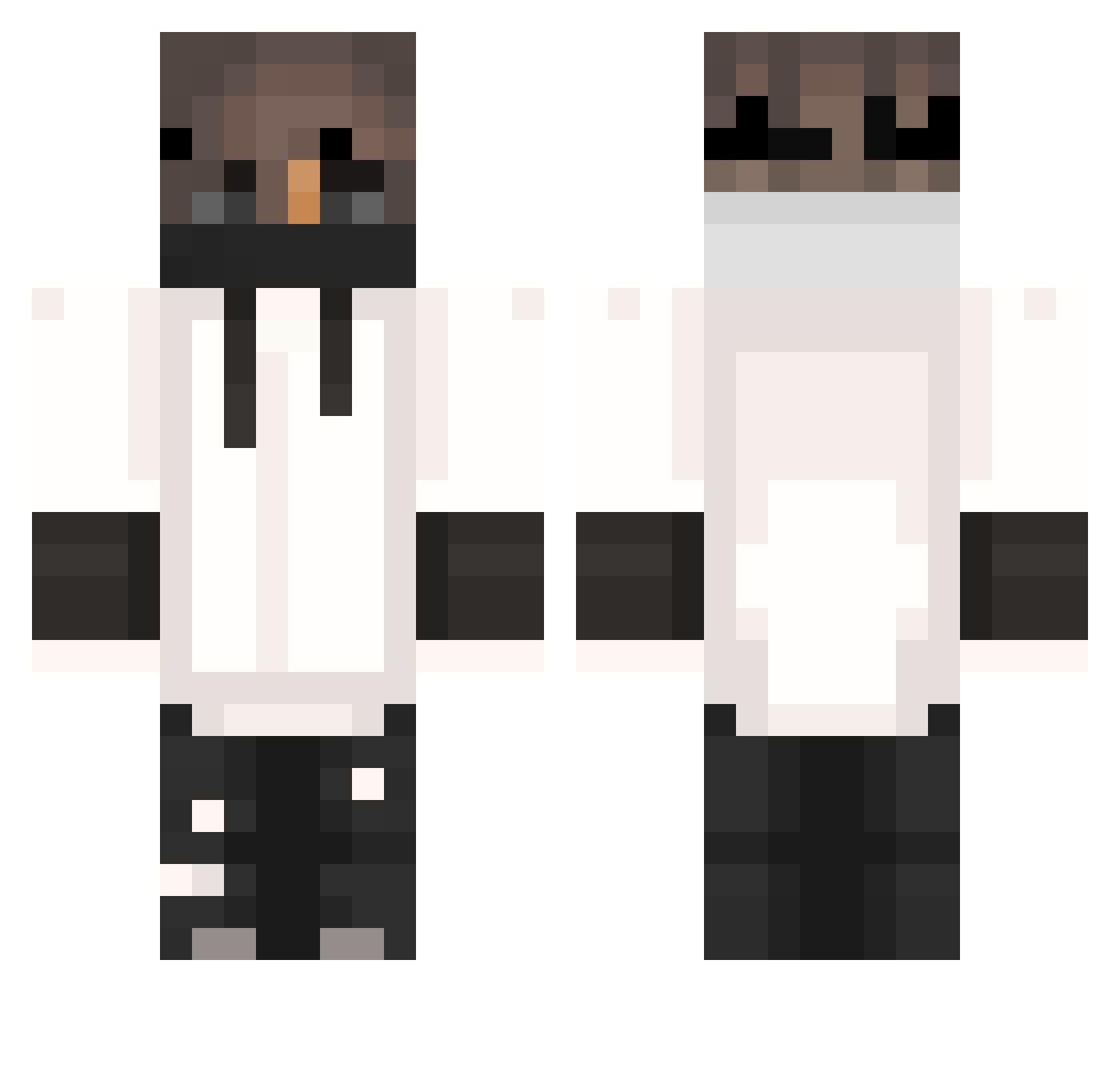
Current Minecraft skin of the player Notarshia, loaded from the official Mojang API. Rotate the 3D model with your mouse or finger, then download the skin as a PNG file and use it in Minecraft: Bedrock Edition or Java Edition for free. When Notarshia changes their skin, this page updates automatically and the old skin stays in the history below.
Other players with this skin (307)
Notarshia was the 168th player we have seen with this skin, first spotted on 16.09.2026. The same skin was seen on these players. Open a nickname to see their current skin and skin history.
 By_Neulix mishany22890 aalxsr 5Kerem5PRO5HD5 Coconut_nut18 ChrelleLalle eNcapantsa Tian__Yu9 Halcky Lovante_ GODzKr4t0s _Eximius beamzaza_one bertcraft007 benj82 __gliched__ hi_i_am_gokke HaBe05 romi8391 ITzDanielS10 AffeLOL Sikee53 Davilosnew13 spector_er BlackDavy Navr Master2630 Manix12310 EdTeck SickCrow Anyw4yz Patrik0820 ivafozne xCentoss FynnAbi_ Chip_Kruemel_RHM langi666 Caden2Game ctoi Ropsito Pejtyzi_GBS Rusekk_ OAOJEE Kill3rxx Flockiie Fabled_x Vate0301 _ToastedToast_ StormDrops FV2012 MAX518 zTenZ wanaat YourDadXD Vibenlol fistaszek_f3 Nosx_18 medmenbr DKzin22 12Mokj
More Mask Minecraft skins
How to install the Notarshia skin
- Press the Download button above to save the skin as a PNG file.
- Minecraft: Bedrock Edition (PE): open the Dressing Room from the main menu (or tap your character → Edit Character), go to Classic Skins → Owned, press the + (new skin) button, choose the downloaded PNG and pick the Classic (Steve) model. Works on PC and mobile; consoles cannot import custom skins.
- Minecraft: Java Edition: open the Minecraft Launcher, go to the Skins tab, click New Skin, load the PNG, pick the Classic (Steve) model and press Save & Use. You can also upload it at minecraft.net → Profile → Change Skin.
The skin does not show up after import - what should I do?
Restart Minecraft and open the Dressing Room again - imported skins sometimes appear only after a restart. Also make sure you selected the imported skin and picked the Classic (Steve) model.
Which model should I choose, Classic or Slim?
This skin is designed for the Classic (Steve) model. If you pick the wrong model, the arms of the skin will look stretched or squeezed.
Is the skin of Notarshia free to download?
Yes. Press Download, save the PNG file and use it in Minecraft: Bedrock Edition or Java Edition - no payment or registration needed. The skin also works on multiplayer servers and Realms.
More skins
Looking for more? Go back to all Minecraft skins and check the top skins of the week, month and all time, or find any player's skin by nickname.