
 phantomXLZ TwiSkyZ HereIsHamster Dante_XZ2 L0tuu_s BKLI Kkhanfeng Boarzu a_lazy_bone Itz_Okawa Lived_01 leLireax MLOVEN itsalsoatheo 46827913 yzn_k zNyr0x Ceusescu TeaLuciy _EAGLE_ST Salamechou r4ikiri ArthurMaia24 ruan91 bearctii Wraiii gudo138 Pyromaniac_Rulez Azrael420_ _Antyx Wyltrix sueci Viva_El_CruzAzul LokiGod27 Jonnyiael Yeye031w HyunSG Sasukehue 5ALEM Kyubisama MAlvarez_17 Vampzz1 HingHongHung Senkin_X Lisicani nikedaboss _Nahue Luckytown666 dustind77 Solmj7 NNINNO Iczplayz Remikkx Wemmbud A9c__ lisus1321 Shadowx356 fr4nzek bluzin collapse____
Minecraft skin of Acd__. Rotate the 3D model with your mouse or finger to view the skin from every angle, then download it as a PNG file and use it in Minecraft: Bedrock Edition or Java Edition for free. Rate the skin with stars to help other players find the best skins in our collection.
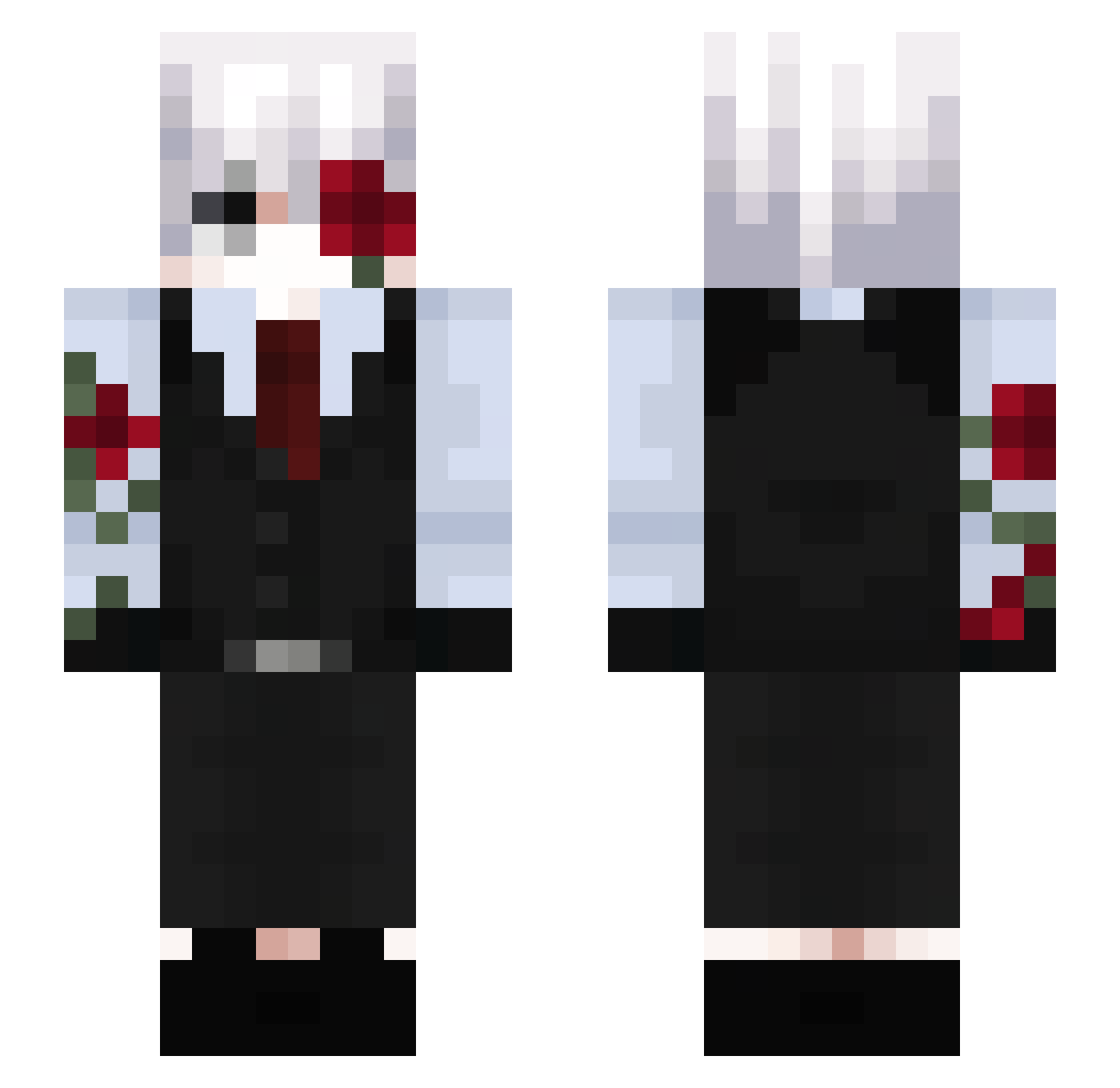
How to install the Acd__ skin
- Press the Download button above to save the skin as a PNG file.
- Minecraft: Bedrock Edition (PE): open the Dressing Room from the main menu (or tap your character → Edit Character), go to Classic Skins → Owned, press the + (new skin) button, choose the downloaded PNG and pick the Slim (Alex) model. Works on PC and mobile; consoles cannot import custom skins.
- Minecraft: Java Edition: open the Minecraft Launcher, go to the Skins tab, click New Skin, load the PNG, pick the Slim (Alex) model and press Save & Use. You can also upload it at minecraft.net → Profile → Change Skin.
The skin does not show up after import - what should I do?
Restart Minecraft and open the Dressing Room again - imported skins sometimes appear only after a restart. Also make sure you selected the imported skin and picked the Slim (Alex) model.
Which model should I choose, Classic or Slim?
This skin is designed for the Slim (Alex) model. If you pick the wrong model, the arms of the skin will look stretched or squeezed.
Is this skin free to use?
Yes. Press Download, save the PNG file and use it in Minecraft: Bedrock Edition or Java Edition - no payment or registration needed. The skin also works on multiplayer servers and Realms.
More Rose Minecraft skins
More skins
Looking for more? Go back to all Minecraft skins and check the top skins of the week, month and all time, or find any player's skin by nickname.