
meowwyl - Minecraft Skins & Skin History
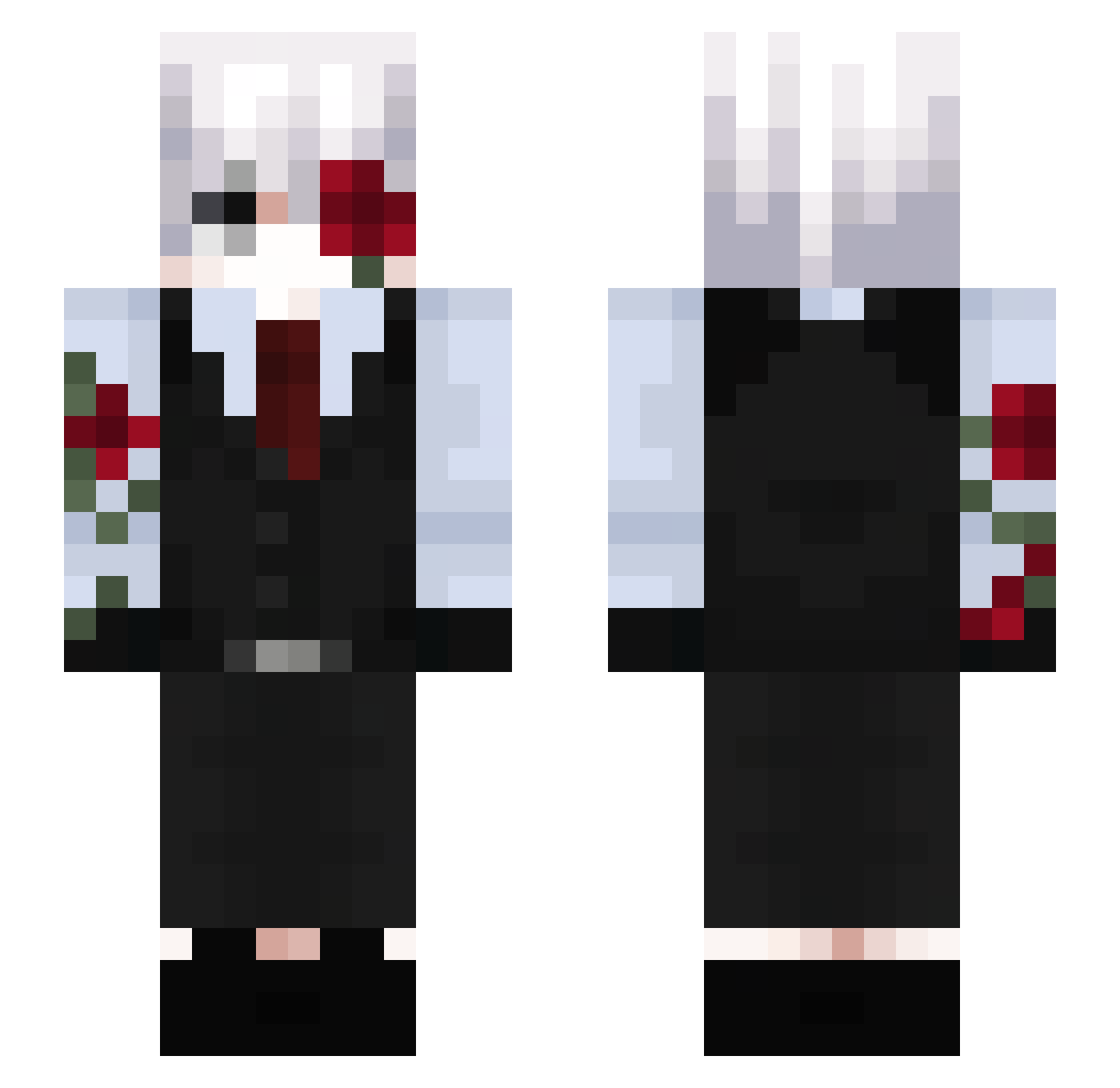
Current Minecraft skin of the player meowwyl, loaded from the official Mojang API. Rotate the 3D model with your mouse or finger, then download the skin as a PNG file and use it in Minecraft: Bedrock Edition or Java Edition for free. When meowwyl changes their skin, this page updates automatically and the old skin stays in the history below.
Other players with this skin (216)
meowwyl was the 177th player we have seen with this skin, first spotted on 31.10.2026. The same skin was seen on these players. Open a nickname to see their current skin and skin history.
 imalllio ShaddowDagger phantomXLZ SemNome511 TwiSkyZ king123444 Manticora1 HereIsHamster RumlowKADiR Dante_XZ2 kattypery L0tuu_s SpyJustin Cookie881208 BKLI Kkhanfeng yWiller iN12u Boarzu LOST__5 Mths2020 a_lazy_bone Itz_Okawa clow_n ElRocha99 lostyxz Esai2 Shadow0fEden Lived_01 r_cefiro leLireax Sc0u MLOVEN itsalsoatheo Hourielmaspijudo YTAR15 Malixxx1234 N0xi_S 46827913 yzn_k jxshyv zNyr0x danhaze BrianSilva153 Fake69 Ceusescu TeaLuciy AlreadyScared Murasame_520 _EAGLE_ST _szy_ Salamechou x_Kenshi_x ArthurMaia24 xP4tr7k_17 ConfusedStef Pwo7049 ruan91 bearctii YUDU233
More Rose Minecraft skins
How to install the meowwyl skin
- Press the Download button above to save the skin as a PNG file.
- Minecraft: Bedrock Edition (PE): open the Dressing Room from the main menu (or tap your character → Edit Character), go to Classic Skins → Owned, press the + (new skin) button, choose the downloaded PNG and pick the Slim (Alex) model. Works on PC and mobile; consoles cannot import custom skins.
- Minecraft: Java Edition: open the Minecraft Launcher, go to the Skins tab, click New Skin, load the PNG, pick the Slim (Alex) model and press Save & Use. You can also upload it at minecraft.net → Profile → Change Skin.
The skin does not show up after import - what should I do?
Restart Minecraft and open the Dressing Room again - imported skins sometimes appear only after a restart. Also make sure you selected the imported skin and picked the Slim (Alex) model.
Which model should I choose, Classic or Slim?
This skin is designed for the Slim (Alex) model. If you pick the wrong model, the arms of the skin will look stretched or squeezed.
Is the skin of meowwyl free to download?
Yes. Press Download, save the PNG file and use it in Minecraft: Bedrock Edition or Java Edition - no payment or registration needed. The skin also works on multiplayer servers and Realms.
More skins
Looking for more? Go back to all Minecraft skins and check the top skins of the week, month and all time, or find any player's skin by nickname.