
NoodleLong_VN - Minecraft Skins & Skin History
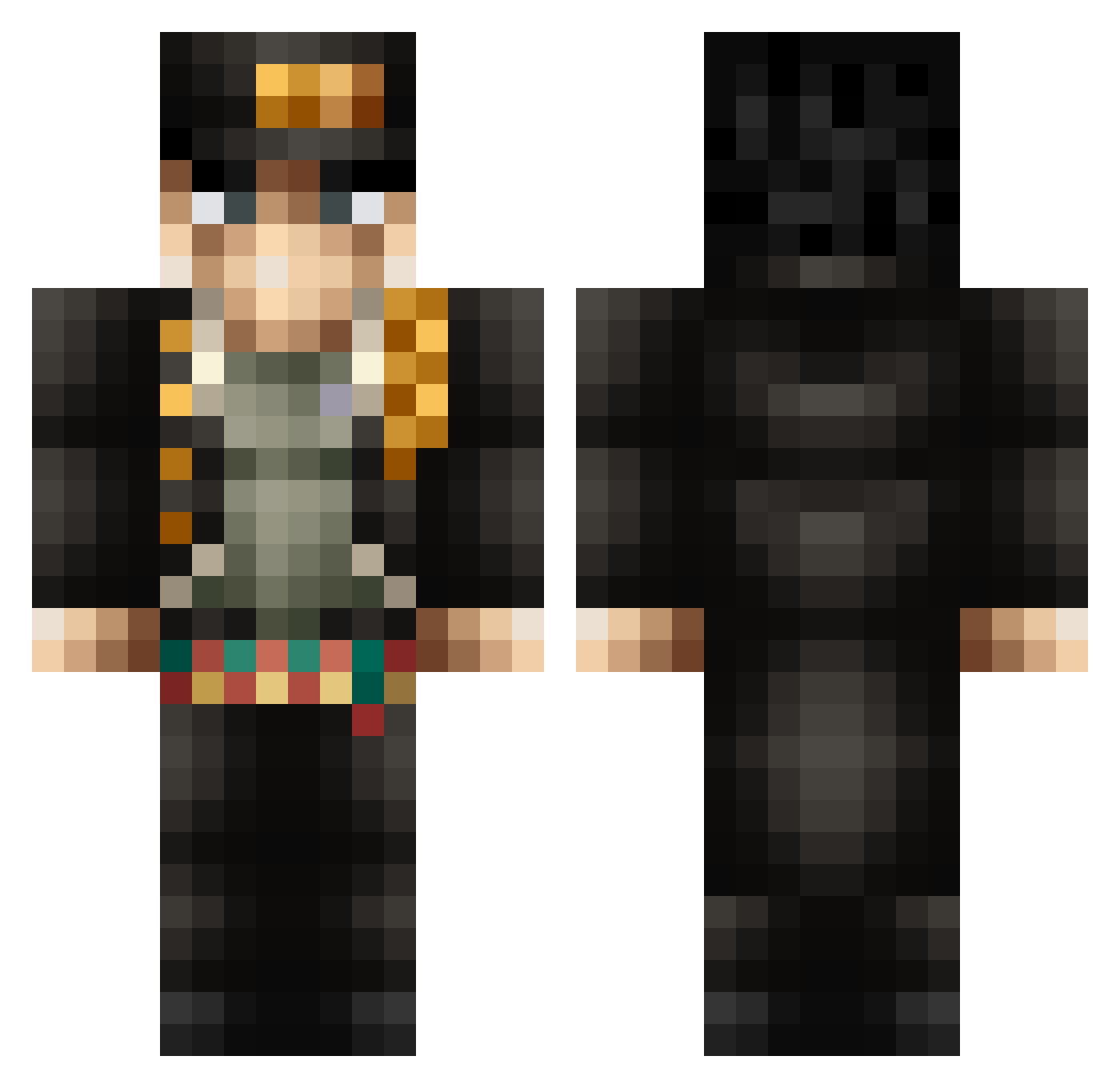
Current Minecraft skin of the player NoodleLong_VN, loaded from the official Mojang API. Rotate the 3D model with your mouse or finger, then download the skin as a PNG file and use it in Minecraft: Bedrock Edition or Java Edition for free. When NoodleLong_VN changes their skin, this page updates automatically and the old skin stays in the history below.
Other players with this skin (367)
NoodleLong_VN was the 86th player we have seen with this skin, first spotted on 17.08.2026. The same skin was seen on these players. Open a nickname to see their current skin and skin history.
 _BIONIC HotKoolaid098 JustACoolDude21 EdoPengu Lucaland28 jukaito SadStove Mercer_0 JUSTMOROW fairsneeze _Hiroto BurntCopy A1DSTU3TLE Willox_ Cooler_Nico juandedios930 Orthan98 NiKONiko1122 B3nTozh DrBibab Maths12321 Juanx18987 DatenShiiii qwetempest darkM3 Jotce yaw_hee DarekuDai SONOCHINOSADAME1 Mudadas DoctorGonzo2 Oofls LaChevreeeeee al3bewi DottierPrince58 JsuisFatiguew IFBI1 StarNutria35500 eienokodoku tomomomomosan YeeZeus04 spheal2022 BruhNube_ ri4ds AlphaTeemo enoo10 grandslam123 FemboyFeetLoverr TomyBrah _onx MadoMedusa313 Dayne023 BlitzKrieger290 Alexius_X amhaeng_eosa kekify12 depic55 borealx01 CoBalt14 BleTui
More Jotaro Kujo Minecraft skins
How to install the NoodleLong_VN skin
- Press the Download button above to save the skin as a PNG file.
- Minecraft: Bedrock Edition (PE): open the Dressing Room from the main menu (or tap your character → Edit Character), go to Classic Skins → Owned, press the + (new skin) button, choose the downloaded PNG and pick the Classic (Steve) model. Works on PC and mobile; consoles cannot import custom skins.
- Minecraft: Java Edition: open the Minecraft Launcher, go to the Skins tab, click New Skin, load the PNG, pick the Classic (Steve) model and press Save & Use. You can also upload it at minecraft.net → Profile → Change Skin.
The skin does not show up after import - what should I do?
Restart Minecraft and open the Dressing Room again - imported skins sometimes appear only after a restart. Also make sure you selected the imported skin and picked the Classic (Steve) model.
Which model should I choose, Classic or Slim?
This skin is designed for the Classic (Steve) model. If you pick the wrong model, the arms of the skin will look stretched or squeezed.
Is the skin of NoodleLong_VN free to download?
Yes. Press Download, save the PNG file and use it in Minecraft: Bedrock Edition or Java Edition - no payment or registration needed. The skin also works on multiplayer servers and Realms.
More skins
Looking for more? Go back to all Minecraft skins and check the top skins of the week, month and all time, or find any player's skin by nickname.