
Nicky_Lin - Minecraft Skins & Skin History
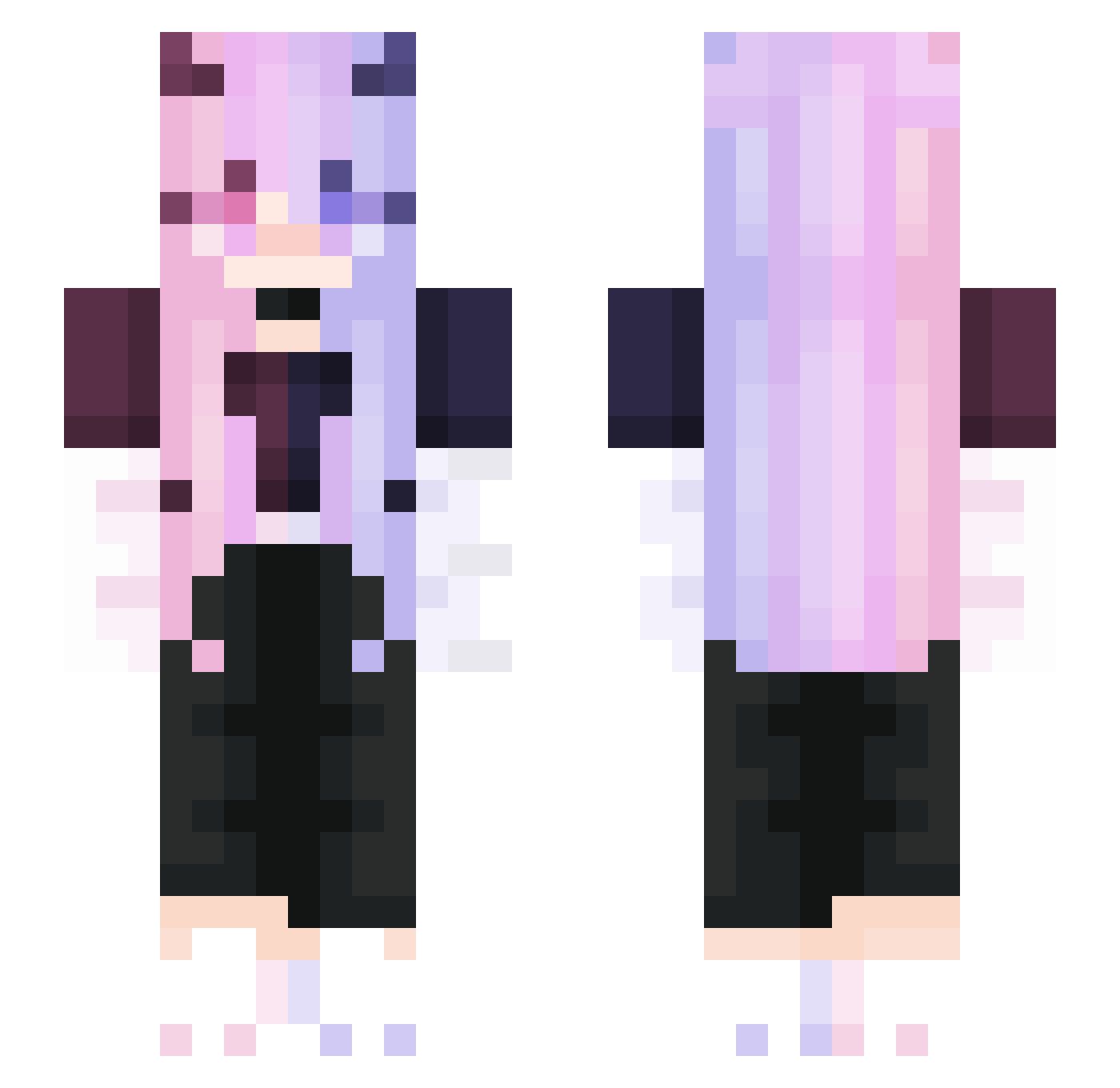
Current Minecraft skin of the player Nicky_Lin, loaded from the official Mojang API. Rotate the 3D model with your mouse or finger, then download the skin as a PNG file and use it in Minecraft: Bedrock Edition or Java Edition for free. When Nicky_Lin changes their skin, this page updates automatically and the old skin stays in the history below.
Other players with this skin (276)
Nicky_Lin was the 102nd player we have seen with this skin, first spotted on 27.08.2026. The same skin was seen on these players. Open a nickname to see their current skin and skin history.
 AshlynnWinter Tae_hyung01 Kawaii12345678 ItsJustKatiee Jerz0r UniStella Secenary BIGMarshmello soapster87 Maerkc GARAGUS Scene1314 TwistedLuna Mylaerla zN4SUz rio2313 Mao870415 white_snown Thaiyou MASSIOO MINMIM666 AnaPaulinha laurenemily A0Y0A pinefae AiLerd TheKookedaburra Laurasia01 saileiya
 R79850X3D lovelyer77 Less_common MiraLoxely Guzdin Binven40 Arowana2002 ArrowPlayy Zaeuhoner HEKARTE yuniFI HugoDeubDeub44 NORTH18 nightlight0515 cleariron Nathi_Stink the_yeti_ MC_LONGYAN zuzia667 Oxygen_X Sowaa711 _Berry_Good_ moarn Justin_lin Yu_Ae_1737 HUAHUA0 SnowFlake_pro Dellsy QianSuiS ApkaIIIa MacCreagh
More Demon Minecraft skins
How to install the Nicky_Lin skin
- Press the Download button above to save the skin as a PNG file.
- Minecraft: Bedrock Edition (PE): open the Dressing Room from the main menu (or tap your character → Edit Character), go to Classic Skins → Owned, press the + (new skin) button, choose the downloaded PNG and pick the Slim (Alex) model. Works on PC and mobile; consoles cannot import custom skins.
- Minecraft: Java Edition: open the Minecraft Launcher, go to the Skins tab, click New Skin, load the PNG, pick the Slim (Alex) model and press Save & Use. You can also upload it at minecraft.net → Profile → Change Skin.
The skin does not show up after import - what should I do?
Restart Minecraft and open the Dressing Room again - imported skins sometimes appear only after a restart. Also make sure you selected the imported skin and picked the Slim (Alex) model.
Which model should I choose, Classic or Slim?
This skin is designed for the Slim (Alex) model. If you pick the wrong model, the arms of the skin will look stretched or squeezed.
Is the skin of Nicky_Lin free to download?
Yes. Press Download, save the PNG file and use it in Minecraft: Bedrock Edition or Java Edition - no payment or registration needed. The skin also works on multiplayer servers and Realms.
More skins
Looking for more? Go back to all Minecraft skins and check the top skins of the week, month and all time, or find any player's skin by nickname.