
NebulaQueen19 - Minecraft Skins & Skin History
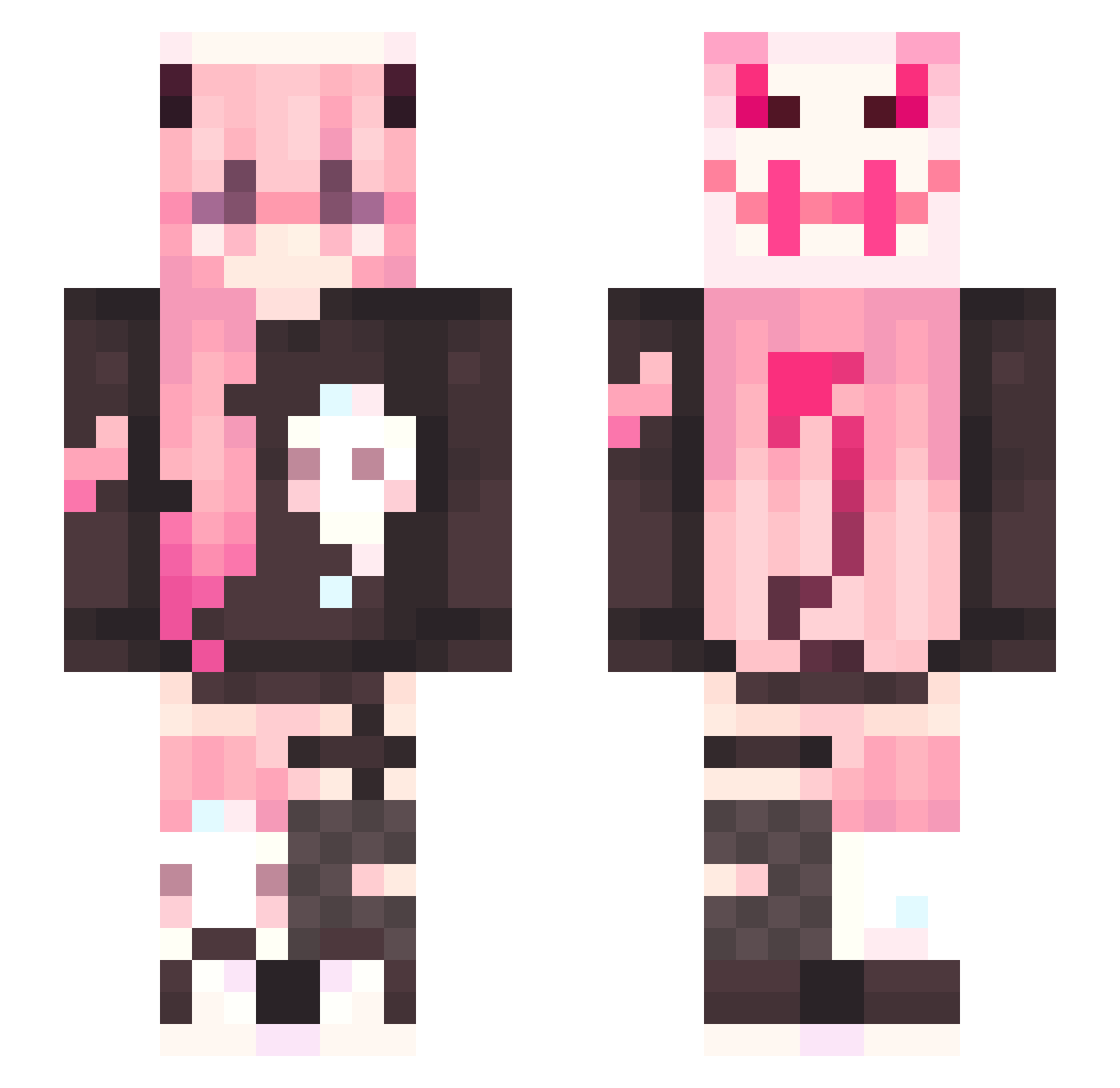
Current Minecraft skin of the player NebulaQueen19, loaded from the official Mojang API. Rotate the 3D model with your mouse or finger, then download the skin as a PNG file and use it in Minecraft: Bedrock Edition or Java Edition for free. When NebulaQueen19 changes their skin, this page updates automatically and the old skin stays in the history below.
Other players with this skin (338)
NebulaQueen19 was the 82nd player we have seen with this skin, first spotted on 22.08.2026. The same skin was seen on these players. Open a nickname to see their current skin and skin history.
 kenertski Beammy17 Bella_white MorzsiX ChombieGirl MichUva kosuker TPsml Bluetide6 nutkiki Spider_Gwen0425 ruosui MaddyBunny86 filianta1 nyanners69 MoshtheMage pee_pan NotNappen komomomori Miraaaaa27 Shalomander2 LosT_DeMMoN kooktynka ImPhoba kittilittr nonavaith Bloody_death62 Fieonchen spwlet AyoSnow
 FrackList psw9581 mcyflml CalicoKook tkashaw lilmonix30922 tiaopimao Rextimouo LycheeBunny EllieeUwU Lucanya nepkinkim icollectd1lfs lillyrobinson00 MiraiSenpai hxtsune_miku IceCola97 JustinHi3rd LostParad1se Mcddddada Mynekowo Arumm_
 Okeedoku Kiyoo_00 BeepBoopSoup_ Batata910 CutePinkHairGirl Asumu Elchin873 stufflin
More Demon Minecraft skins
How to install the NebulaQueen19 skin
- Press the Download button above to save the skin as a PNG file.
- Minecraft: Bedrock Edition (PE): open the Dressing Room from the main menu (or tap your character → Edit Character), go to Classic Skins → Owned, press the + (new skin) button, choose the downloaded PNG and pick the Slim (Alex) model. Works on PC and mobile; consoles cannot import custom skins.
- Minecraft: Java Edition: open the Minecraft Launcher, go to the Skins tab, click New Skin, load the PNG, pick the Slim (Alex) model and press Save & Use. You can also upload it at minecraft.net → Profile → Change Skin.
The skin does not show up after import - what should I do?
Restart Minecraft and open the Dressing Room again - imported skins sometimes appear only after a restart. Also make sure you selected the imported skin and picked the Slim (Alex) model.
Which model should I choose, Classic or Slim?
This skin is designed for the Slim (Alex) model. If you pick the wrong model, the arms of the skin will look stretched or squeezed.
Is the skin of NebulaQueen19 free to download?
Yes. Press Download, save the PNG file and use it in Minecraft: Bedrock Edition or Java Edition - no payment or registration needed. The skin also works on multiplayer servers and Realms.
More skins
Looking for more? Go back to all Minecraft skins and check the top skins of the week, month and all time, or find any player's skin by nickname.