
NANDIIII - Minecraft Skins & Skin History
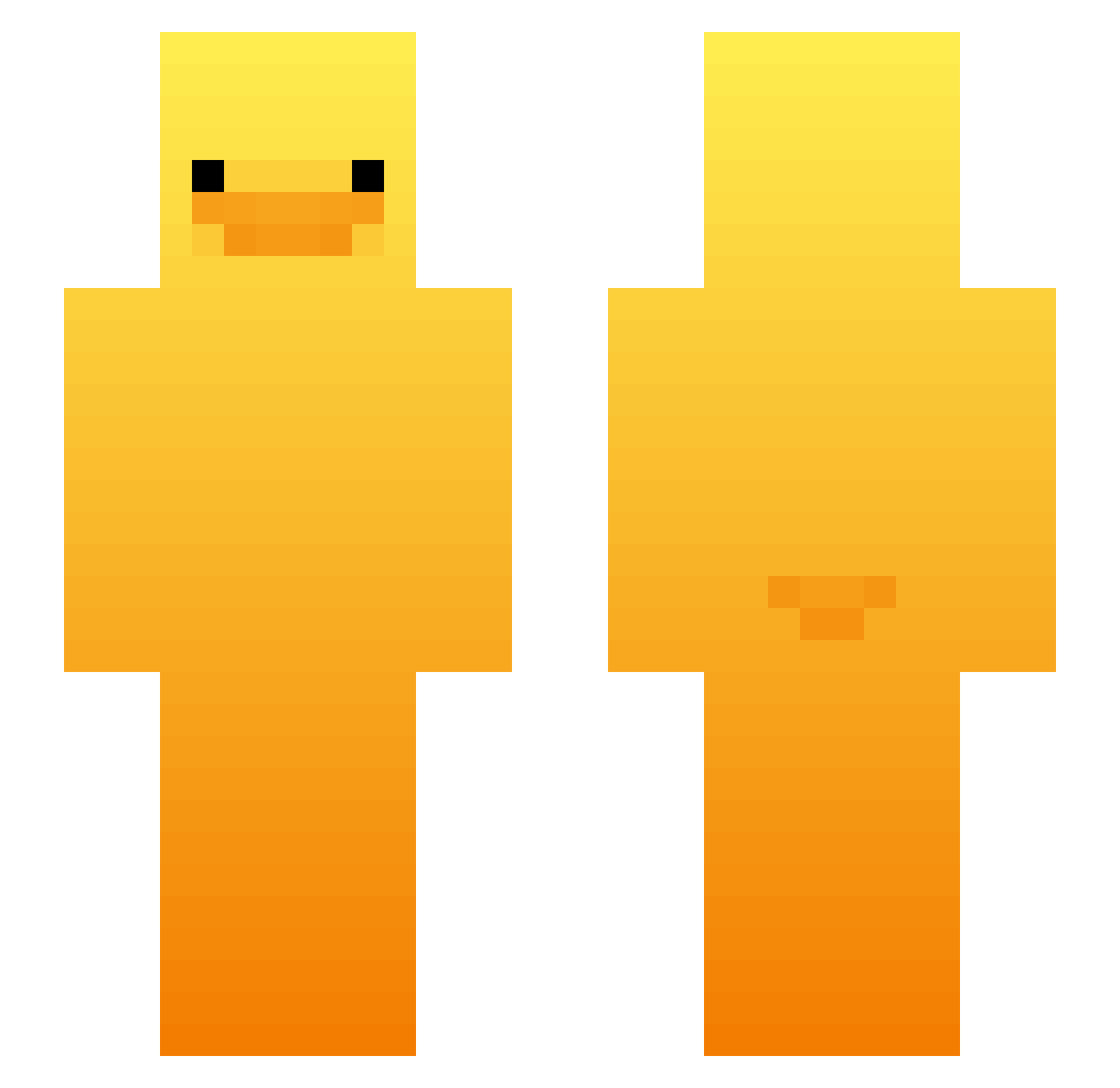
Current Minecraft skin of the player NANDIIII, loaded from the official Mojang API. Rotate the 3D model with your mouse or finger, then download the skin as a PNG file and use it in Minecraft: Bedrock Edition or Java Edition for free. When NANDIIII changes their skin, this page updates automatically and the old skin stays in the history below.
Other players with this skin (515)
NANDIIII was the 220th player we have seen with this skin, first spotted on 10.09.2026. The same skin was seen on these players. Open a nickname to see their current skin and skin history.
 Hazzy11111
 langyu6 Acerchina Netwonk456 Gatozahurio3000 maro_222 Ch0c0latt Qwer0089 NormalDuds Nickiskewl06 Thomimou Chakchin Rever77 Myodan Skye____ ihvanameyk Ilaughatyou SenhorBruno11 Sebi021 YoCoP cityhoo ELK_111 not_soap_ DxvineG Manass23 Ckl22 Milka23cm WAZZET THE_MRGuy jinpyo_12 iLoveMyGF123432 H_Trex89 Monkeyboy203 i_like_Duck1 mainfars JCAnimal uStrike zlomek_1 SmookyBaby ddain1101 D3GOTE Fv_Sky xela_ne Tlights29 maze33333 I_like_ori MMCmikey98 br1gin Citrusii0 sebassoul yajin2 therealhogrida snapple079 Eric51413 a1ij4h CheeseKing___ Omegapraxis hapark buttholebanit Alijeri
More Duck Minecraft skins
How to install the NANDIIII skin
- Press the Download button above to save the skin as a PNG file.
- Minecraft: Bedrock Edition (PE): open the Dressing Room from the main menu (or tap your character → Edit Character), go to Classic Skins → Owned, press the + (new skin) button, choose the downloaded PNG and pick the Slim (Alex) model. Works on PC and mobile; consoles cannot import custom skins.
- Minecraft: Java Edition: open the Minecraft Launcher, go to the Skins tab, click New Skin, load the PNG, pick the Slim (Alex) model and press Save & Use. You can also upload it at minecraft.net → Profile → Change Skin.
The skin does not show up after import - what should I do?
Restart Minecraft and open the Dressing Room again - imported skins sometimes appear only after a restart. Also make sure you selected the imported skin and picked the Slim (Alex) model.
Which model should I choose, Classic or Slim?
This skin is designed for the Slim (Alex) model. If you pick the wrong model, the arms of the skin will look stretched or squeezed.
Is the skin of NANDIIII free to download?
Yes. Press Download, save the PNG file and use it in Minecraft: Bedrock Edition or Java Edition - no payment or registration needed. The skin also works on multiplayer servers and Realms.
More skins
Looking for more? Go back to all Minecraft skins and check the top skins of the week, month and all time, or find any player's skin by nickname.