
Makuray - Minecraft Skins & Skin History
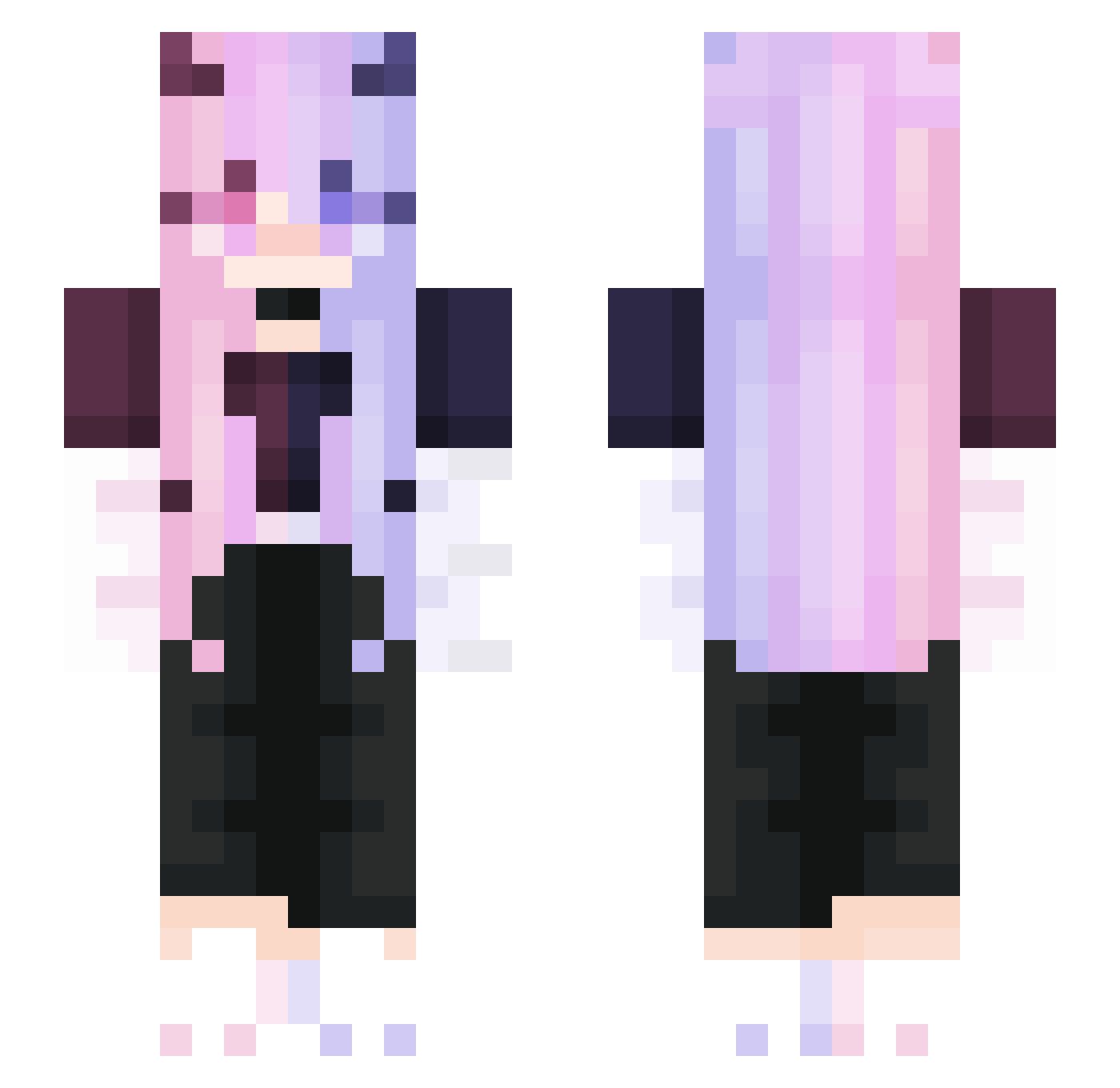
Current Minecraft skin of the player Makuray, loaded from the official Mojang API. Rotate the 3D model with your mouse or finger, then download the skin as a PNG file and use it in Minecraft: Bedrock Edition or Java Edition for free. When Makuray changes their skin, this page updates automatically and the old skin stays in the history below.
Other players with this skin (291)
Makuray was the 32nd player we have seen with this skin, first spotted on 04.08.2026. The same skin was seen on these players. Open a nickname to see their current skin and skin history.
 cokz24 Kuroina_ Revated Darkomen_skater shizukuuu212 jinyanmei Nonodru KILLER103010 PyTsING Helyanaa _StraightAway_ IVAshkaGames caorenhao2003 Rachel048 Greyiat night5753 Ezy0 Lepex2 nonstopg UgoLetizia Bullfrog87_TW MackenzieZye7 Luo_Shui_ JIAO_QIi Prosto_Danilka LostLilith NatiToBest DY_RTH_CN BBcupcake11 sophie_2a Furnace09 GraceHung97 SunXGod Muqiuqiu Templar94 tanhuangtu SingularitysHoe Meiyasxxx jarernrat88 Bug_U_Bee JCSHORN Sally_li Madyze Mu_yueJ Guldik Irritability_ tj336699 2014MlNECON LiyuOuO kpop_life57 Genx0 migugu_ HealerShine EueyL Arnold100330 Devilgirl_2005 1BlockRubixCube remysic mickreon Qk119
More Demon Minecraft skins
How to install the Makuray skin
- Press the Download button above to save the skin as a PNG file.
- Minecraft: Bedrock Edition (PE): open the Dressing Room from the main menu (or tap your character → Edit Character), go to Classic Skins → Owned, press the + (new skin) button, choose the downloaded PNG and pick the Slim (Alex) model. Works on PC and mobile; consoles cannot import custom skins.
- Minecraft: Java Edition: open the Minecraft Launcher, go to the Skins tab, click New Skin, load the PNG, pick the Slim (Alex) model and press Save & Use. You can also upload it at minecraft.net → Profile → Change Skin.
The skin does not show up after import - what should I do?
Restart Minecraft and open the Dressing Room again - imported skins sometimes appear only after a restart. Also make sure you selected the imported skin and picked the Slim (Alex) model.
Which model should I choose, Classic or Slim?
This skin is designed for the Slim (Alex) model. If you pick the wrong model, the arms of the skin will look stretched or squeezed.
Is the skin of Makuray free to download?
Yes. Press Download, save the PNG file and use it in Minecraft: Bedrock Edition or Java Edition - no payment or registration needed. The skin also works on multiplayer servers and Realms.
More skins
Looking for more? Go back to all Minecraft skins and check the top skins of the week, month and all time, or find any player's skin by nickname.