
LackyElPollo - Minecraft Skins & Skin History
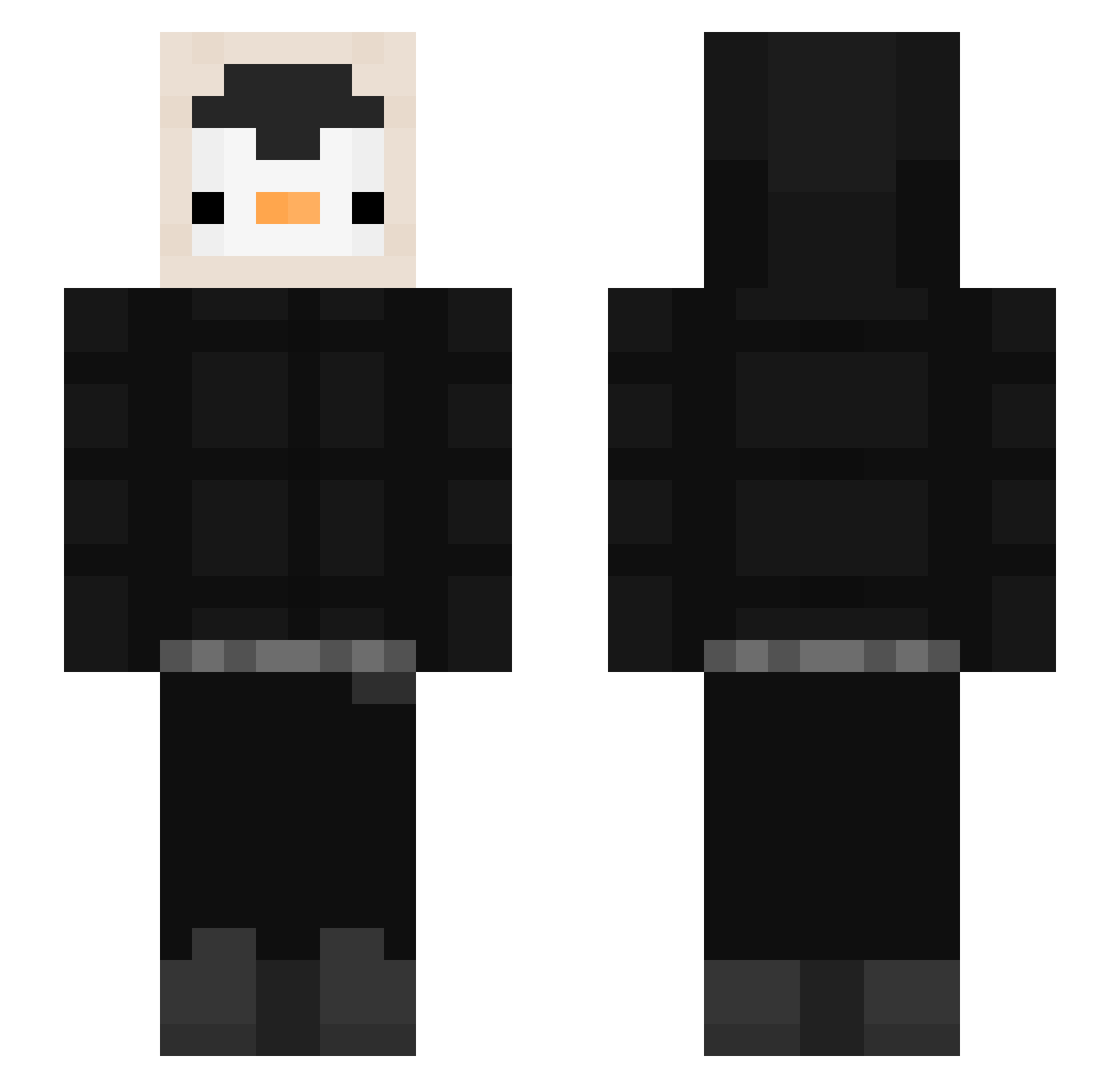
Current Minecraft skin of the player LackyElPollo, loaded from the official Mojang API. Rotate the 3D model with your mouse or finger, then download the skin as a PNG file and use it in Minecraft: Bedrock Edition or Java Edition for free. When LackyElPollo changes their skin, this page updates automatically and the old skin stays in the history below.
Other players with this skin (536)
LackyElPollo was the 50th player we have seen with this skin, first spotted on 04.08.2026. The same skin was seen on these players. Open a nickname to see their current skin and skin history.
 diddei sacha874 Yangpeny Pusillanime NameTNYSR ReAttila Tomatenmark44 AntLife34 PringuFlash SrTabur adam1957 Gong_jay BenjaJr_ Pongjaeni Lysrex xxJANEQxx Mxstang __SwampMonster__ Ziofolletto 1_Nonly1 vroom7907 RunMingie dxniel12 acee129 zVexxe MaxPenguiny Y3CH4N laurran_ CryptonV K1siloff yallolly222 Aliexior the_ram_g Zachary7777 Erycowski Wibbled Bistouflette78 QWEEE1 briannova2 XbyNERO EME_Zzz Oiffhy uwupandabaka Anwarito SirPungo netraxyt cetin1312 Sacred_Fire6 wanswife Tommer136 adisbrasko MusaKaramuk doosik21 rofre1 ShawdyHQ carlos_castaneda parkmosi DarkHouseTF katarinalover LaG_Phoenix
More Penguin Minecraft skins
How to install the LackyElPollo skin
- Press the Download button above to save the skin as a PNG file.
- Minecraft: Bedrock Edition (PE): open the Dressing Room from the main menu (or tap your character → Edit Character), go to Classic Skins → Owned, press the + (new skin) button, choose the downloaded PNG and pick the Slim (Alex) model. Works on PC and mobile; consoles cannot import custom skins.
- Minecraft: Java Edition: open the Minecraft Launcher, go to the Skins tab, click New Skin, load the PNG, pick the Slim (Alex) model and press Save & Use. You can also upload it at minecraft.net → Profile → Change Skin.
The skin does not show up after import - what should I do?
Restart Minecraft and open the Dressing Room again - imported skins sometimes appear only after a restart. Also make sure you selected the imported skin and picked the Slim (Alex) model.
Which model should I choose, Classic or Slim?
This skin is designed for the Slim (Alex) model. If you pick the wrong model, the arms of the skin will look stretched or squeezed.
Is the skin of LackyElPollo free to download?
Yes. Press Download, save the PNG file and use it in Minecraft: Bedrock Edition or Java Edition - no payment or registration needed. The skin also works on multiplayer servers and Realms.
More skins
Looking for more? Go back to all Minecraft skins and check the top skins of the week, month and all time, or find any player's skin by nickname.