
Kyoooool - Minecraft Skins & Skin History
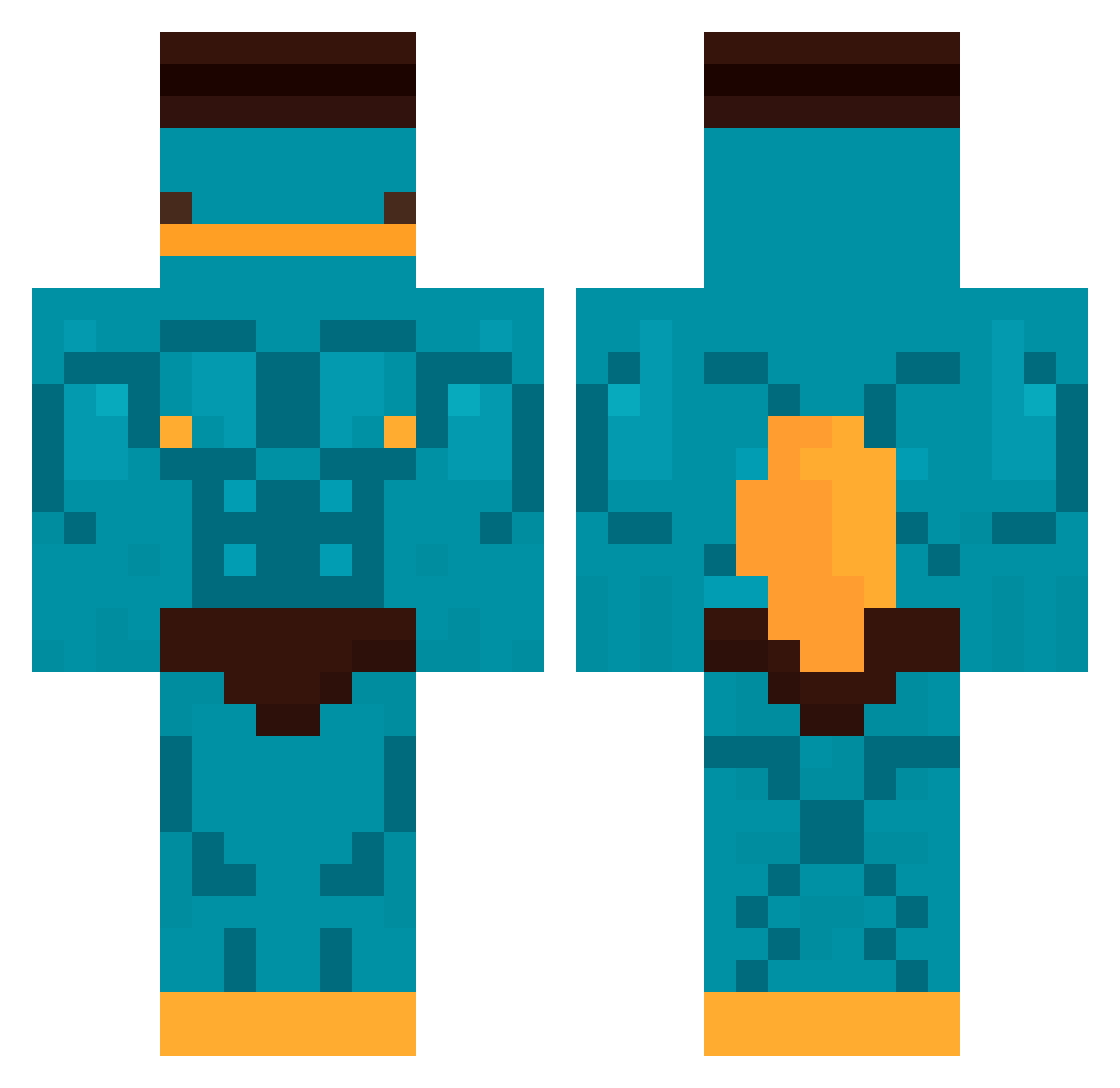
Current Minecraft skin of the player Kyoooool, loaded from the official Mojang API. Rotate the 3D model with your mouse or finger, then download the skin as a PNG file and use it in Minecraft: Bedrock Edition or Java Edition for free. When Kyoooool changes their skin, this page updates automatically and the old skin stays in the history below.
Other players with this skin (478)
Kyoooool was the 211th player we have seen with this skin, first spotted on 13.09.2026. The same skin was seen on these players. Open a nickname to see their current skin and skin history.
 SiMoN_123321 ReaPete kasssssssss Levraibeber jungsuk1100 necoman01 CyanideWine420
 TjarkW 1Rayox Yungcarrot9277 Mark_0818 snakebitejg maueb FunFerret497 Signohra c1ap4kk SummerSnowbunny Eduti1 Polaris1204 MathJK TIM7420 Jasae5 Syrox47 Ciapek11221 Luv_Loyalty you_Nice_person_ Roro_Lamesh GuvenCn Mura1235 00zeroling Raeuberlachs toztoz84000 NotNick723 FreeMaBoyEpstein ploft154 yesballs lemoneq2246 Santiagopx Caiohnv bamboo8787 Ale_Vip M4sTeRRR Herinnmaru Swuyy Batatadoce1221 Leg_Aier Pog_kacper HaIlEy0011 Okop1357 Hrld9 leeeeeeeeeo elpanch05 oohga Natural_Selezen EmirB101 zombiepoker D1xar_ Adam041306 Heheheha69 Phil0206
More Buff Minecraft skins
How to install the Kyoooool skin
- Press the Download button above to save the skin as a PNG file.
- Minecraft: Bedrock Edition (PE): open the Dressing Room from the main menu (or tap your character → Edit Character), go to Classic Skins → Owned, press the + (new skin) button, choose the downloaded PNG and pick the Classic (Steve) model. Works on PC and mobile; consoles cannot import custom skins.
- Minecraft: Java Edition: open the Minecraft Launcher, go to the Skins tab, click New Skin, load the PNG, pick the Classic (Steve) model and press Save & Use. You can also upload it at minecraft.net → Profile → Change Skin.
The skin does not show up after import - what should I do?
Restart Minecraft and open the Dressing Room again - imported skins sometimes appear only after a restart. Also make sure you selected the imported skin and picked the Classic (Steve) model.
Which model should I choose, Classic or Slim?
This skin is designed for the Classic (Steve) model. If you pick the wrong model, the arms of the skin will look stretched or squeezed.
Is the skin of Kyoooool free to download?
Yes. Press Download, save the PNG file and use it in Minecraft: Bedrock Edition or Java Edition - no payment or registration needed. The skin also works on multiplayer servers and Realms.
More skins
Looking for more? Go back to all Minecraft skins and check the top skins of the week, month and all time, or find any player's skin by nickname.