
KubusMarlock - Minecraft Skins & Skin History
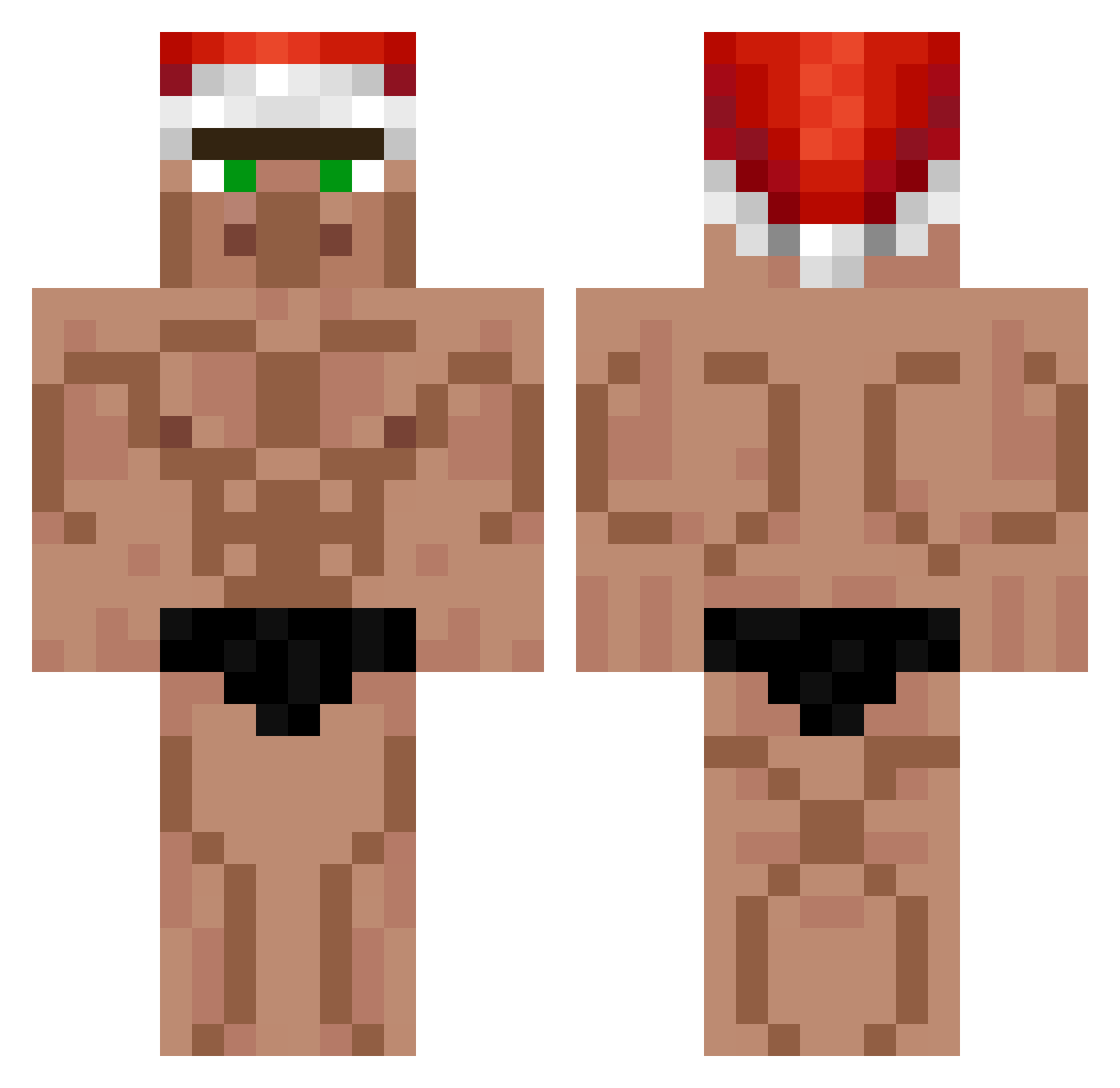
Current Minecraft skin of the player KubusMarlock, loaded from the official Mojang API. Rotate the 3D model with your mouse or finger, then download the skin as a PNG file and use it in Minecraft: Bedrock Edition or Java Edition for free. When KubusMarlock changes their skin, this page updates automatically and the old skin stays in the history below.
Other players with this skin (399)
KubusMarlock was the 85th player we have seen with this skin, first spotted on 16.08.2026. The same skin was seen on these players. Open a nickname to see their current skin and skin history.
 Mr_Zoc kowal121 hanupower AlboSleep st4chu_ Kyon_01 iiziln Skilly4246 190000 LeoziinhoZiika Bouncaaa NaeNxe Kenga torkelq Zipfelklatscher2 llSoRRyyy RyanTPD blu3b33s_ lolo280802 jeong3 Thrills8 Ale_37 dycass qpalzm0070 ComissarNacho lhk08 ThatChickenMan69 HikoBaba VOG__ gobocee tylerjohn29 gwfootballdawg Dreadnought6955 FREEFLAG The_NamellesBR37 Toast79 Arthas_Pidaras hackedbymani3k stachuq carrotbabyman thepuze BL4NK_w thebani AdamMcLaren Ivancito_pro condo4 Festaz nomellamo3 Lolitonton SoulTheDoge OXI_IXO Athomo Tarmo420 Park7411 ELCAMPERO2001 trollgamer208 ferati2806 Woody128T SniffableShoe2 Duke0531siwoo
More Buff Minecraft skins
How to install the KubusMarlock skin
- Press the Download button above to save the skin as a PNG file.
- Minecraft: Bedrock Edition (PE): open the Dressing Room from the main menu (or tap your character → Edit Character), go to Classic Skins → Owned, press the + (new skin) button, choose the downloaded PNG and pick the Classic (Steve) model. Works on PC and mobile; consoles cannot import custom skins.
- Minecraft: Java Edition: open the Minecraft Launcher, go to the Skins tab, click New Skin, load the PNG, pick the Classic (Steve) model and press Save & Use. You can also upload it at minecraft.net → Profile → Change Skin.
The skin does not show up after import - what should I do?
Restart Minecraft and open the Dressing Room again - imported skins sometimes appear only after a restart. Also make sure you selected the imported skin and picked the Classic (Steve) model.
Which model should I choose, Classic or Slim?
This skin is designed for the Classic (Steve) model. If you pick the wrong model, the arms of the skin will look stretched or squeezed.
Is the skin of KubusMarlock free to download?
Yes. Press Download, save the PNG file and use it in Minecraft: Bedrock Edition or Java Edition - no payment or registration needed. The skin also works on multiplayer servers and Realms.
More skins
Looking for more? Go back to all Minecraft skins and check the top skins of the week, month and all time, or find any player's skin by nickname.