
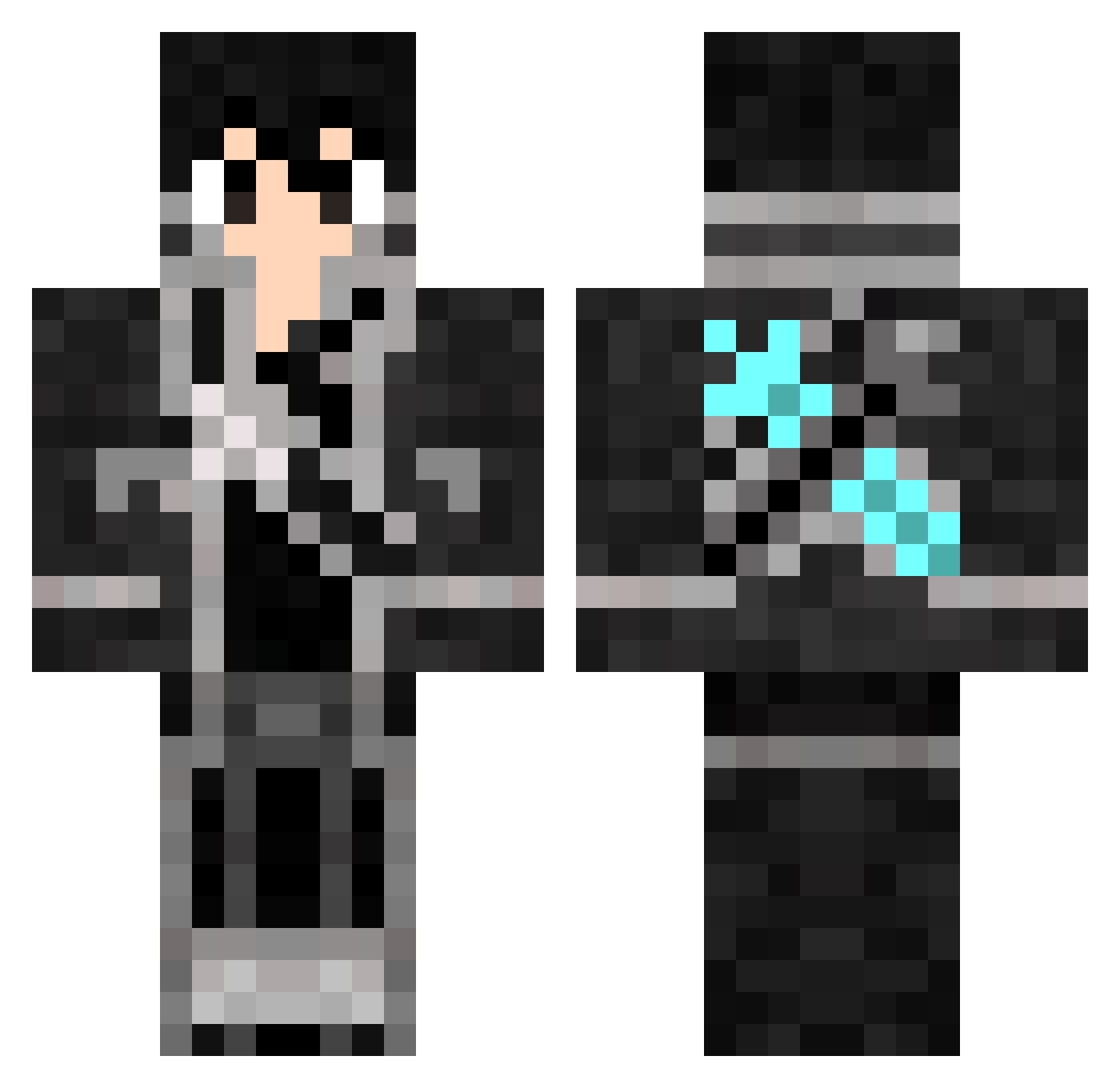
Current Minecraft skin of the player Jyratos, loaded from the official Mojang API. Rotate the 3D model with your mouse or finger, then download the skin as a PNG file and use it in Minecraft: Bedrock Edition or Java Edition for free. When Jyratos changes their skin, this page updates automatically and the old skin stays in the history below.
Other players with this skin (390)
Jyratos was the 391st player we have seen with this skin, first spotted on 16.10.2026. The same skin was seen on these players. Open a nickname to see their current skin and skin history.
 vitroi dumdog211 hacker71064 Lukestera Rivan_ okuyasu45 cyborgfriendly Nitroxshot bosco729 WOPODIE GalaxyCrafter09 xII_G_Unit KiritoIZC finalFANtasY3643 Tristenion123 Tupan juwimo RChamberlain1 SirLuis1999 Omenya cougar316_99 ChunterDMG cheif98 iSalim87 doranngboots AlstonWong Knuma_ The_Iguana alldayshooter15 xDashyx Sodahwhiskey KiritoGuns Eluzadator bloodlock55 Yooyi Drudric iBeKirito jhmjh firepheonix2003 Shinichi_135 HanksZulu ApolloChan dragon_slayer55 monta39 Page404NotFound Gabbooh Nidarame fu_xiu MineLight MrGobby IREX293 Espresso_kun timoxaept gouki55 RiceyHD DualAvator Atsura JoshAlt2 bloodaxe190 TheeKiing123
More Kirito Minecraft skins
How to install the Jyratos skin
- Press the Download button above to save the skin as a PNG file.
- Minecraft: Bedrock Edition (PE): open the Dressing Room from the main menu (or tap your character → Edit Character), go to Classic Skins → Owned, press the + (new skin) button, choose the downloaded PNG and pick the Classic (Steve) model. Works on PC and mobile; consoles cannot import custom skins.
- Minecraft: Java Edition: open the Minecraft Launcher, go to the Skins tab, click New Skin, load the PNG, pick the Classic (Steve) model and press Save & Use. You can also upload it at minecraft.net → Profile → Change Skin.
The skin does not show up after import - what should I do?
Restart Minecraft and open the Dressing Room again - imported skins sometimes appear only after a restart. Also make sure you selected the imported skin and picked the Classic (Steve) model.
Which model should I choose, Classic or Slim?
This skin is designed for the Classic (Steve) model. If you pick the wrong model, the arms of the skin will look stretched or squeezed.
Is the skin of Jyratos free to download?
Yes. Press Download, save the PNG file and use it in Minecraft: Bedrock Edition or Java Edition - no payment or registration needed. The skin also works on multiplayer servers and Realms.
More skins
Looking for more? Go back to all Minecraft skins and check the top skins of the week, month and all time, or find any player's skin by nickname.