
JesusChrisse - Minecraft Skins & Skin History
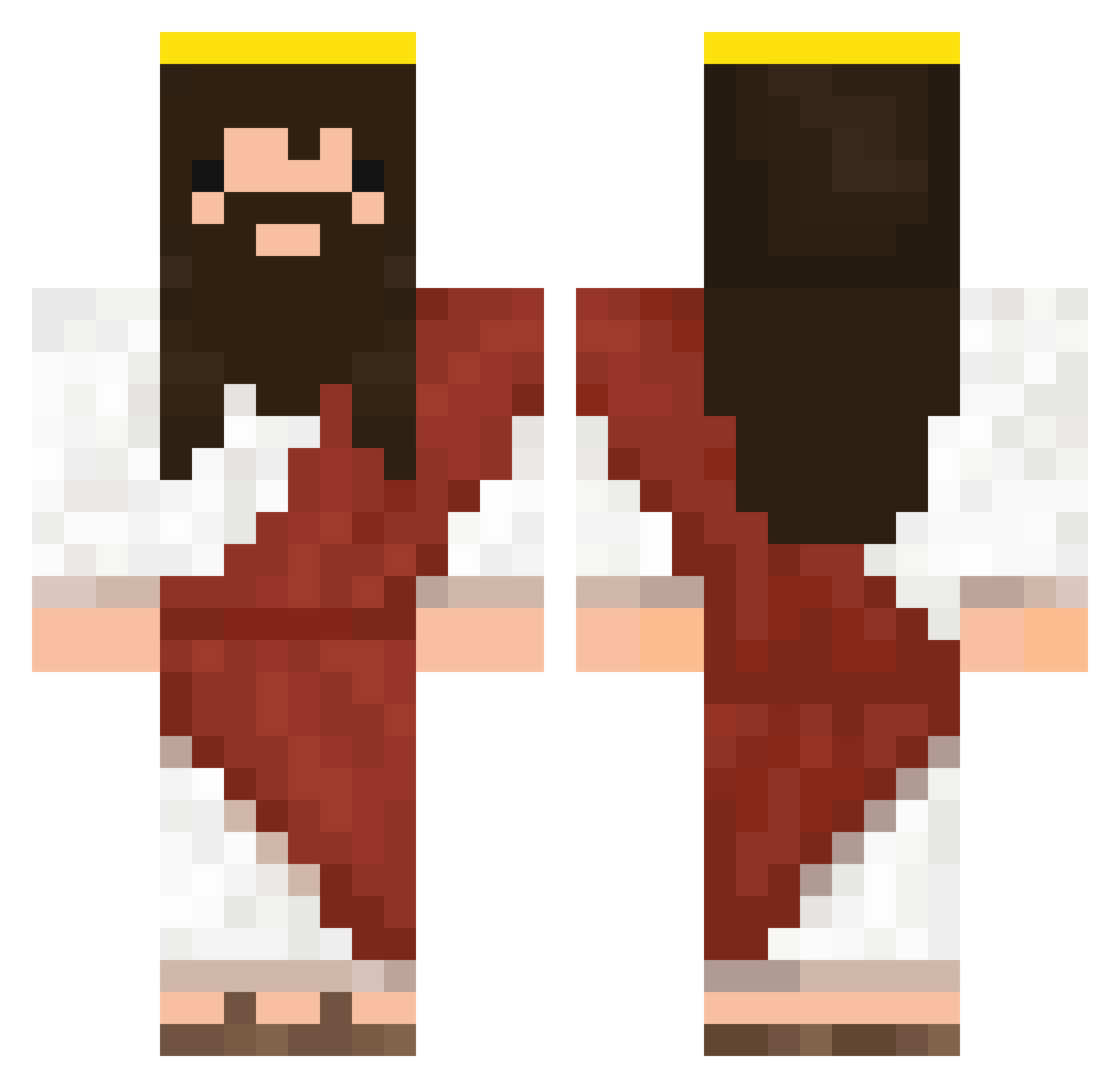
Current Minecraft skin of the player JesusChrisse, loaded from the official Mojang API. Rotate the 3D model with your mouse or finger, then download the skin as a PNG file and use it in Minecraft: Bedrock Edition or Java Edition for free. When JesusChrisse changes their skin, this page updates automatically and the old skin stays in the history below.
Other players with this skin (333)
JesusChrisse was the 132nd player we have seen with this skin, first spotted on 06.09.2026. The same skin was seen on these players. Open a nickname to see their current skin and skin history.
 orangina230 WeyleOF Tr0mm1 ViniGOD PasDeJambon_ MoyiFish 36042069 stevo_pevo CookieMonstres JammyBoo Haningi Sai98 _____MARCO_____ GostlifeTeam Lideer TheRobertez CamiloAGz draknaw charlietek01 Stefan147s Pancrazio43 puzzi1213 isaccool07 IREONFIRE JesusIsMyAdam PoChiao Tichmon Elniccos Mr_Wow evankimm Limch0424 TyranRexican InigoLovesPoo QueriaMudarONick Cooler_boiiiiii dulaiiii ImNazaReth PotatoPeelerKill JesusCristoR lil_ke_ke Flunder42 DeokYee Holy_Corn ilovecogi Johanna_rdb Emiloegard cirogattuso Cool_bro1241 DaCooper derinsalvatore Fertxus69 kitpit_ KoksKicktGrad ElBobu Davecas31 pembito Ch3Su Banfoy beckerleo JesusVsGoku
More Jesus Minecraft skins
How to install the JesusChrisse skin
- Press the Download button above to save the skin as a PNG file.
- Minecraft: Bedrock Edition (PE): open the Dressing Room from the main menu (or tap your character → Edit Character), go to Classic Skins → Owned, press the + (new skin) button, choose the downloaded PNG and pick the Classic (Steve) model. Works on PC and mobile; consoles cannot import custom skins.
- Minecraft: Java Edition: open the Minecraft Launcher, go to the Skins tab, click New Skin, load the PNG, pick the Classic (Steve) model and press Save & Use. You can also upload it at minecraft.net → Profile → Change Skin.
The skin does not show up after import - what should I do?
Restart Minecraft and open the Dressing Room again - imported skins sometimes appear only after a restart. Also make sure you selected the imported skin and picked the Classic (Steve) model.
Which model should I choose, Classic or Slim?
This skin is designed for the Classic (Steve) model. If you pick the wrong model, the arms of the skin will look stretched or squeezed.
Is the skin of JesusChrisse free to download?
Yes. Press Download, save the PNG file and use it in Minecraft: Bedrock Edition or Java Edition - no payment or registration needed. The skin also works on multiplayer servers and Realms.
More skins
Looking for more? Go back to all Minecraft skins and check the top skins of the week, month and all time, or find any player's skin by nickname.