
pembito - Minecraft Skins & Skin History
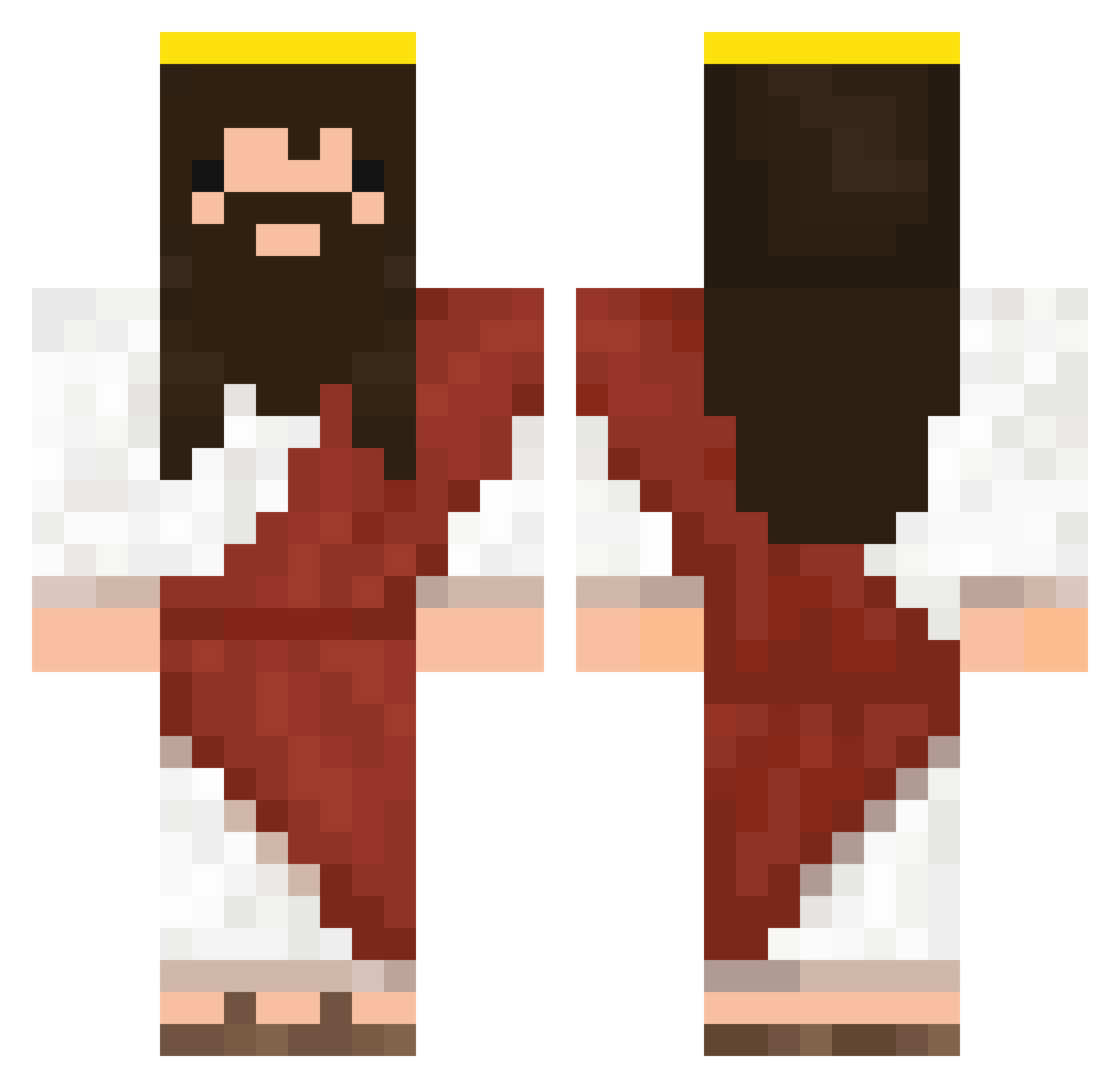
Current Minecraft skin of the player pembito, loaded from the official Mojang API. Rotate the 3D model with your mouse or finger, then download the skin as a PNG file and use it in Minecraft: Bedrock Edition or Java Edition for free. When pembito changes their skin, this page updates automatically and the old skin stays in the history below.
Other players with this skin (333)
pembito was the 158th player we have seen with this skin, first spotted on 19.09.2026. The same skin was seen on these players. Open a nickname to see their current skin and skin history.
 Ch3Su Banfoy matii893 KIRALEFE Bigtoothbeat ElBobu Eth5550 Fertxus69 Agelyos derinsalvatore DaCooper sebabell superalexpower BlockheadGenji Emiloegard Bucioszek inkokou290 MarekSrack DeokYee Jesus_2811 asdfBBad Flunder42 KryKoZ lil_ke_ke Sorrypeople JesusCristoR Cooler_boiiiiii QueriaMudarONick InigoLovesPoo Chicco71243 evankimm Fiicho Tiboo27 Mr_Wow Elniccos Tichmon IREONFIRE TureQ2115 Lunch02 puzzi1213 Blbeis Schmidtler91 HolyG0D Peter_Jeon Kakuzu96 boxbers Bruton_lard Trippple Magomais Noenel9 charlietek01 taco25molina175 TheRobertez Lideer GostlifeTeam _____MARCO_____ Sai98 FeedSalmon LevitatingJesus invoqz
More Jesus Minecraft skins
How to install the pembito skin
- Press the Download button above to save the skin as a PNG file.
- Minecraft: Bedrock Edition (PE): open the Dressing Room from the main menu (or tap your character → Edit Character), go to Classic Skins → Owned, press the + (new skin) button, choose the downloaded PNG and pick the Classic (Steve) model. Works on PC and mobile; consoles cannot import custom skins.
- Minecraft: Java Edition: open the Minecraft Launcher, go to the Skins tab, click New Skin, load the PNG, pick the Classic (Steve) model and press Save & Use. You can also upload it at minecraft.net → Profile → Change Skin.
The skin does not show up after import - what should I do?
Restart Minecraft and open the Dressing Room again - imported skins sometimes appear only after a restart. Also make sure you selected the imported skin and picked the Classic (Steve) model.
Which model should I choose, Classic or Slim?
This skin is designed for the Classic (Steve) model. If you pick the wrong model, the arms of the skin will look stretched or squeezed.
Is the skin of pembito free to download?
Yes. Press Download, save the PNG file and use it in Minecraft: Bedrock Edition or Java Edition - no payment or registration needed. The skin also works on multiplayer servers and Realms.
More skins
Looking for more? Go back to all Minecraft skins and check the top skins of the week, month and all time, or find any player's skin by nickname.