
Janek_lubi_gry - Minecraft Skins & Skin History
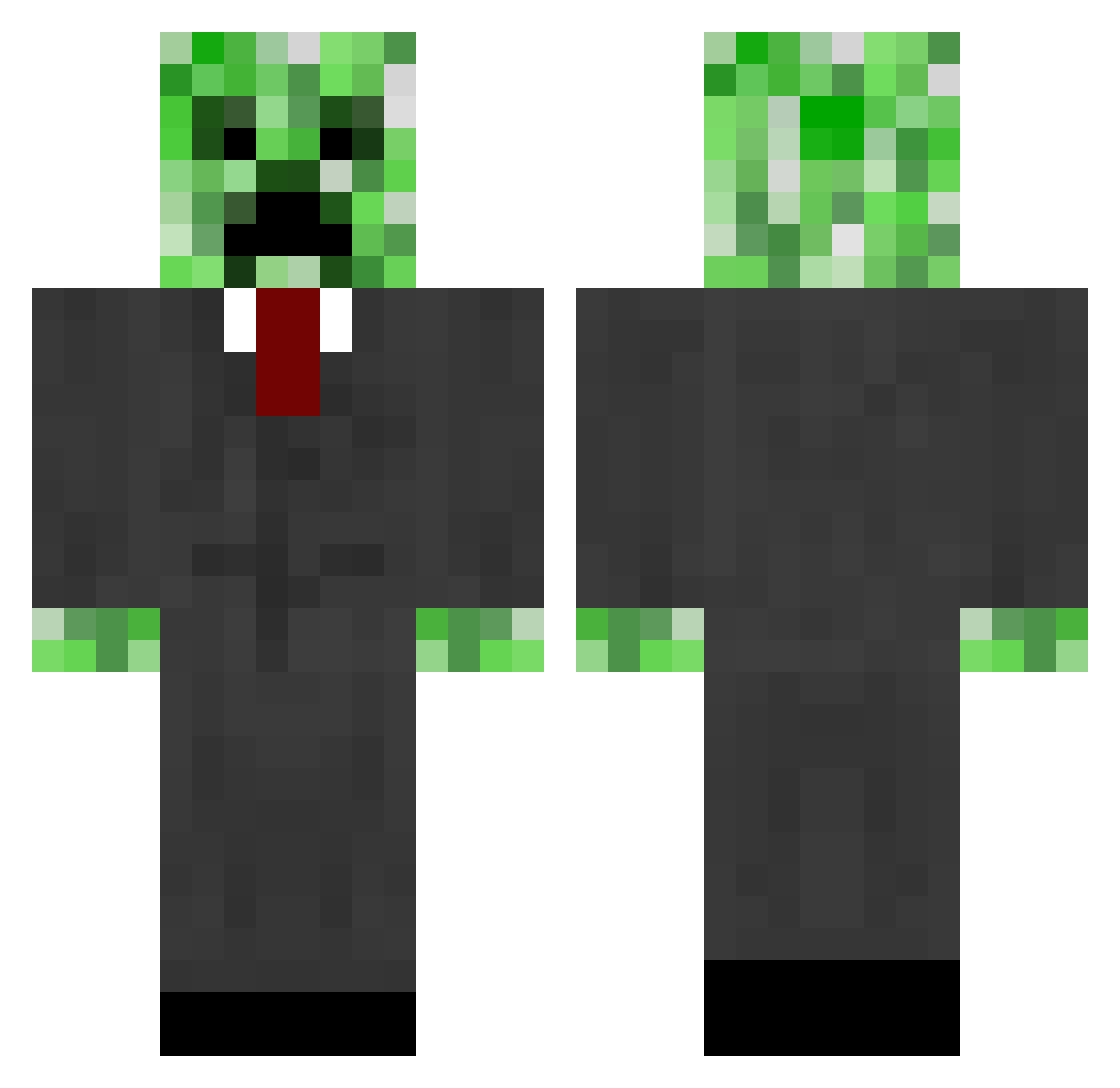
Current Minecraft skin of the player Janek_lubi_gry, loaded from the official Mojang API. Rotate the 3D model with your mouse or finger, then download the skin as a PNG file and use it in Minecraft: Bedrock Edition or Java Edition for free. When Janek_lubi_gry changes their skin, this page updates automatically and the old skin stays in the history below.
Other players with this skin (69)
Janek_lubi_gry was the 23rd player we have seen with this skin, first spotted on 15.08.2026. The same skin was seen on these players. Open a nickname to see their current skin and skin history.
 cheetahysl jonatasb_ arnaudu70 edelweis2202 Kratos3574 OSWALDVARUN adalmeida XarTitan K3ksas Valmico derfussel1989 Mrkartofel2 ProPlayerPavel HMSVoyager minrojo X_rosenrot_X mono_01 anotherlvl_9cFEh nitrocrepper kithal Pxzzer DreamThief Hordin55
 ArkaKeta Samsmeagol Duke_Ultra TheGoedelz TheSpace09 dyn98 JGX16 p1p1up_ _vale_n IanThePro Ray5409 BaerSerk3r NeiBa leogamer205 OXY9_ Lemper123 Dr3nrique260 monstergoga ERHUBA POTATOZero1 dat586 tomjs7 Chisss32 Voskv mauricio97000 Infinite22 fussballass Wookieomg kyrgyzz Juancito08 Loresto1 Mystelttain SUIZZOX FlyMars200 G2Andyy VVPutinLeader GatoQL
More Creeper Minecraft skins
How to install the Janek_lubi_gry skin
- Press the Download button above to save the skin as a PNG file.
- Minecraft: Bedrock Edition (PE): open the Dressing Room from the main menu (or tap your character → Edit Character), go to Classic Skins → Owned, press the + (new skin) button, choose the downloaded PNG and pick the Classic (Steve) model. Works on PC and mobile; consoles cannot import custom skins.
- Minecraft: Java Edition: open the Minecraft Launcher, go to the Skins tab, click New Skin, load the PNG, pick the Classic (Steve) model and press Save & Use. You can also upload it at minecraft.net → Profile → Change Skin.
The skin does not show up after import - what should I do?
Restart Minecraft and open the Dressing Room again - imported skins sometimes appear only after a restart. Also make sure you selected the imported skin and picked the Classic (Steve) model.
Which model should I choose, Classic or Slim?
This skin is designed for the Classic (Steve) model. If you pick the wrong model, the arms of the skin will look stretched or squeezed.
Is the skin of Janek_lubi_gry free to download?
Yes. Press Download, save the PNG file and use it in Minecraft: Bedrock Edition or Java Edition - no payment or registration needed. The skin also works on multiplayer servers and Realms.
More skins
Looking for more? Go back to all Minecraft skins and check the top skins of the week, month and all time, or find any player's skin by nickname.