
HideYourToes07 - Minecraft Skins & Skin History
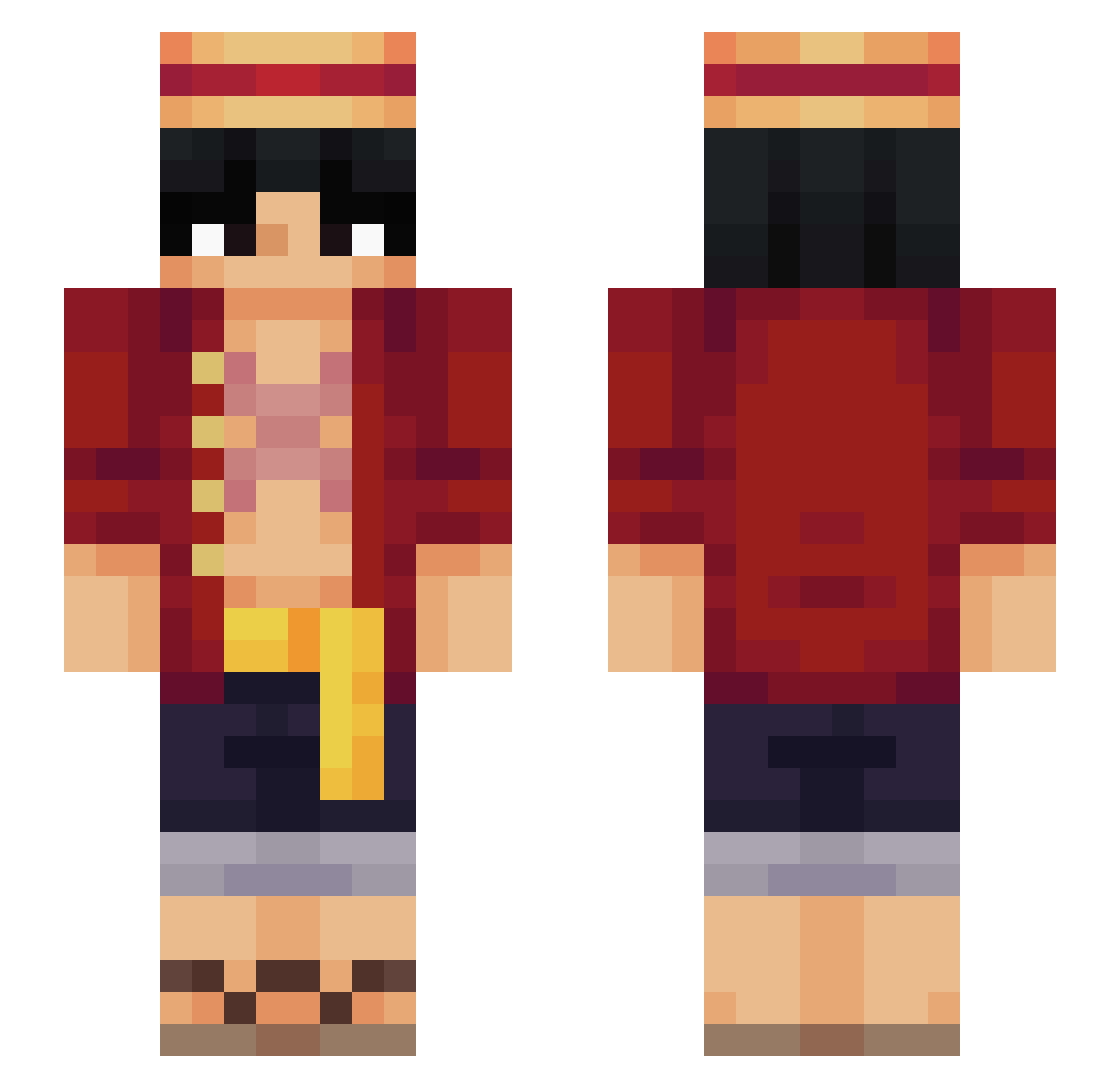
Current Minecraft skin of the player HideYourToes07, loaded from the official Mojang API. Rotate the 3D model with your mouse or finger, then download the skin as a PNG file and use it in Minecraft: Bedrock Edition or Java Edition for free. When HideYourToes07 changes their skin, this page updates automatically and the old skin stays in the history below.
Other players with this skin (569)
HideYourToes07 was the 334th player we have seen with this skin, first spotted on 27.09.2026. The same skin was seen on these players. Open a nickname to see their current skin and skin history.
 MiToLoTo SRMANG0 wheksl123 crakero1001 amusedranger ikura506 fas1to Pabloprg98 Cunnigc Chrisesbueno TheBigToast11 ShadowEternity ronaldo_465 ModerateM Seyuka_ Totto09 Dazzitgaming bluuejaye Tonito_33 Signitis ay3h Zodenn3 ShadowTR_01 irvingop RECNER songh03 Mawqi TENG5678 Rakiselling_xyz CAus08 Goof_Troop19 Abraham_Linkin jxnj0n Ju4nluu thiago066 Hamed737 Lionox4207 juancitto San_Lago Profgo oBxxy JaquavionBennet ToxicFlameDev OneAlex123 dedaoincha _MoRakk_ GlobZombie710 yusufky108 fefoo_ Tyrants_eye8 BalbalAbi BrianXrage11 damii3 Mike_Honcho2222 MAAREE Stanley1227 dino191 Wissein SirLiebe Gr0byy
More Monkey D Luffy Minecraft skins
See all 928 Monkey D Luffy skins
How to install the HideYourToes07 skin
- Press the Download button above to save the skin as a PNG file.
- Minecraft: Bedrock Edition (PE): open the Dressing Room from the main menu (or tap your character → Edit Character), go to Classic Skins → Owned, press the + (new skin) button, choose the downloaded PNG and pick the Slim (Alex) model. Works on PC and mobile; consoles cannot import custom skins.
- Minecraft: Java Edition: open the Minecraft Launcher, go to the Skins tab, click New Skin, load the PNG, pick the Slim (Alex) model and press Save & Use. You can also upload it at minecraft.net → Profile → Change Skin.
The skin does not show up after import - what should I do?
Restart Minecraft and open the Dressing Room again - imported skins sometimes appear only after a restart. Also make sure you selected the imported skin and picked the Slim (Alex) model.
Which model should I choose, Classic or Slim?
This skin is designed for the Slim (Alex) model. If you pick the wrong model, the arms of the skin will look stretched or squeezed.
Is the skin of HideYourToes07 free to download?
Yes. Press Download, save the PNG file and use it in Minecraft: Bedrock Edition or Java Edition - no payment or registration needed. The skin also works on multiplayer servers and Realms.
More skins
Looking for more? Go back to all Minecraft skins and check the top skins of the week, month and all time, or find any player's skin by nickname.