
GCSY_PJ - Minecraft Skins & Skin History
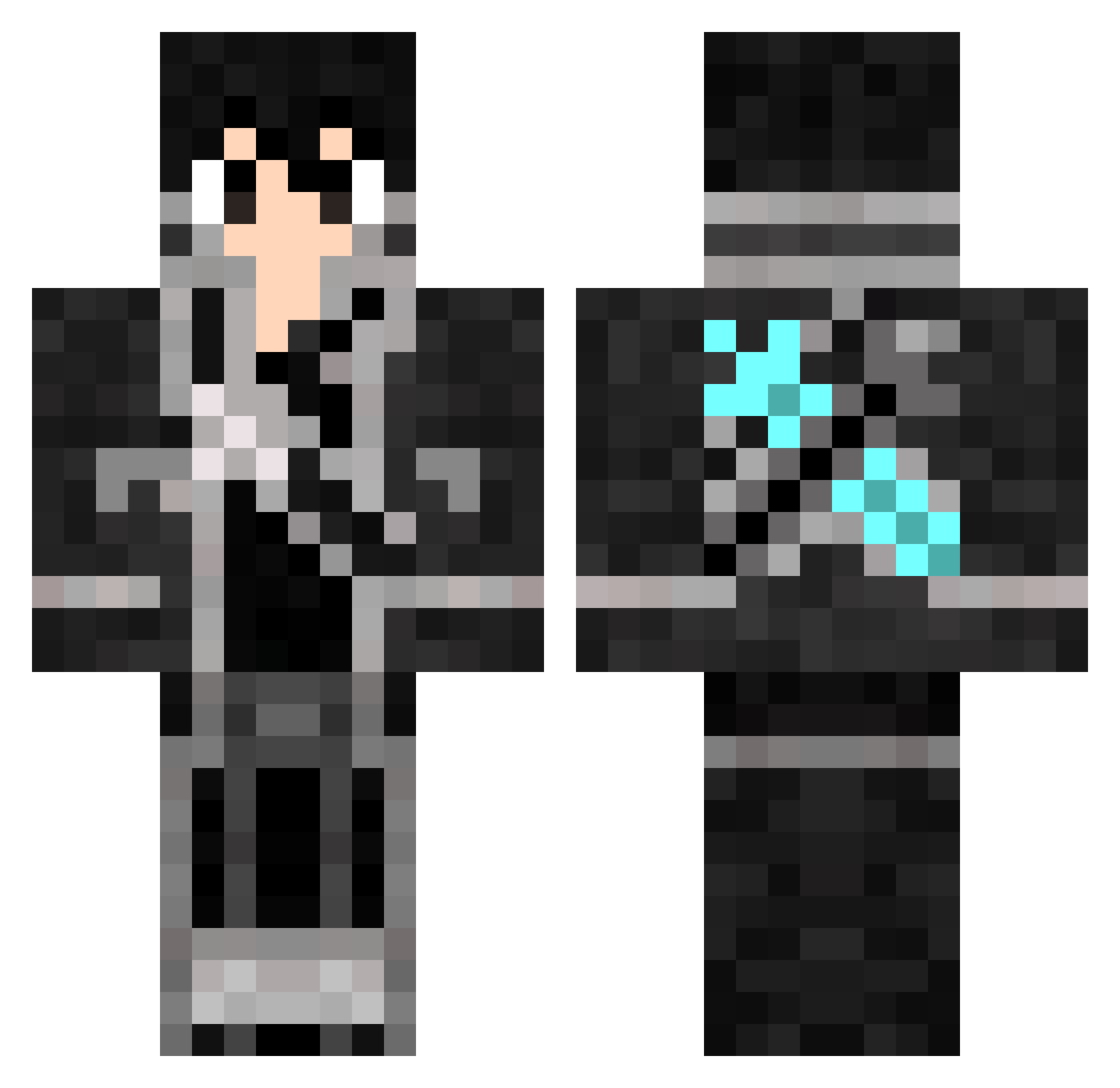
Current Minecraft skin of the player GCSY_PJ, loaded from the official Mojang API. Rotate the 3D model with your mouse or finger, then download the skin as a PNG file and use it in Minecraft: Bedrock Edition or Java Edition for free. When GCSY_PJ changes their skin, this page updates automatically and the old skin stays in the history below.
Other players with this skin (816)
GCSY_PJ was the 320th player we have seen with this skin, first spotted on 08.09.2026. The same skin was seen on these players. Open a nickname to see their current skin and skin history.
 workerKdo Masterkoller Prxnce26 maza88 MYNightRaidFTW lizitong FraanArg User1diego ombrias13 KaapT J_A_K_E_Y_ nianlin kiritogamex ExcsKirito darkirito WemilioW NKCx_ Bluebomb3r Minase_miyuki makarofthekiller Indypendence OrekiTomoe Zhang_Fan arhong superDEHO Styqx Kirito10th07th Devilden18 __tks__ Raider190 Starkillerlando kazuki612 Mr_Hunter_Bright
 Trigo222 KaaannBey QWER798 blakeyy2k Angel3879 foxman777 IEqy tianen Matcha969 Crazynugat1 gunmen424 I_am_a_Gorilla MdTerpz Kirito01 maken0126 Lin_Jiu JorgeFeick QFeng Da_Ge_ coffeegamer loser0521 Ivan67423 kirito2354 FallenAxelion Xiaohei233 takumi255 BlackSimp
More Kirito Minecraft skins
How to install the GCSY_PJ skin
- Press the Download button above to save the skin as a PNG file.
- Minecraft: Bedrock Edition (PE): open the Dressing Room from the main menu (or tap your character → Edit Character), go to Classic Skins → Owned, press the + (new skin) button, choose the downloaded PNG and pick the Classic (Steve) model. Works on PC and mobile; consoles cannot import custom skins.
- Minecraft: Java Edition: open the Minecraft Launcher, go to the Skins tab, click New Skin, load the PNG, pick the Classic (Steve) model and press Save & Use. You can also upload it at minecraft.net → Profile → Change Skin.
The skin does not show up after import - what should I do?
Restart Minecraft and open the Dressing Room again - imported skins sometimes appear only after a restart. Also make sure you selected the imported skin and picked the Classic (Steve) model.
Which model should I choose, Classic or Slim?
This skin is designed for the Classic (Steve) model. If you pick the wrong model, the arms of the skin will look stretched or squeezed.
Is the skin of GCSY_PJ free to download?
Yes. Press Download, save the PNG file and use it in Minecraft: Bedrock Edition or Java Edition - no payment or registration needed. The skin also works on multiplayer servers and Realms.
More skins
Looking for more? Go back to all Minecraft skins and check the top skins of the week, month and all time, or find any player's skin by nickname.