
FarofaR7 - Minecraft Skins & Skin History
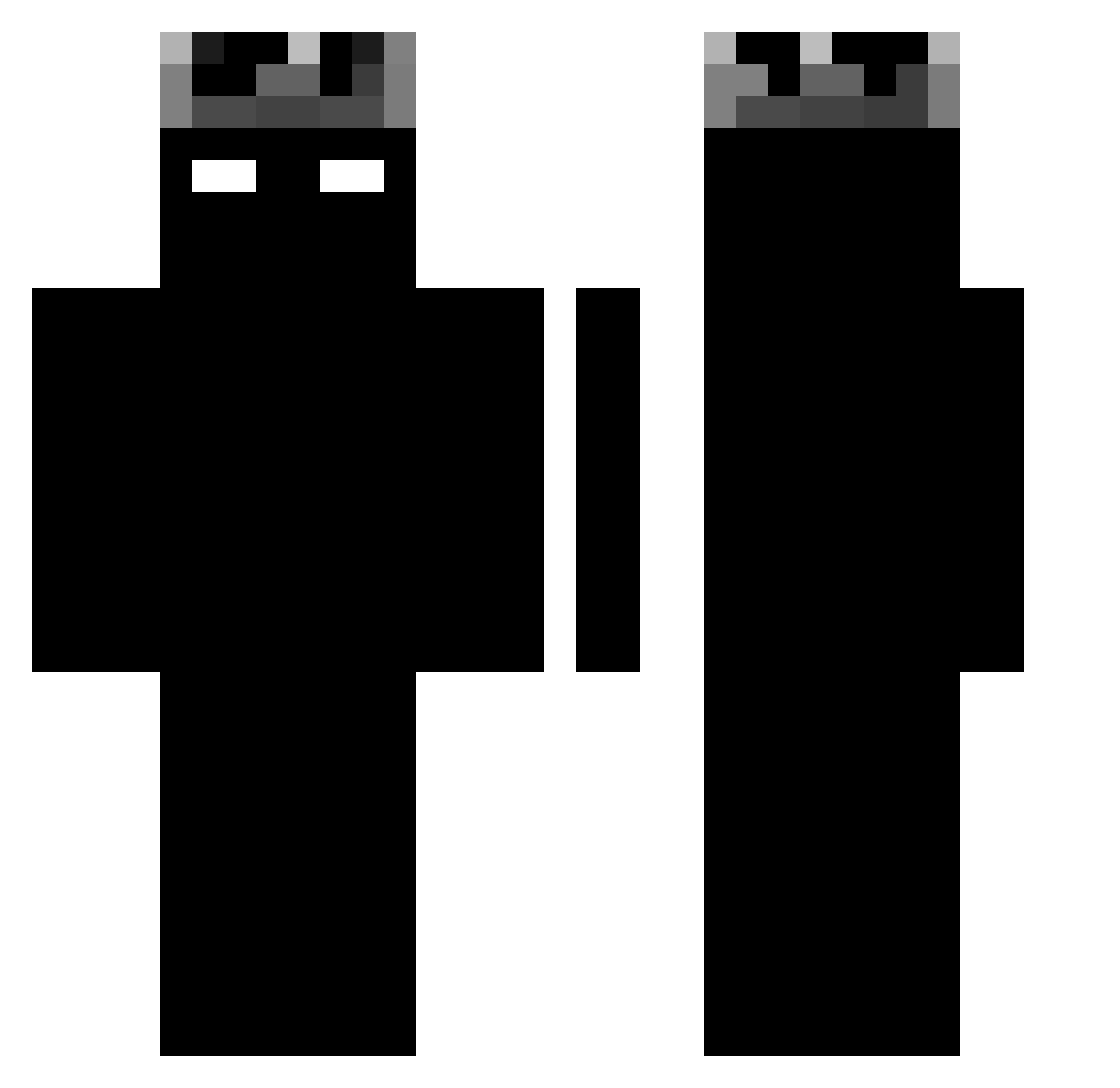
Current Minecraft skin of the player FarofaR7, loaded from the official Mojang API. Rotate the 3D model with your mouse or finger, then download the skin as a PNG file and use it in Minecraft: Bedrock Edition or Java Edition for free. When FarofaR7 changes their skin, this page updates automatically and the old skin stays in the history below.
Other players with this skin (1188)
FarofaR7 was the 254th player we have seen with this skin, first spotted on 16.08.2026. The same skin was seen on these players. Open a nickname to see their current skin and skin history.
 sevjik ggziku Reap3rrrrr Trx6s X____D GrieferCleaver Alen_23 67gangus67 BYJockerTR SupremeJosko_ PvP_Usless farhoodie ItssKaiii Cookie94287 ocrimevoltou JonseX _Tooudi_ CatacombsL Jama1ka gustibc LEONCKG Beatrice571 11AMERYKA divid249 kLAPPY Clyptix x_Maciusx_ ConallJ
 Ak1rraa 0xx98 eddy_iocane Alegamerkk RileyIsLost rlund_7 Hydralium JxsAS snowy1x ishowSLOOW_ MRTxcoFN _Rageturtle_
 sirsensii_ Ultimaterisk Maos2026 _Pixeled_
 Clem__B _RyzZz Leozin01Xit m4kv37 VerySpoon jzack3r DavidLS_ sxzwyyy rfnvbt123 angkadepchai z0QAQ0z Furex_xx D4V1D_mc niekas1 cass912 MZRXT
More Shadow Minecraft skins
How to install the FarofaR7 skin
- Press the Download button above to save the skin as a PNG file.
- Minecraft: Bedrock Edition (PE): open the Dressing Room from the main menu (or tap your character → Edit Character), go to Classic Skins → Owned, press the + (new skin) button, choose the downloaded PNG and pick the Classic (Steve) model. Works on PC and mobile; consoles cannot import custom skins.
- Minecraft: Java Edition: open the Minecraft Launcher, go to the Skins tab, click New Skin, load the PNG, pick the Classic (Steve) model and press Save & Use. You can also upload it at minecraft.net → Profile → Change Skin.
The skin does not show up after import - what should I do?
Restart Minecraft and open the Dressing Room again - imported skins sometimes appear only after a restart. Also make sure you selected the imported skin and picked the Classic (Steve) model.
Which model should I choose, Classic or Slim?
This skin is designed for the Classic (Steve) model. If you pick the wrong model, the arms of the skin will look stretched or squeezed.
Is the skin of FarofaR7 free to download?
Yes. Press Download, save the PNG file and use it in Minecraft: Bedrock Edition or Java Edition - no payment or registration needed. The skin also works on multiplayer servers and Realms.
More skins
Looking for more? Go back to all Minecraft skins and check the top skins of the week, month and all time, or find any player's skin by nickname.