
EdgyTeen - Minecraft Skins & Skin History
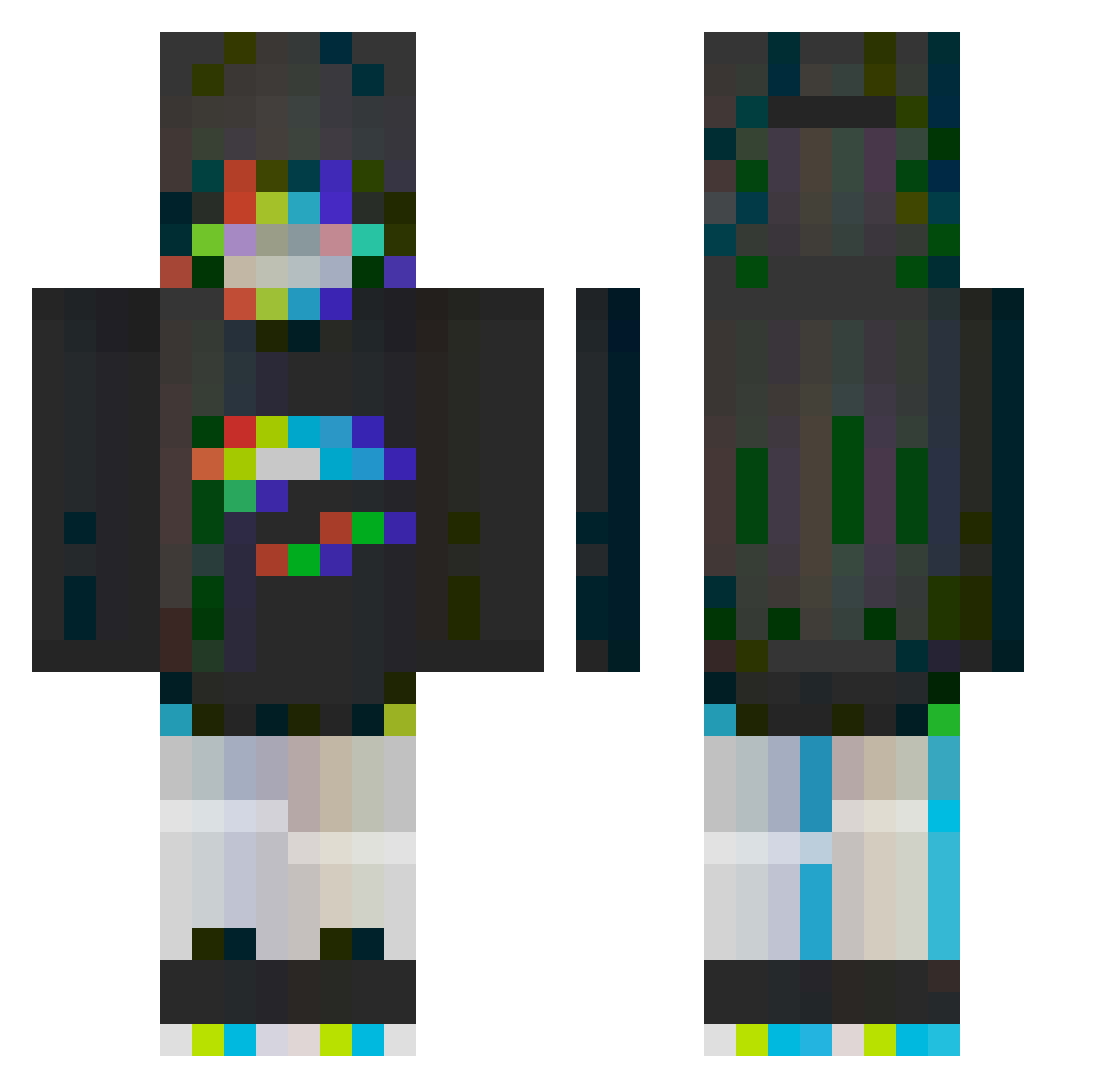
Current Minecraft skin of the player EdgyTeen, loaded from the official Mojang API. Rotate the 3D model with your mouse or finger, then download the skin as a PNG file and use it in Minecraft: Bedrock Edition or Java Edition for free. When EdgyTeen changes their skin, this page updates automatically and the old skin stays in the history below.
Other players with this skin (245)
EdgyTeen was the 51st player we have seen with this skin, first spotted on 10.08.2026. The same skin was seen on these players. Open a nickname to see their current skin and skin history.
 Benemen910 CrimsonTK nicobutsweaty Roulee cannixs BenedettoBebe Th3VoidWalker EinfachDemian Larpet FatsCats shikwik aestrogen Exoitus gogma9_17 seb_dad09 ht_d iDiggie ROOMMMM __Knightingale__ vcnadie Yoonkuma toriniku717 metafomo DestroyerofCool Aur55 TheYond3r Putsneak Dan4ik445 K4C1oya slayana AmyB33 levyn_ CraigPlague pimpek0165 Sprachfertig s0apb00bles AceTUT polonesa el7omen patricksprague xYanatje HarvBoy_ XLSpiro hhddhh sganon Kazamiyuukaa Huxian7 StrawberryBoba_ Nyxstorm dekl0l Honesaibo Cpt_Wirus2 Chrisi163 InoBeemo MinosLiner
 61855265 Tombina Turu513 Rotopa LifLop
More Glitch Minecraft skins
How to install the EdgyTeen skin
- Press the Download button above to save the skin as a PNG file.
- Minecraft: Bedrock Edition (PE): open the Dressing Room from the main menu (or tap your character → Edit Character), go to Classic Skins → Owned, press the + (new skin) button, choose the downloaded PNG and pick the Classic (Steve) model. Works on PC and mobile; consoles cannot import custom skins.
- Minecraft: Java Edition: open the Minecraft Launcher, go to the Skins tab, click New Skin, load the PNG, pick the Classic (Steve) model and press Save & Use. You can also upload it at minecraft.net → Profile → Change Skin.
The skin does not show up after import - what should I do?
Restart Minecraft and open the Dressing Room again - imported skins sometimes appear only after a restart. Also make sure you selected the imported skin and picked the Classic (Steve) model.
Which model should I choose, Classic or Slim?
This skin is designed for the Classic (Steve) model. If you pick the wrong model, the arms of the skin will look stretched or squeezed.
Is the skin of EdgyTeen free to download?
Yes. Press Download, save the PNG file and use it in Minecraft: Bedrock Edition or Java Edition - no payment or registration needed. The skin also works on multiplayer servers and Realms.
More skins
Looking for more? Go back to all Minecraft skins and check the top skins of the week, month and all time, or find any player's skin by nickname.