
Dellmaster69 - Minecraft Skins & Skin History
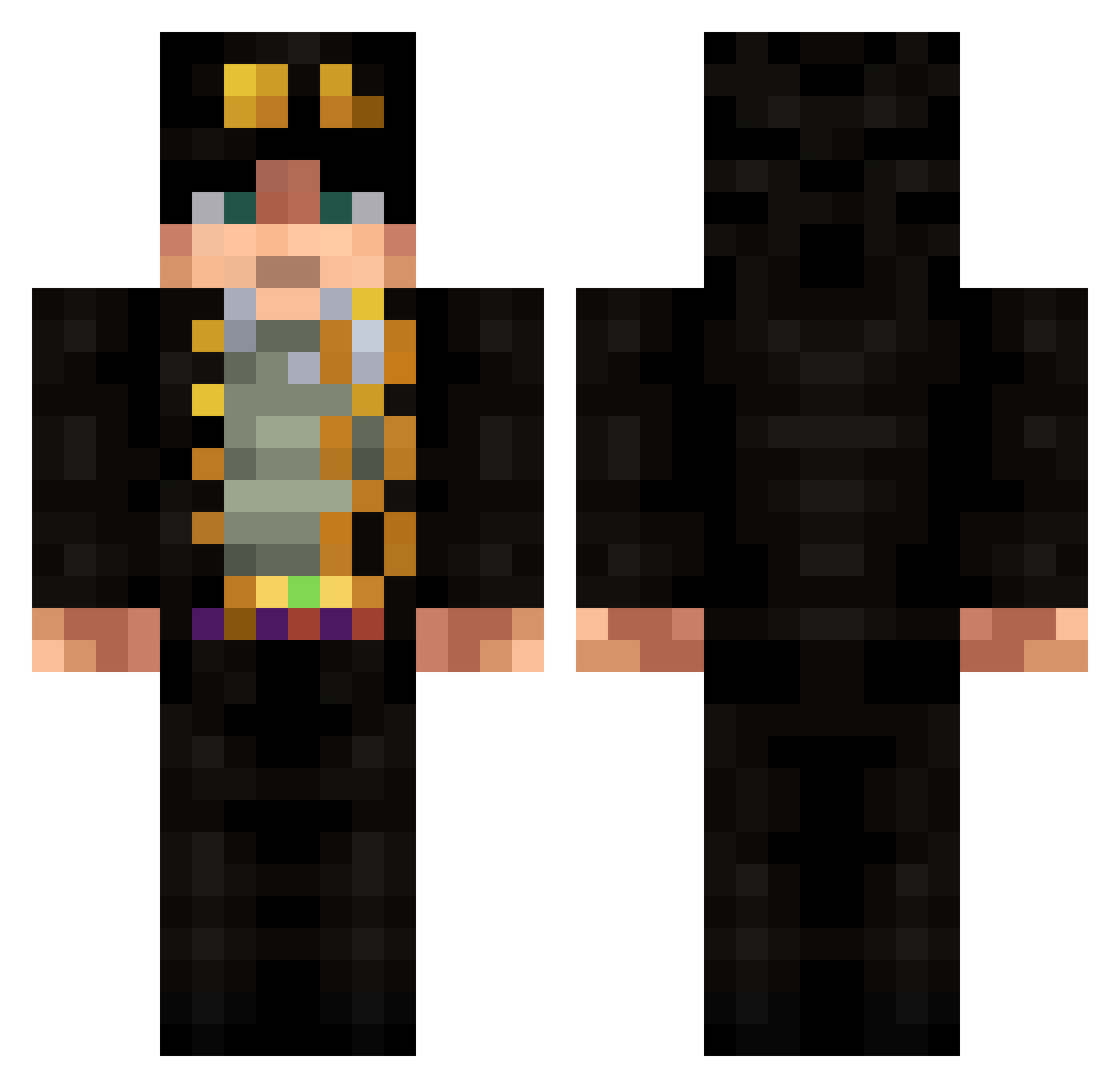
Current Minecraft skin of the player Dellmaster69, loaded from the official Mojang API. Rotate the 3D model with your mouse or finger, then download the skin as a PNG file and use it in Minecraft: Bedrock Edition or Java Edition for free. When Dellmaster69 changes their skin, this page updates automatically and the old skin stays in the history below.
Other players with this skin (675)
Dellmaster69 was the 65th player we have seen with this skin, first spotted on 04.08.2026. The same skin was seen on these players. Open a nickname to see their current skin and skin history.
 ZhaiHe_0 MunzMAA HANDSOMEG5 WeebJomzinho DeadCherryMan ysouma629 crxxti Falkikhino Uhcinski gorniczek112 Ikaros534 bazsi_xd shiori1005 eDoe134 Nadia5852x Led_4wb LolloPek Mati_2006 positive_JO ANGEL____ANGEL M4tt_33 mrrv4 Jon_zaka Ehcac Prismanity pedro_nery luoshiqiuAki Ryz3e Walker0217 schlogni kek4e KoallaSevero longerof singiamtel m0nkeyX Aguti0428 Aiz_27 Healsforfood Solihomteacupdih Matt_502 GuelGuel treynus _xZer0 KidEccYThe1ne Pyrox81 KHLSs mehu_keitto Eleno03 GlowyZhongli AbaDaba3 Amrothem Niko12323 XGC3000 MISKAAFL DeathOfRookie Socazu coutoartdump Samael91 birobubble Duas_Calssa
More Jotaro Kujo Minecraft skins
How to install the Dellmaster69 skin
- Press the Download button above to save the skin as a PNG file.
- Minecraft: Bedrock Edition (PE): open the Dressing Room from the main menu (or tap your character → Edit Character), go to Classic Skins → Owned, press the + (new skin) button, choose the downloaded PNG and pick the Classic (Steve) model. Works on PC and mobile; consoles cannot import custom skins.
- Minecraft: Java Edition: open the Minecraft Launcher, go to the Skins tab, click New Skin, load the PNG, pick the Classic (Steve) model and press Save & Use. You can also upload it at minecraft.net → Profile → Change Skin.
The skin does not show up after import - what should I do?
Restart Minecraft and open the Dressing Room again - imported skins sometimes appear only after a restart. Also make sure you selected the imported skin and picked the Classic (Steve) model.
Which model should I choose, Classic or Slim?
This skin is designed for the Classic (Steve) model. If you pick the wrong model, the arms of the skin will look stretched or squeezed.
Is the skin of Dellmaster69 free to download?
Yes. Press Download, save the PNG file and use it in Minecraft: Bedrock Edition or Java Edition - no payment or registration needed. The skin also works on multiplayer servers and Realms.
More skins
Looking for more? Go back to all Minecraft skins and check the top skins of the week, month and all time, or find any player's skin by nickname.