
Dark_Spaffy - Minecraft Skins & Skin History
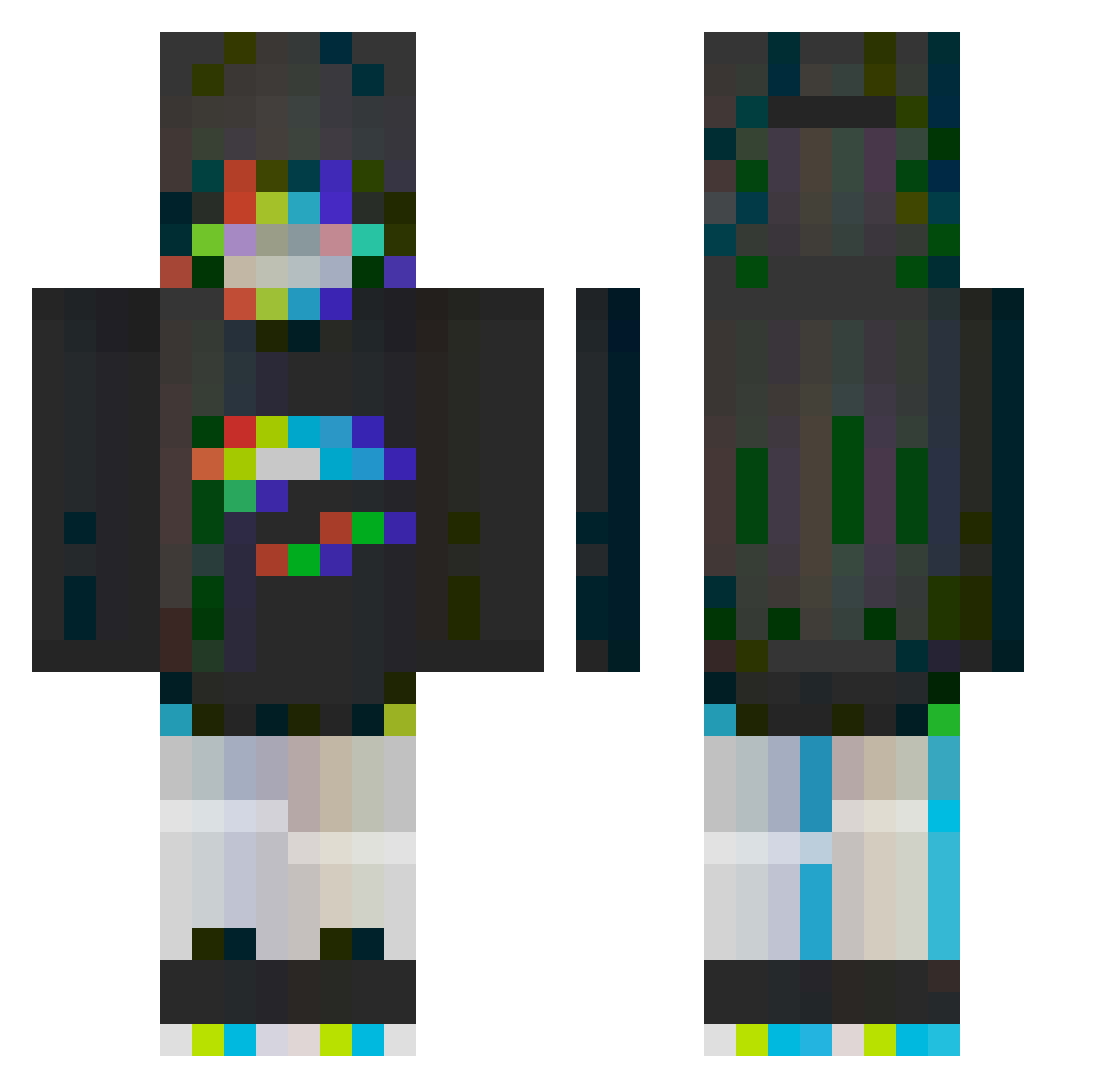
Current Minecraft skin of the player Dark_Spaffy, loaded from the official Mojang API. Rotate the 3D model with your mouse or finger, then download the skin as a PNG file and use it in Minecraft: Bedrock Edition or Java Edition for free. When Dark_Spaffy changes their skin, this page updates automatically and the old skin stays in the history below.
Other players with this skin (245)
Dark_Spaffy was the 202nd player we have seen with this skin, first spotted on 09.10.2026. The same skin was seen on these players. Open a nickname to see their current skin and skin history.
 krizx Icykyle08 BeignetPower Mooncakecc Ahbengqi Chips_Ahoy3521 Akimotu JoeySpumoni Harmonics neekson GodSky3765 Blab_er KxeroKxxiv windchime_1 SHEABRIDGE Mar1ohuana Uni625 homeland000 songyul3 ReAgain_ Shirosity Marionski Husske I_II_III_IIII SEPTAGRAM_ VCOnTop haven1122 CasronaVirus bartjann JayKwood Anilo_1050 RandomSTAR_25 IMON_0907 hi54u69 SimonForeur batbeeps toothjuice cmphi_lli Temill FlashRocket99 carus446 cassssssper herpleasure69 SlimKhaos Vizored grapefanta_ Nosing zMercey 420Sam420 Kristine99 SaturnAtlas cookiefussel SROTE musicsuchti PigDigEgg egirl__btw QuikMC Ringofdecades TheFYouiry Thofo
More Glitch Minecraft skins
How to install the Dark_Spaffy skin
- Press the Download button above to save the skin as a PNG file.
- Minecraft: Bedrock Edition (PE): open the Dressing Room from the main menu (or tap your character → Edit Character), go to Classic Skins → Owned, press the + (new skin) button, choose the downloaded PNG and pick the Classic (Steve) model. Works on PC and mobile; consoles cannot import custom skins.
- Minecraft: Java Edition: open the Minecraft Launcher, go to the Skins tab, click New Skin, load the PNG, pick the Classic (Steve) model and press Save & Use. You can also upload it at minecraft.net → Profile → Change Skin.
The skin does not show up after import - what should I do?
Restart Minecraft and open the Dressing Room again - imported skins sometimes appear only after a restart. Also make sure you selected the imported skin and picked the Classic (Steve) model.
Which model should I choose, Classic or Slim?
This skin is designed for the Classic (Steve) model. If you pick the wrong model, the arms of the skin will look stretched or squeezed.
Is the skin of Dark_Spaffy free to download?
Yes. Press Download, save the PNG file and use it in Minecraft: Bedrock Edition or Java Edition - no payment or registration needed. The skin also works on multiplayer servers and Realms.
More skins
Looking for more? Go back to all Minecraft skins and check the top skins of the week, month and all time, or find any player's skin by nickname.