
DBYork2000 - Minecraft Skins & Skin History
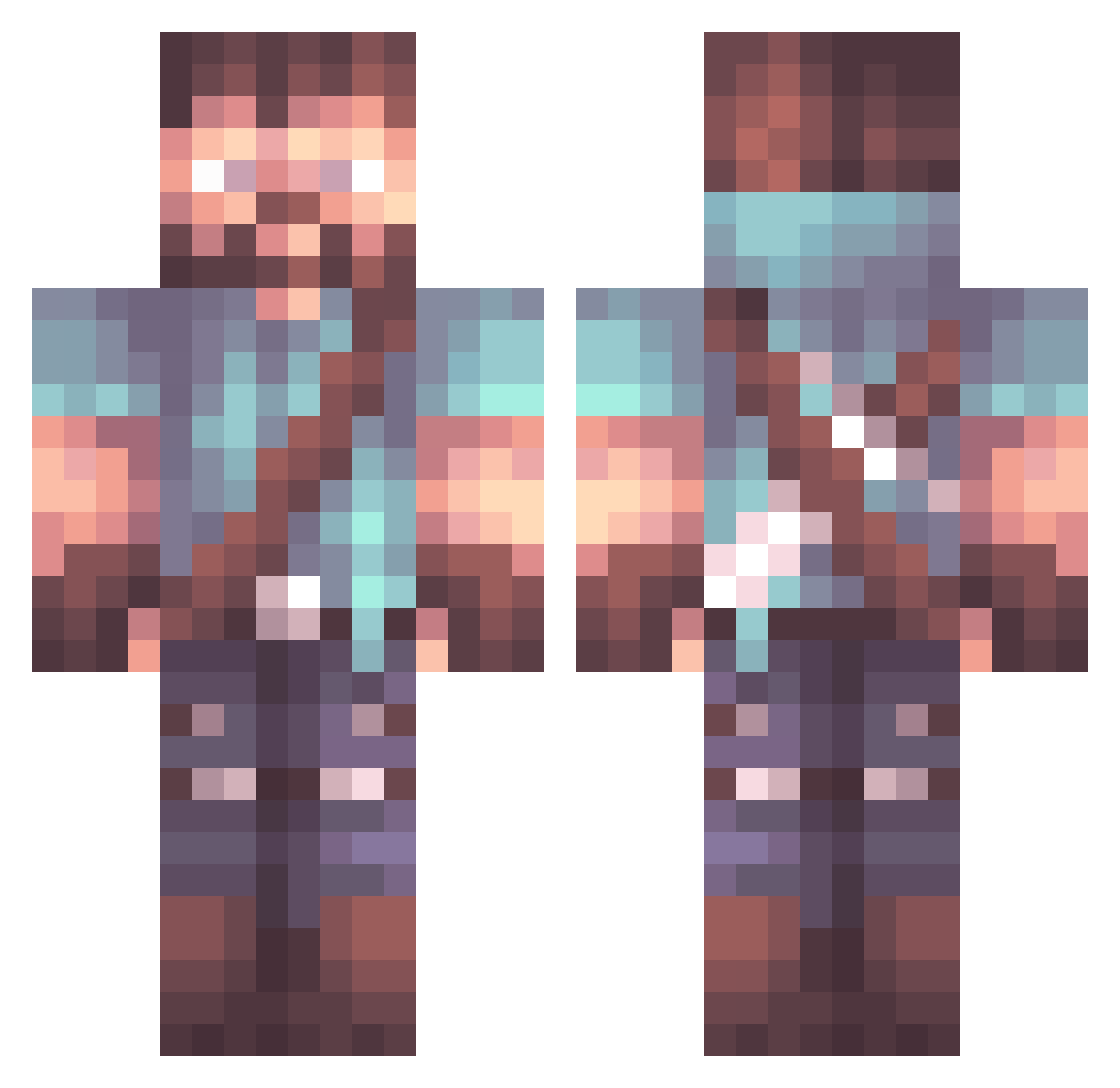
Current Minecraft skin of the player DBYork2000, loaded from the official Mojang API. Rotate the 3D model with your mouse or finger, then download the skin as a PNG file and use it in Minecraft: Bedrock Edition or Java Edition for free. When DBYork2000 changes their skin, this page updates automatically and the old skin stays in the history below.
Other players with this skin (852)
DBYork2000 was the 16th player we have seen with this skin, first spotted on 24.07.2026. The same skin was seen on these players. Open a nickname to see their current skin and skin history.
 Min_ju0511 DivTrinity SettlerofCatan VladSeducatorul iPhoned ninjamike729 Dongko_ TheAlphaSlayer MaziMartin
 Neitodesu ItsHouse AbombXander Dun217 Gerobridiamond 0rzo Drake1985 duskbess1994 ZaikoTM Jallen_Sandusky joshuadreamwork ArtamaN_LV MoneyMurdock PowerfulBacon Mayhem71 oqapii sweetbunny12334 UnstableLava huoguo2512 UltimuOm SamIAm117 Petoque nothing2013 Feblanc grun03 TheJonelo Bi0wolf JGodly Wishthree TickleTit Isbouil Smonkoko Lazerithic SlackassMo bradyk98 Guppi9316 Strong_Mind_ MagicElk235 ANTHONIO117 adscott Farenk GSoul BlueMort GperigG Grunttwice_ brano123 CaptainDocket DingoAtNight dododingo Srila_Prabhupada Kinguzu519
More Herobrine Minecraft skins
How to install the DBYork2000 skin
- Press the Download button above to save the skin as a PNG file.
- Minecraft: Bedrock Edition (PE): open the Dressing Room from the main menu (or tap your character → Edit Character), go to Classic Skins → Owned, press the + (new skin) button, choose the downloaded PNG and pick the Classic (Steve) model. Works on PC and mobile; consoles cannot import custom skins.
- Minecraft: Java Edition: open the Minecraft Launcher, go to the Skins tab, click New Skin, load the PNG, pick the Classic (Steve) model and press Save & Use. You can also upload it at minecraft.net → Profile → Change Skin.
The skin does not show up after import - what should I do?
Restart Minecraft and open the Dressing Room again - imported skins sometimes appear only after a restart. Also make sure you selected the imported skin and picked the Classic (Steve) model.
Which model should I choose, Classic or Slim?
This skin is designed for the Classic (Steve) model. If you pick the wrong model, the arms of the skin will look stretched or squeezed.
Is the skin of DBYork2000 free to download?
Yes. Press Download, save the PNG file and use it in Minecraft: Bedrock Edition or Java Edition - no payment or registration needed. The skin also works on multiplayer servers and Realms.
More skins
Looking for more? Go back to all Minecraft skins and check the top skins of the week, month and all time, or find any player's skin by nickname.