
CyberFoxx - Minecraft Skins & Skin History
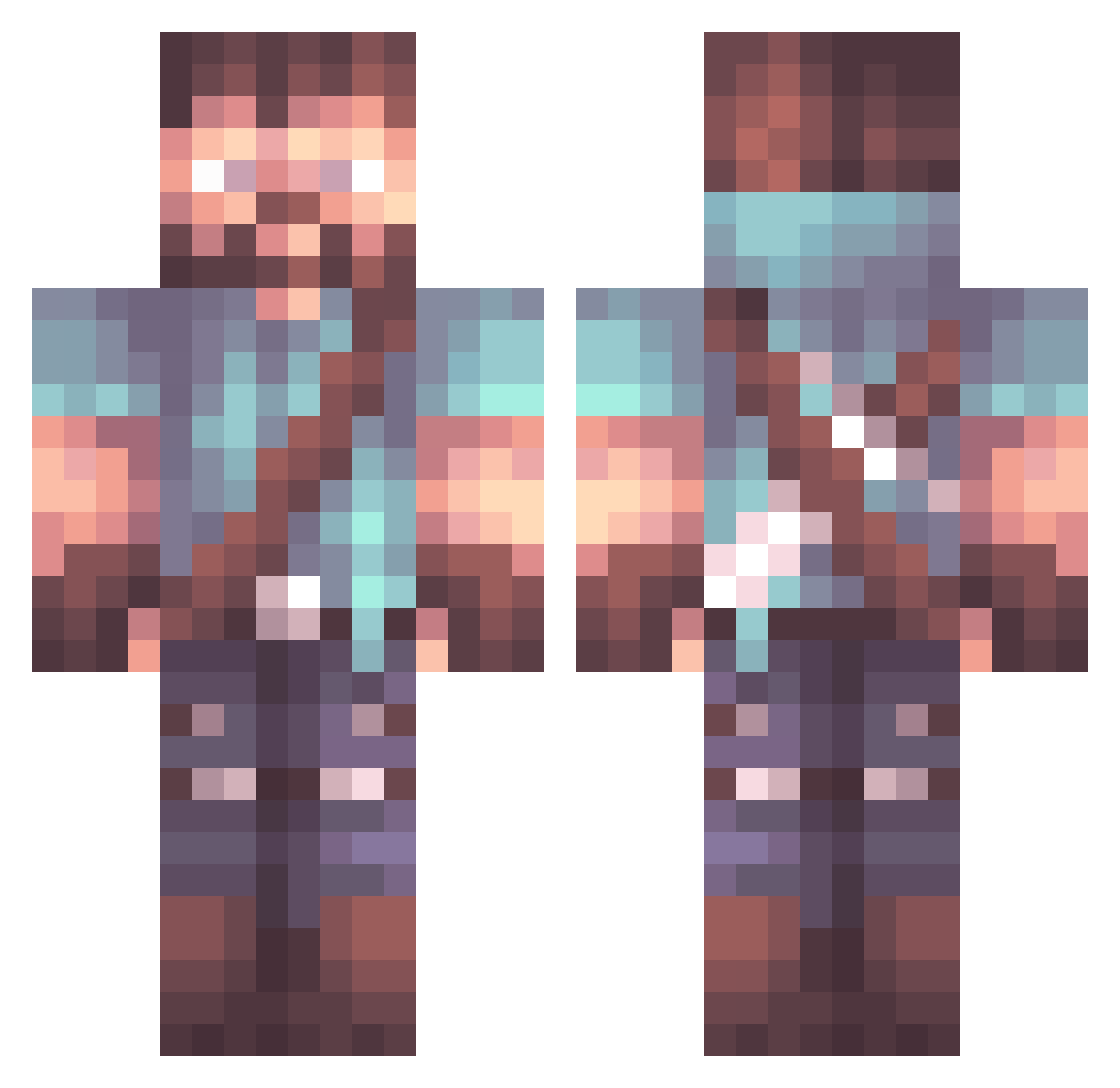
Current Minecraft skin of the player CyberFoxx, loaded from the official Mojang API. Rotate the 3D model with your mouse or finger, then download the skin as a PNG file and use it in Minecraft: Bedrock Edition or Java Edition for free. When CyberFoxx changes their skin, this page updates automatically and the old skin stays in the history below.
Other players with this skin (847)
CyberFoxx was the 233rd player we have seen with this skin, first spotted on 18.08.2026. The same skin was seen on these players. Open a nickname to see their current skin and skin history.
 Nitramm6 Chappy1220 POGCHAMP_3848 Posableman Judd85 WhiT3e DutchGory
 5TARKNIGHT ThoreLennox magogoman M7mad1 Tesla_369 DieserMagga Nick_NotSure Marcel16 kamikaze300 Gollum1968 Pierry01 theslowsack DreadedTerror AlexIlsaggio Calatlas ChewyDuke cgeorgep7 Makel1312 VincentBW _MeanJw_ DepthTrickParade ohorton5 hmleung AngryWill aBaTaPify Michel1738 _feijoa Morgan_Ingleson WillyTry17 MINIMESSIALBANIA jarda799 Luuknotfound Sun_Touched easysauce21 Szolyd Raaluf hamz00 ggwinfred Edmunddd Darklord_Bob uckamello Levimo44 Serjuan ArisenJOEthepro DanTyrann Ludi___ PARSALI NiklasTspone awesome412 Lawnboy123 duskline Barmino88 DPlewa
More Herobrine Minecraft skins
How to install the CyberFoxx skin
- Press the Download button above to save the skin as a PNG file.
- Minecraft: Bedrock Edition (PE): open the Dressing Room from the main menu (or tap your character → Edit Character), go to Classic Skins → Owned, press the + (new skin) button, choose the downloaded PNG and pick the Classic (Steve) model. Works on PC and mobile; consoles cannot import custom skins.
- Minecraft: Java Edition: open the Minecraft Launcher, go to the Skins tab, click New Skin, load the PNG, pick the Classic (Steve) model and press Save & Use. You can also upload it at minecraft.net → Profile → Change Skin.
The skin does not show up after import - what should I do?
Restart Minecraft and open the Dressing Room again - imported skins sometimes appear only after a restart. Also make sure you selected the imported skin and picked the Classic (Steve) model.
Which model should I choose, Classic or Slim?
This skin is designed for the Classic (Steve) model. If you pick the wrong model, the arms of the skin will look stretched or squeezed.
Is the skin of CyberFoxx free to download?
Yes. Press Download, save the PNG file and use it in Minecraft: Bedrock Edition or Java Edition - no payment or registration needed. The skin also works on multiplayer servers and Realms.
More skins
Looking for more? Go back to all Minecraft skins and check the top skins of the week, month and all time, or find any player's skin by nickname.