
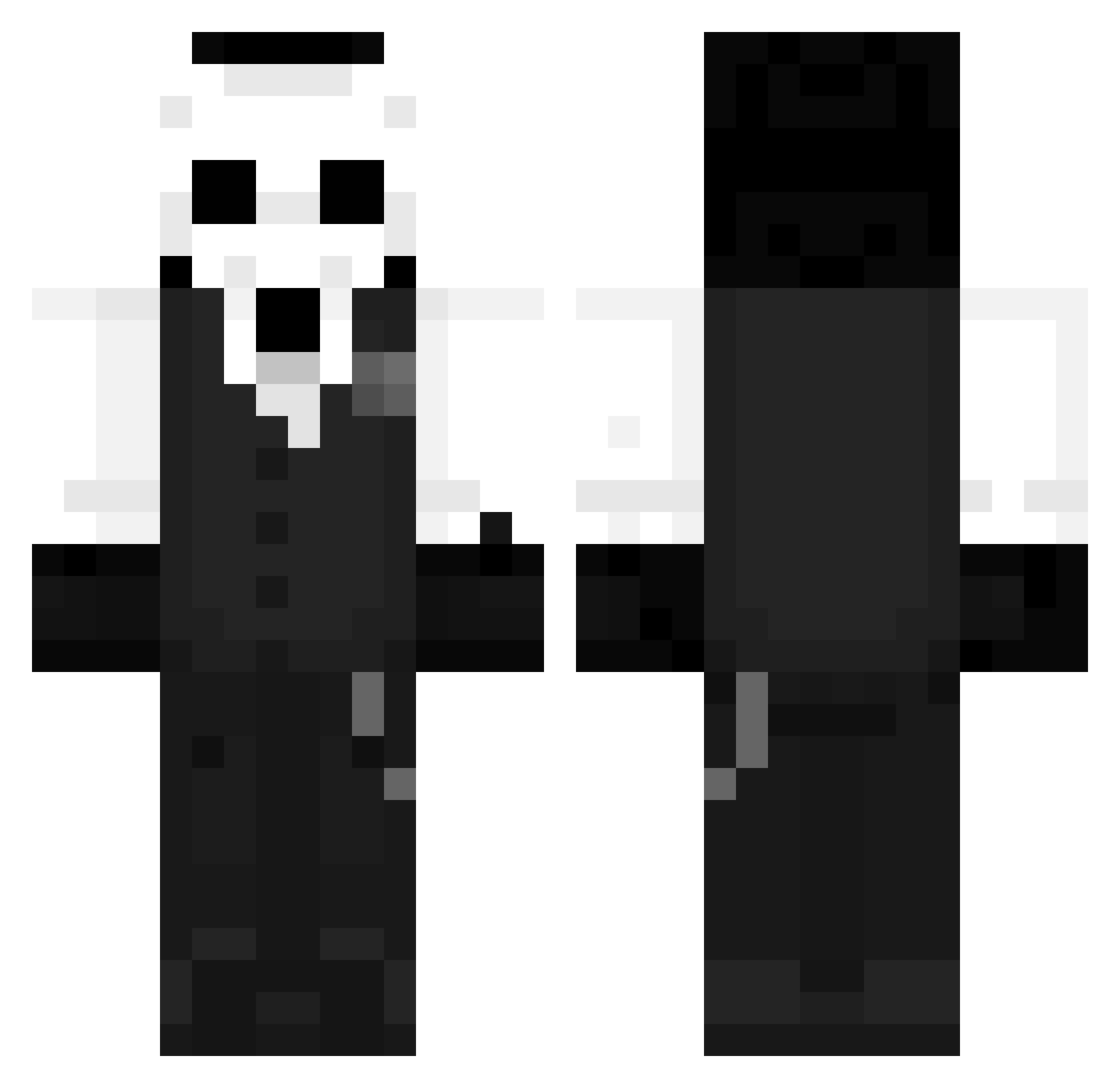
Current Minecraft skin of the player CrusaderTalks, loaded from the official Mojang API. Rotate the 3D model with your mouse or finger, then download the skin as a PNG file and use it in Minecraft: Bedrock Edition or Java Edition for free. When CrusaderTalks changes their skin, this page updates automatically and the old skin stays in the history below.
Other players with this skin (959)
CrusaderTalks was the 825th player we have seen with this skin, first spotted on 06.10.2026. The same skin was seen on these players. Open a nickname to see their current skin and skin history.
 WKJY_073 TWTAMAYA Hillsfrog Basedexiles Nov1ce__ MPR0A Ferdocagameplays SleezyToast KrytherPvP HuangGeGe666 HoloPieces ZlitujSie MindOfGerard Boruch1980 Al_Benekk VerwirterArthur JasonAriano suin_23 KnTng Gwertz lux123456789 Gjj1122 DarknessGrave Crazyrok KeiLunari QsadillaConQueso Gandi_Sensei KavinRen ForCross Seriouscor Scrath Njmod Xc4z WyckeXyi Albert0pak Ridox_16 VSOLA666 Dizbalance77 Han_Ciro_XVIII Dr_Xeus Nimip EnchantressJT Kosa0690 Al4n222 MM_JH10 VulgoPedro ksprfi NatanKing1 Gentle_Demon JajkoSadzone HellBentguitar SejulGames Guilups SergioOMG RedBOb000 Blxizz bockknight Demonfox0702 mizuhaara Gabishow
More Sans Minecraft skins
How to install the CrusaderTalks skin
- Press the Download button above to save the skin as a PNG file.
- Minecraft: Bedrock Edition (PE): open the Dressing Room from the main menu (or tap your character → Edit Character), go to Classic Skins → Owned, press the + (new skin) button, choose the downloaded PNG and pick the Classic (Steve) model. Works on PC and mobile; consoles cannot import custom skins.
- Minecraft: Java Edition: open the Minecraft Launcher, go to the Skins tab, click New Skin, load the PNG, pick the Classic (Steve) model and press Save & Use. You can also upload it at minecraft.net → Profile → Change Skin.
The skin does not show up after import - what should I do?
Restart Minecraft and open the Dressing Room again - imported skins sometimes appear only after a restart. Also make sure you selected the imported skin and picked the Classic (Steve) model.
Which model should I choose, Classic or Slim?
This skin is designed for the Classic (Steve) model. If you pick the wrong model, the arms of the skin will look stretched or squeezed.
Is the skin of CrusaderTalks free to download?
Yes. Press Download, save the PNG file and use it in Minecraft: Bedrock Edition or Java Edition - no payment or registration needed. The skin also works on multiplayer servers and Realms.
More skins
Looking for more? Go back to all Minecraft skins and check the top skins of the week, month and all time, or find any player's skin by nickname.