
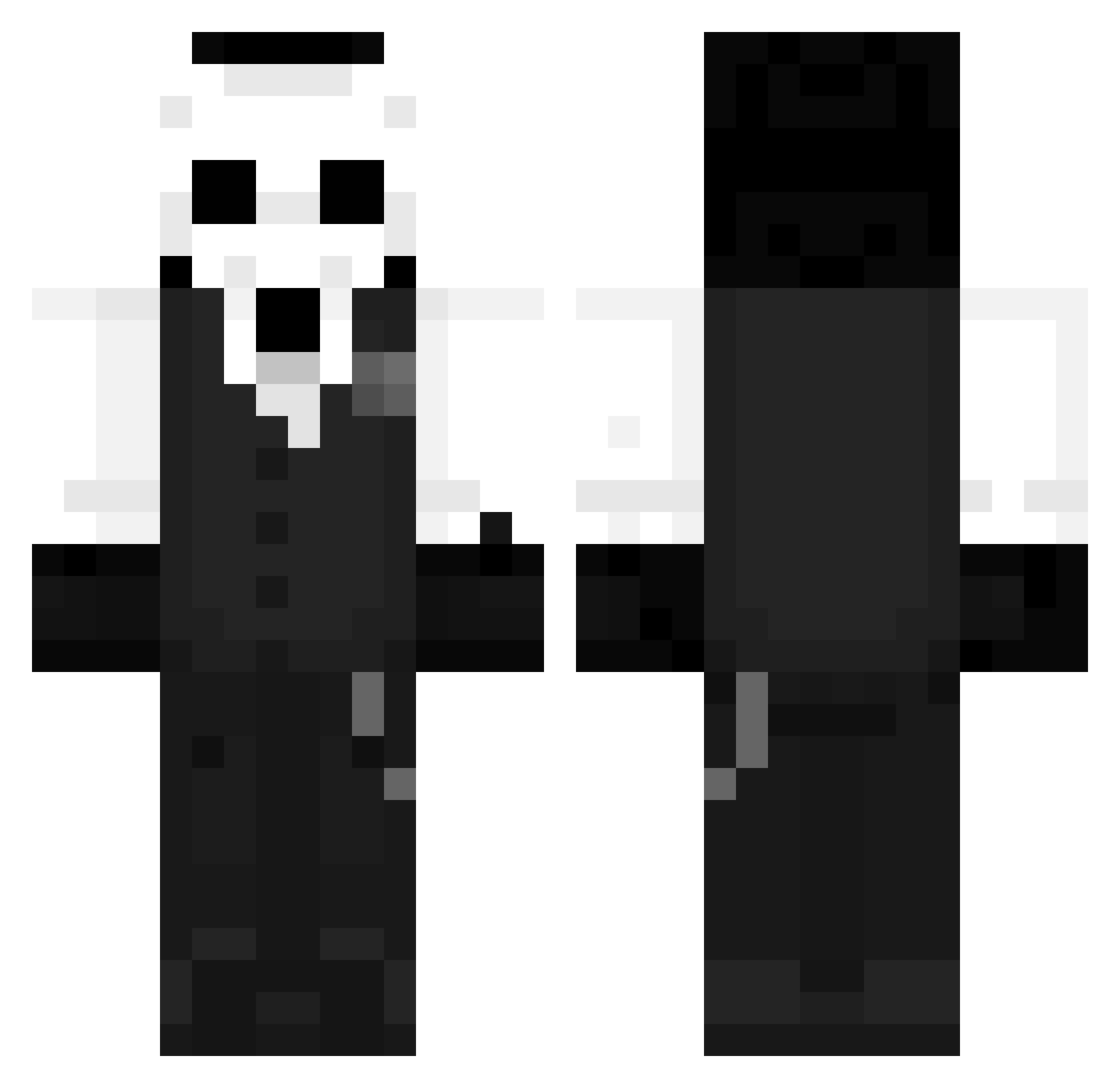
Current Minecraft skin of the player Blxizz, loaded from the official Mojang API. Rotate the 3D model with your mouse or finger, then download the skin as a PNG file and use it in Minecraft: Bedrock Edition or Java Edition for free. When Blxizz changes their skin, this page updates automatically and the old skin stays in the history below.
Other players with this skin (959)
Blxizz was the 862nd player we have seen with this skin, first spotted on 08.10.2026. The same skin was seen on these players. Open a nickname to see their current skin and skin history.
 bockknight mizuhaara RedBOb000 ihaverabies69 Guilups CristianYTC Logenmaster3000 owllishman Glitcheo Josiahjojo SejulGames HellBentguitar JajkoSadzone ksprfi MM_JH10 Al4n222 DestinMiX SeventhReaper EnchantressJT Dr_Xeus Dizbalance77 Anishrai VSOLA666 Albert0pak WyckeXyi Scrath ForCross KavinRen QsadillaConQueso KeiLunari DarknessGrave EuReka10113 Gjj1122 lux123456789 JanWoov x4ca Arrez_youtube AtlasBlacki Gwertz KnTng ChankHD suin_23 ES_TEBAN_06 JasonAriano VerwirterArthur Sopr4nas Al_Benekk MindOfGerard bigshark Paulune96 CHUDYDRAN FiMTo Arraesz KrytherPvP SleezyToast lmmnb TeTbroly Nov1ce__ Basedexiles Lima_dv_
More Sans Minecraft skins
How to install the Blxizz skin
- Press the Download button above to save the skin as a PNG file.
- Minecraft: Bedrock Edition (PE): open the Dressing Room from the main menu (or tap your character → Edit Character), go to Classic Skins → Owned, press the + (new skin) button, choose the downloaded PNG and pick the Classic (Steve) model. Works on PC and mobile; consoles cannot import custom skins.
- Minecraft: Java Edition: open the Minecraft Launcher, go to the Skins tab, click New Skin, load the PNG, pick the Classic (Steve) model and press Save & Use. You can also upload it at minecraft.net → Profile → Change Skin.
The skin does not show up after import - what should I do?
Restart Minecraft and open the Dressing Room again - imported skins sometimes appear only after a restart. Also make sure you selected the imported skin and picked the Classic (Steve) model.
Which model should I choose, Classic or Slim?
This skin is designed for the Classic (Steve) model. If you pick the wrong model, the arms of the skin will look stretched or squeezed.
Is the skin of Blxizz free to download?
Yes. Press Download, save the PNG file and use it in Minecraft: Bedrock Edition or Java Edition - no payment or registration needed. The skin also works on multiplayer servers and Realms.
More skins
Looking for more? Go back to all Minecraft skins and check the top skins of the week, month and all time, or find any player's skin by nickname.