
 LATORETA TR0XEY Manug10 SrTaba NKzama YaBoiThanatos shanbai11 rexowo1 SovietBlues Midir6 w_warrior11 Dioniix NIHKOL Papu_Nutria blackrabbit_1021 Legenderi1 SpencerCharnas Vantom HYBXWC Lalo_Crux Ace_Toast Uyzi Sruiz Tuna_Gimbap Huysbi Gasi99 Rafhaelll Churchillyus Agouzi01 Ghostisz wangdabao DakenUWU Lzhka Mucoenm GeroGhost eXo_Foxy_ Kranseck juwairn Yuns2020 skezin VlPPER Shinnnnn_ KallekLein YQsama ray4y ZeroSupai sddb SpectreJRM Rioxriox El1zore AzhellTTV Neveney Khalraak 2kDex Lw_BR Saqh Nicoquitox salsarex Knzin23 Shalkyy
Minecraft skin of Mavuin. Rotate the 3D model with your mouse or finger to view the skin from every angle, then download it as a PNG file and use it in Minecraft: Bedrock Edition or Java Edition for free. Rate the skin with stars to help other players find the best skins in our collection.
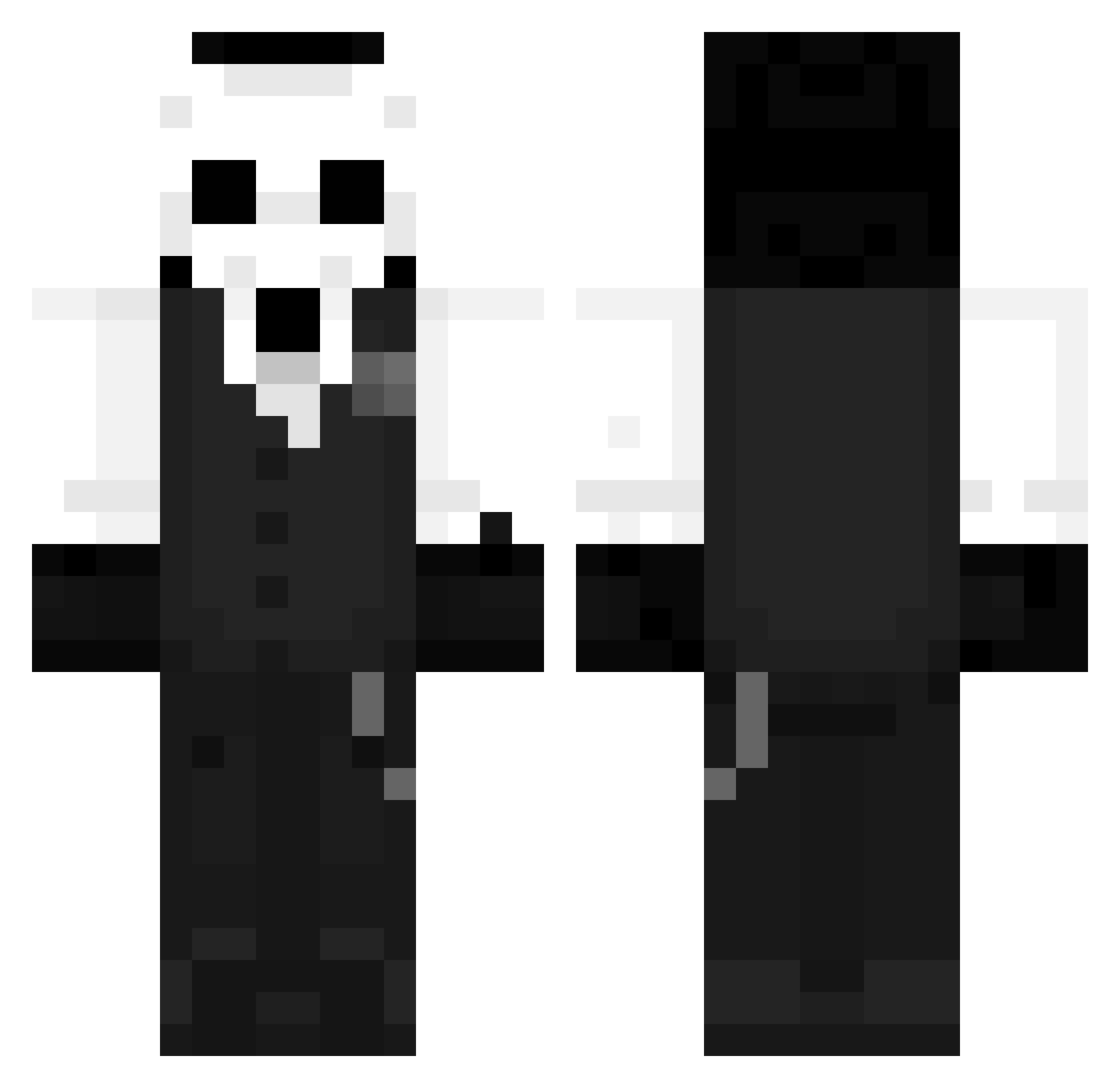
How to install the Mavuin skin
- Press the Download button above to save the skin as a PNG file.
- Minecraft: Bedrock Edition (PE): open the Dressing Room from the main menu (or tap your character → Edit Character), go to Classic Skins → Owned, press the + (new skin) button, choose the downloaded PNG and pick the Classic (Steve) model. Works on PC and mobile; consoles cannot import custom skins.
- Minecraft: Java Edition: open the Minecraft Launcher, go to the Skins tab, click New Skin, load the PNG, pick the Classic (Steve) model and press Save & Use. You can also upload it at minecraft.net → Profile → Change Skin.
The skin does not show up after import - what should I do?
Restart Minecraft and open the Dressing Room again - imported skins sometimes appear only after a restart. Also make sure you selected the imported skin and picked the Classic (Steve) model.
Which model should I choose, Classic or Slim?
This skin is designed for the Classic (Steve) model. If you pick the wrong model, the arms of the skin will look stretched or squeezed.
Is this skin free to use?
Yes. Press Download, save the PNG file and use it in Minecraft: Bedrock Edition or Java Edition - no payment or registration needed. The skin also works on multiplayer servers and Realms.
More Sans Minecraft skins
More skins
Looking for more? Go back to all Minecraft skins and check the top skins of the week, month and all time, or find any player's skin by nickname.