
Knzin23 - Minecraft Skins & Skin History
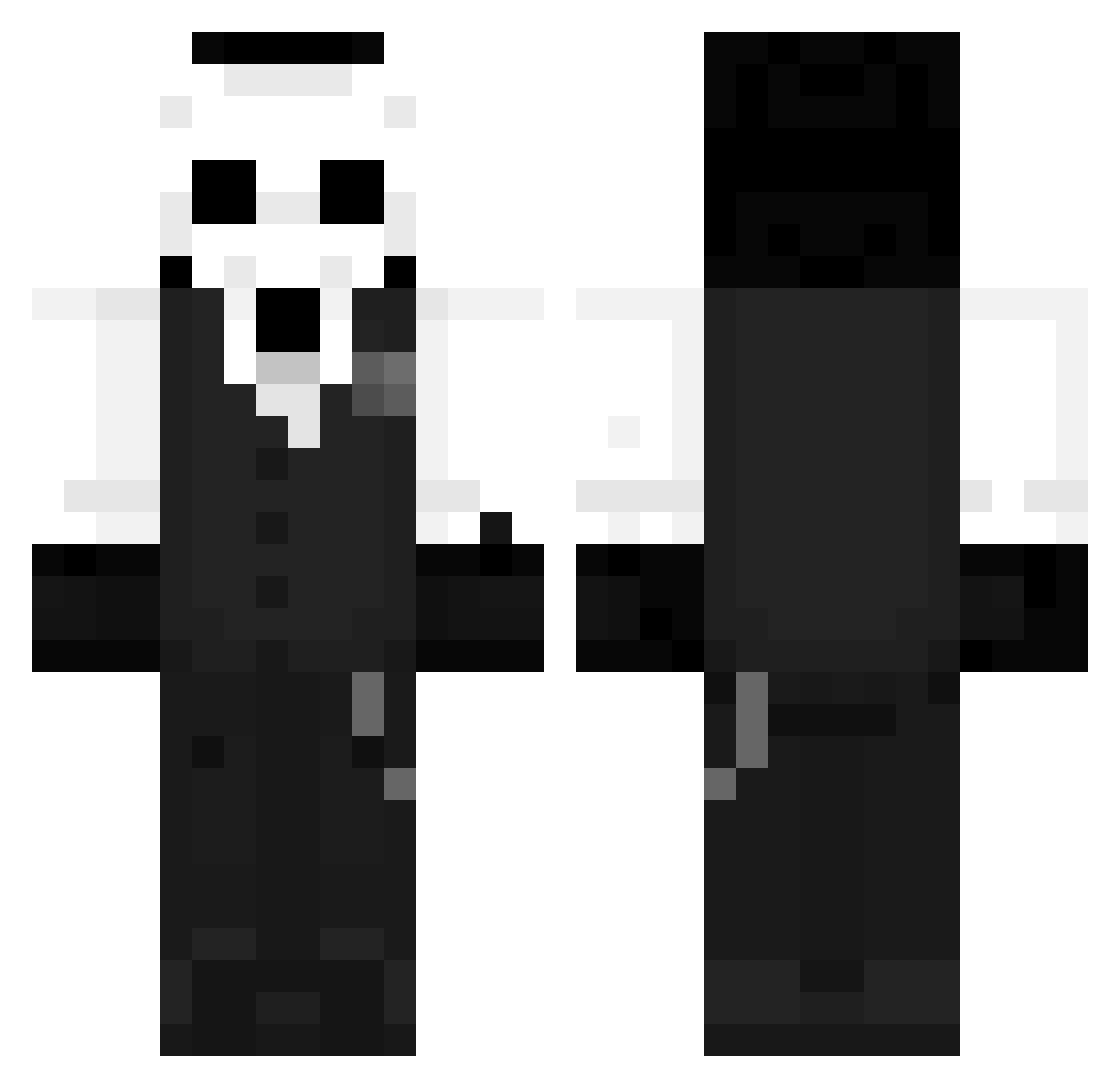
Current Minecraft skin of the player Knzin23, loaded from the official Mojang API. Rotate the 3D model with your mouse or finger, then download the skin as a PNG file and use it in Minecraft: Bedrock Edition or Java Edition for free. When Knzin23 changes their skin, this page updates automatically and the old skin stays in the history below.
Other players with this skin (1260)
Knzin23 was the 1204th player we have seen with this skin, first spotted on 01.11.2026. The same skin was seen on these players. Open a nickname to see their current skin and skin history.
 salsarex Shalkyy Nicoquitox swifteeonyt Saqh Player_Wu Lw_BR 2kDex Khalraak Neveney AzhellTTV rulencio San_san3 YavuzNGR El1zore AsahaHyD Rioxriox Surprise_cn Jasmilynn kkkk1619 SpectreJRM sddb SlideThrough ZeroSupai ray4y Gamerboy61595 Zuspier YQsama JesterFrenzy KallekLein Shinnnnn_ VlPPER Bugor AbyssCrisp ATAKANxDELTA YT_HELOLEGOO skezin sono2 Yuns2020 juwairn Lord_TouchMe__ lcyaiai Kranseck eXo_Foxy_ Ale_Lx kensoner GeroGhost Mucoenm Gamasagi Casp_02 Lzhka DakenUWU SamuelDP TurttleRain Comepapa wangdabao Ghostisz Agouzi01 SuspensLoardie iNine_9
More Sans Minecraft skins
How to install the Knzin23 skin
- Press the Download button above to save the skin as a PNG file.
- Minecraft: Bedrock Edition (PE): open the Dressing Room from the main menu (or tap your character → Edit Character), go to Classic Skins → Owned, press the + (new skin) button, choose the downloaded PNG and pick the Classic (Steve) model. Works on PC and mobile; consoles cannot import custom skins.
- Minecraft: Java Edition: open the Minecraft Launcher, go to the Skins tab, click New Skin, load the PNG, pick the Classic (Steve) model and press Save & Use. You can also upload it at minecraft.net → Profile → Change Skin.
The skin does not show up after import - what should I do?
Restart Minecraft and open the Dressing Room again - imported skins sometimes appear only after a restart. Also make sure you selected the imported skin and picked the Classic (Steve) model.
Which model should I choose, Classic or Slim?
This skin is designed for the Classic (Steve) model. If you pick the wrong model, the arms of the skin will look stretched or squeezed.
Is the skin of Knzin23 free to download?
Yes. Press Download, save the PNG file and use it in Minecraft: Bedrock Edition or Java Edition - no payment or registration needed. The skin also works on multiplayer servers and Realms.
More skins
Looking for more? Go back to all Minecraft skins and check the top skins of the week, month and all time, or find any player's skin by nickname.