
CjGangsta99 - Minecraft Skins & Skin History
Current Minecraft skin of the player CjGangsta99, loaded from the official Mojang API. Rotate the 3D model with your mouse or finger, then download the skin as a PNG file and use it in Minecraft: Bedrock Edition or Java Edition for free. When CjGangsta99 changes their skin, this page updates automatically and the old skin stays in the history below.
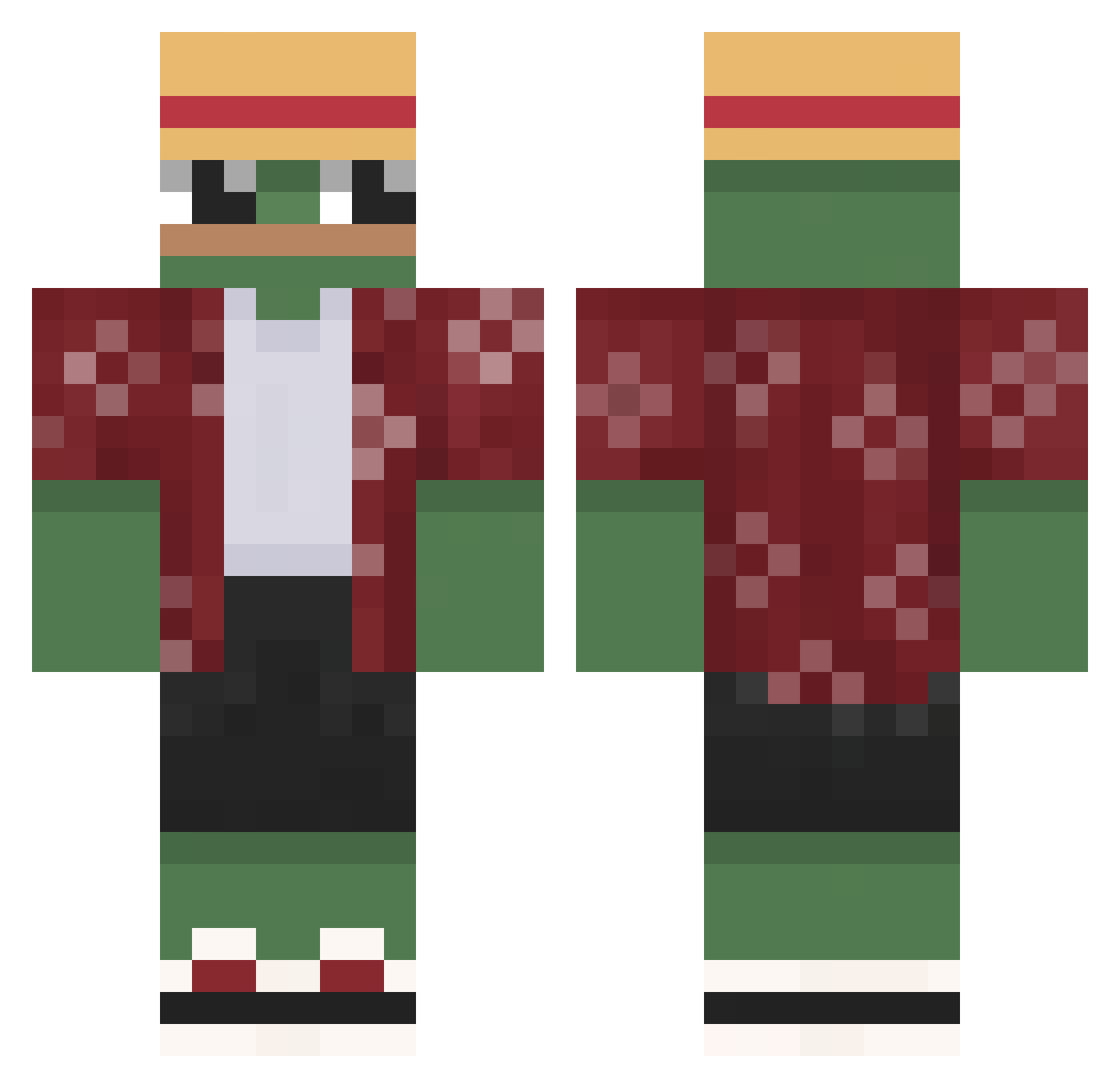
Other players with this skin (642)
CjGangsta99 was the 573rd player we have seen with this skin, first spotted on 22.10.2026. The same skin was seen on these players. Open a nickname to see their current skin and skin history.
 Alluu00 Malink_08 Ghosti1999 Spooxyyy Doughnutdreamer0 SamLima iiKHD gingypolski NopesGiven H3ANDEK Atom_Z serbis55 Yan071803 Aiolos81 xRetroKid FistLion Drudel vulcan301 Burret B3rnie_ Fadersnus sap1n BiiibMachine JustChilling2121 Koberaaaa777 aryose shalgonii OfficialDave IvyCOR Bamb0o0 nikroda Alejandro_Tarin koala03JP penguinpepe4785 MrGermanSilver KOPLINI22 hubs0n420 baasploa Mike3l King_of_frogs1 Merumond GGunes Kirieshkin_s HOOOOOOONK Tickler116 ElBenja_00 SOA77 ViceRuiz pope1228 furkanxrv Lewyyyyyx 6_Aim Gogutzz brelok69 Malus_Juice Ar0n_The_King NinoLombard BrawlingOctopi tinytony1781 CapnHenriboi
More Monkey D Luffy Minecraft skins
See all 924 Monkey D Luffy skins
How to install the CjGangsta99 skin
- Press the Download button above to save the skin as a PNG file.
- Minecraft: Bedrock Edition (PE): open the Dressing Room from the main menu (or tap your character → Edit Character), go to Classic Skins → Owned, press the + (new skin) button, choose the downloaded PNG and pick the Classic (Steve) model. Works on PC and mobile; consoles cannot import custom skins.
- Minecraft: Java Edition: open the Minecraft Launcher, go to the Skins tab, click New Skin, load the PNG, pick the Classic (Steve) model and press Save & Use. You can also upload it at minecraft.net → Profile → Change Skin.
The skin does not show up after import - what should I do?
Restart Minecraft and open the Dressing Room again - imported skins sometimes appear only after a restart. Also make sure you selected the imported skin and picked the Classic (Steve) model.
Which model should I choose, Classic or Slim?
This skin is designed for the Classic (Steve) model. If you pick the wrong model, the arms of the skin will look stretched or squeezed.
Is the skin of CjGangsta99 free to download?
Yes. Press Download, save the PNG file and use it in Minecraft: Bedrock Edition or Java Edition - no payment or registration needed. The skin also works on multiplayer servers and Realms.
More skins
Looking for more? Go back to all Minecraft skins and check the top skins of the week, month and all time, or find any player's skin by nickname.