
Centurion714 - Minecraft Skins & Skin History
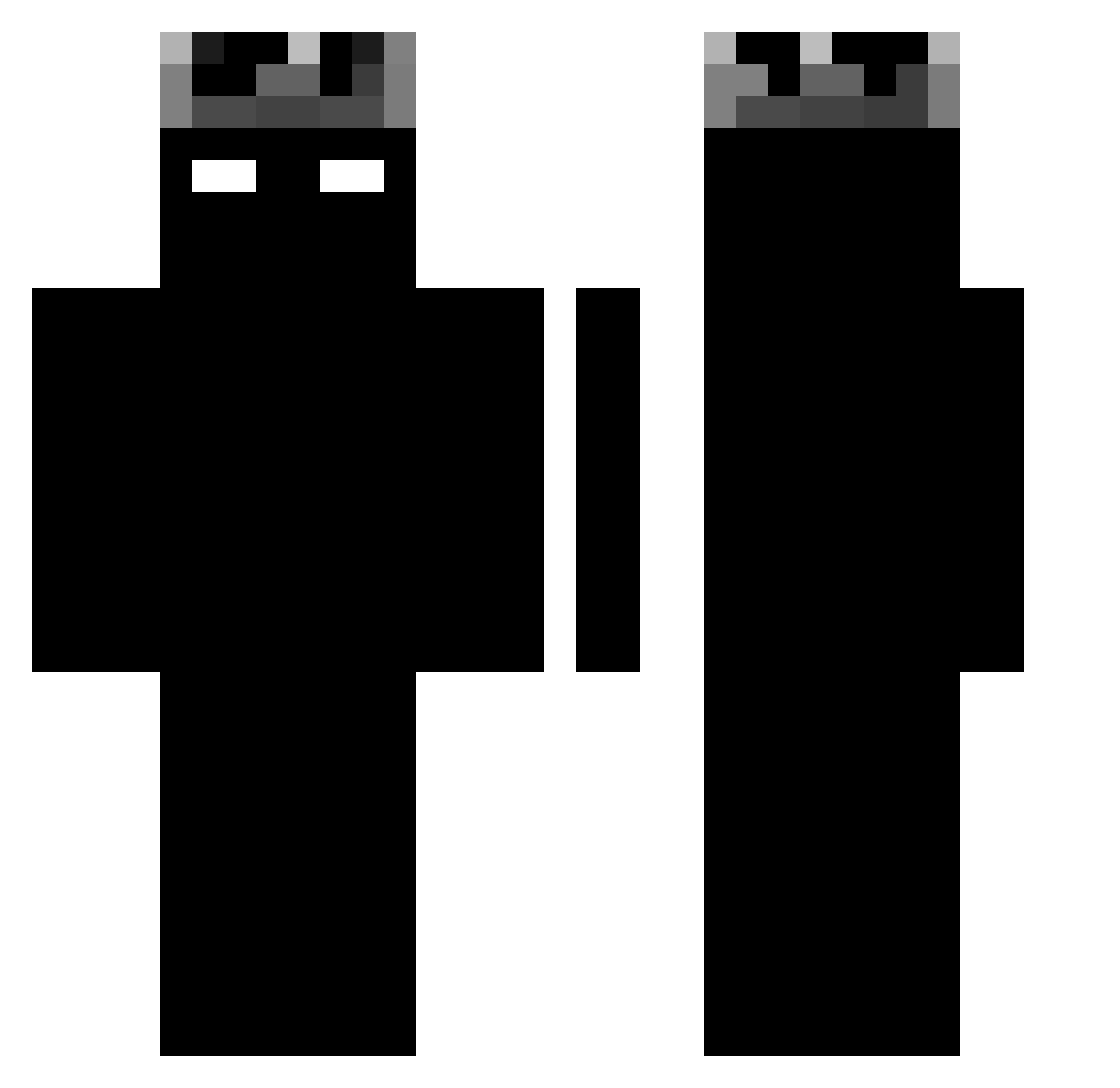
Current Minecraft skin of the player Centurion714, loaded from the official Mojang API. Rotate the 3D model with your mouse or finger, then download the skin as a PNG file and use it in Minecraft: Bedrock Edition or Java Edition for free. When Centurion714 changes their skin, this page updates automatically and the old skin stays in the history below.
Other players with this skin (1189)
Centurion714 was the 32nd player we have seen with this skin, first spotted on 24.07.2026. The same skin was seen on these players. Open a nickname to see their current skin and skin history.
 janyxx ZeroSyndicate ztron22 shadowww0411 supi2x Asikral NOXAIR_ kingskullies Paul_Dev Sxrngs ___vexo__ Calvin5422 SphinxZonary vinih_43 Krafter_MC migmenPT BC1trillion bredux IBCU pixxel__
 BlueIceGod2012 RayJ03
 zppsW m_kerim54
 Rary16 Tironall yanmart C6suppy Ocsen420 AJ_26 DAN2318
 LunarCrowd BedoLegenden Abs26N HJ717 Lenny879
 Maz3man _Laay_ blitzedd
 rexu__ Galuszenko Arctix_MC
 BR1335 MINONLYOHA Berserk_v2 MrTwister127038 Ejcruzy AliceTuaZia psb030418 Manface4547 ILLDOIT yuvkatz salvax77 vyvm IchAufKrampf Fellowhit
 shirosolonely adler74 BrunoS11 RyzexV2
More Shadow Minecraft skins
How to install the Centurion714 skin
- Press the Download button above to save the skin as a PNG file.
- Minecraft: Bedrock Edition (PE): open the Dressing Room from the main menu (or tap your character → Edit Character), go to Classic Skins → Owned, press the + (new skin) button, choose the downloaded PNG and pick the Classic (Steve) model. Works on PC and mobile; consoles cannot import custom skins.
- Minecraft: Java Edition: open the Minecraft Launcher, go to the Skins tab, click New Skin, load the PNG, pick the Classic (Steve) model and press Save & Use. You can also upload it at minecraft.net → Profile → Change Skin.
The skin does not show up after import - what should I do?
Restart Minecraft and open the Dressing Room again - imported skins sometimes appear only after a restart. Also make sure you selected the imported skin and picked the Classic (Steve) model.
Which model should I choose, Classic or Slim?
This skin is designed for the Classic (Steve) model. If you pick the wrong model, the arms of the skin will look stretched or squeezed.
Is the skin of Centurion714 free to download?
Yes. Press Download, save the PNG file and use it in Minecraft: Bedrock Edition or Java Edition - no payment or registration needed. The skin also works on multiplayer servers and Realms.
More skins
Looking for more? Go back to all Minecraft skins and check the top skins of the week, month and all time, or find any player's skin by nickname.