
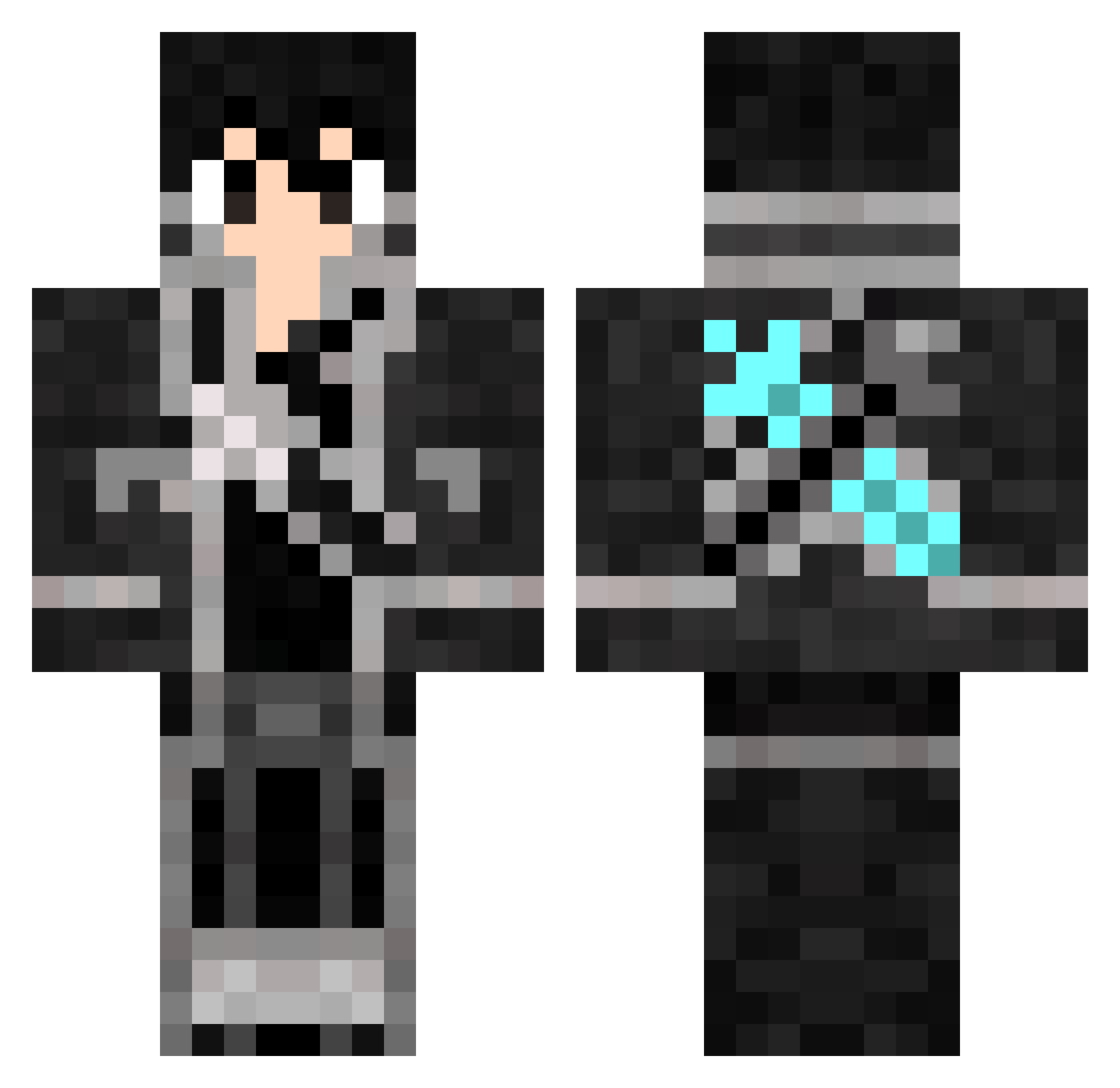
Current Minecraft skin of the player Carnegie242, loaded from the official Mojang API. Rotate the 3D model with your mouse or finger, then download the skin as a PNG file and use it in Minecraft: Bedrock Edition or Java Edition for free. When Carnegie242 changes their skin, this page updates automatically and the old skin stays in the history below.
Other players with this skin (643)
Carnegie242 was the 189th player we have seen with this skin, first spotted on 19.08.2026. The same skin was seen on these players. Open a nickname to see their current skin and skin history.
 JustinYu2009 VoltiTio larvitar98 Nantan_ AndentEny nathr2 letsdothis717 Xue_eeee moduxiaomeiying irito8222 Maplespirit Lomanski kouchi777 hakai171 hukatya loushaoze BlackDev7 karakate12 Anthony_2103 Darienn12 NightPunch ProroQQ Draksss Nelly_peanuts trunkmonkey0116 lZeXl karmo102 itszy___ wxt0813 youpq _SuicideGamer_ YellowHokage
 Luisofr_ Mcdubs Kibursto tenkasu1154 xGerGamerx Akatsukikojo iiHell_Boy Shizukuuuuuuuu LOOOry DeltaEcho568 Dariusijb Matataku bonorose kirito_SA0_ LupusSupremus huxtu Kirito645 ElMinipekka567 Teby204 cookie_riku sakura_forgot_me Patapon21 seanlei Cryptiee Gustow domanf SolarD2 CommunistBoris
More Kirito Minecraft skins
How to install the Carnegie242 skin
- Press the Download button above to save the skin as a PNG file.
- Minecraft: Bedrock Edition (PE): open the Dressing Room from the main menu (or tap your character → Edit Character), go to Classic Skins → Owned, press the + (new skin) button, choose the downloaded PNG and pick the Classic (Steve) model. Works on PC and mobile; consoles cannot import custom skins.
- Minecraft: Java Edition: open the Minecraft Launcher, go to the Skins tab, click New Skin, load the PNG, pick the Classic (Steve) model and press Save & Use. You can also upload it at minecraft.net → Profile → Change Skin.
The skin does not show up after import - what should I do?
Restart Minecraft and open the Dressing Room again - imported skins sometimes appear only after a restart. Also make sure you selected the imported skin and picked the Classic (Steve) model.
Which model should I choose, Classic or Slim?
This skin is designed for the Classic (Steve) model. If you pick the wrong model, the arms of the skin will look stretched or squeezed.
Is the skin of Carnegie242 free to download?
Yes. Press Download, save the PNG file and use it in Minecraft: Bedrock Edition or Java Edition - no payment or registration needed. The skin also works on multiplayer servers and Realms.
More skins
Looking for more? Go back to all Minecraft skins and check the top skins of the week, month and all time, or find any player's skin by nickname.