
Boodge115 - Minecraft Skins & Skin History
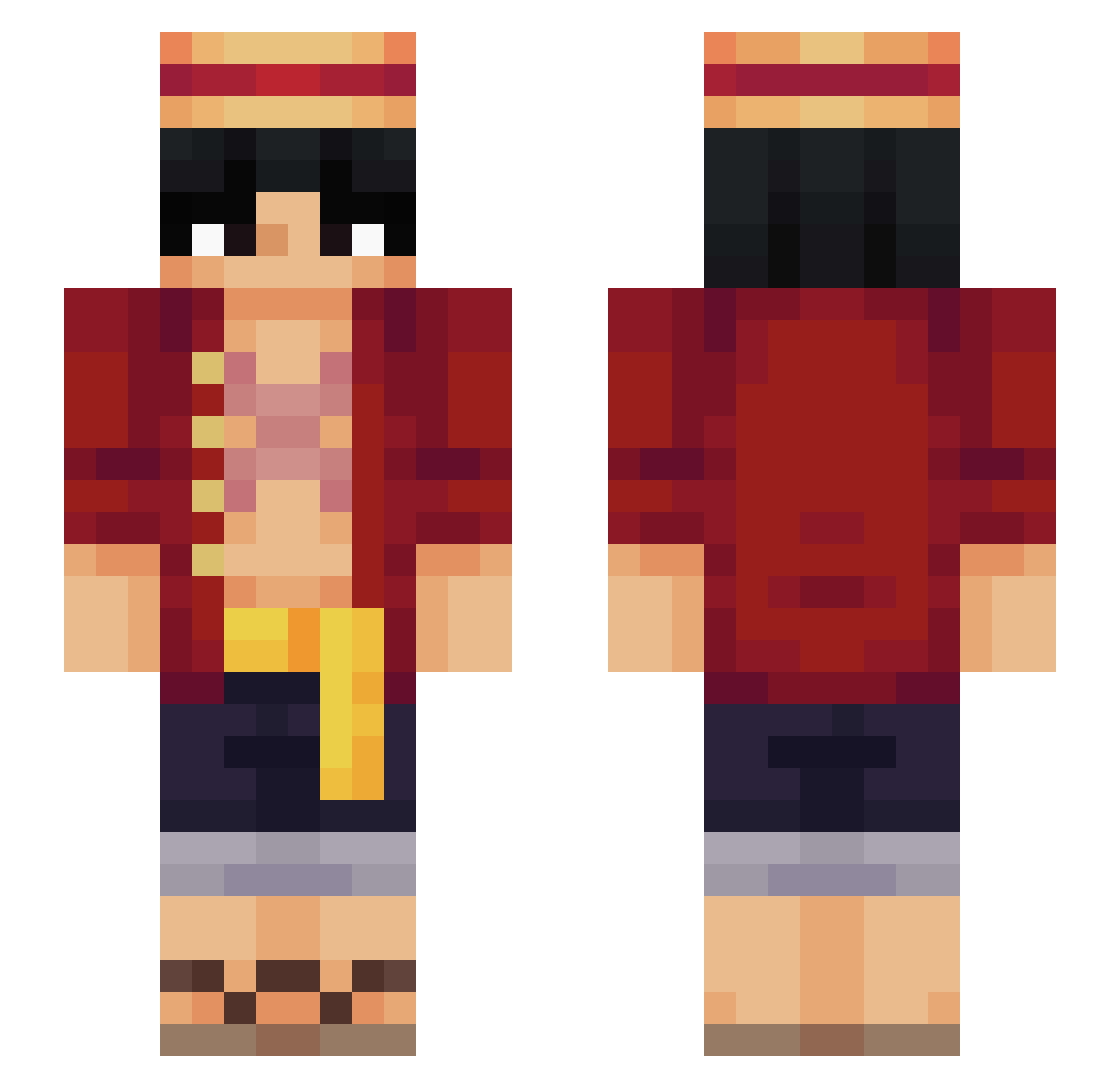
Current Minecraft skin of the player Boodge115, loaded from the official Mojang API. Rotate the 3D model with your mouse or finger, then download the skin as a PNG file and use it in Minecraft: Bedrock Edition or Java Edition for free. When Boodge115 changes their skin, this page updates automatically and the old skin stays in the history below.
Other players with this skin (566)
Boodge115 was the 206th player we have seen with this skin, first spotted on 30.08.2026. The same skin was seen on these players. Open a nickname to see their current skin and skin history.
 VortexNeos WyattP TristanTG Xeuctioner PenguinStar18 MythicMax71YT bagQ bkbkbk_ Verlamming MucReynolds Shelong97 PoisedPot FatherHarold axemonster2232 oceratin Tomicraft_MC gitanobandido MunchingLlama GHubi98 Syes171 eric99319 D3LF1N xNonane JONATHAGAMERPC jvponline WARLORD6221 superjulianparra MrKikas Jack_Ouzzy MBerkayAky52 morrty Manon1110 Ace_Cosmic jakedad mianhuashoujizhe Dhxuv NetherWartEater dlsIocate
 Moryo_ Leeprod kytos1502 Lempereur20 jahir2222222 Carbozo_212 Yamineiro Kxrizmuh IlGot7 pigft brn98 tniatymkcil
 Krengii HorNEtest xeriotic Not_Vxvae Pieczak fr0z3n01 HaHaGotcha Benushh Neoz27 Kumasbn
More Monkey D Luffy Minecraft skins
See all 928 Monkey D Luffy skins
How to install the Boodge115 skin
- Press the Download button above to save the skin as a PNG file.
- Minecraft: Bedrock Edition (PE): open the Dressing Room from the main menu (or tap your character → Edit Character), go to Classic Skins → Owned, press the + (new skin) button, choose the downloaded PNG and pick the Slim (Alex) model. Works on PC and mobile; consoles cannot import custom skins.
- Minecraft: Java Edition: open the Minecraft Launcher, go to the Skins tab, click New Skin, load the PNG, pick the Slim (Alex) model and press Save & Use. You can also upload it at minecraft.net → Profile → Change Skin.
The skin does not show up after import - what should I do?
Restart Minecraft and open the Dressing Room again - imported skins sometimes appear only after a restart. Also make sure you selected the imported skin and picked the Slim (Alex) model.
Which model should I choose, Classic or Slim?
This skin is designed for the Slim (Alex) model. If you pick the wrong model, the arms of the skin will look stretched or squeezed.
Is the skin of Boodge115 free to download?
Yes. Press Download, save the PNG file and use it in Minecraft: Bedrock Edition or Java Edition - no payment or registration needed. The skin also works on multiplayer servers and Realms.
More skins
Looking for more? Go back to all Minecraft skins and check the top skins of the week, month and all time, or find any player's skin by nickname.