
Blackpupil - Minecraft Skins & Skin History
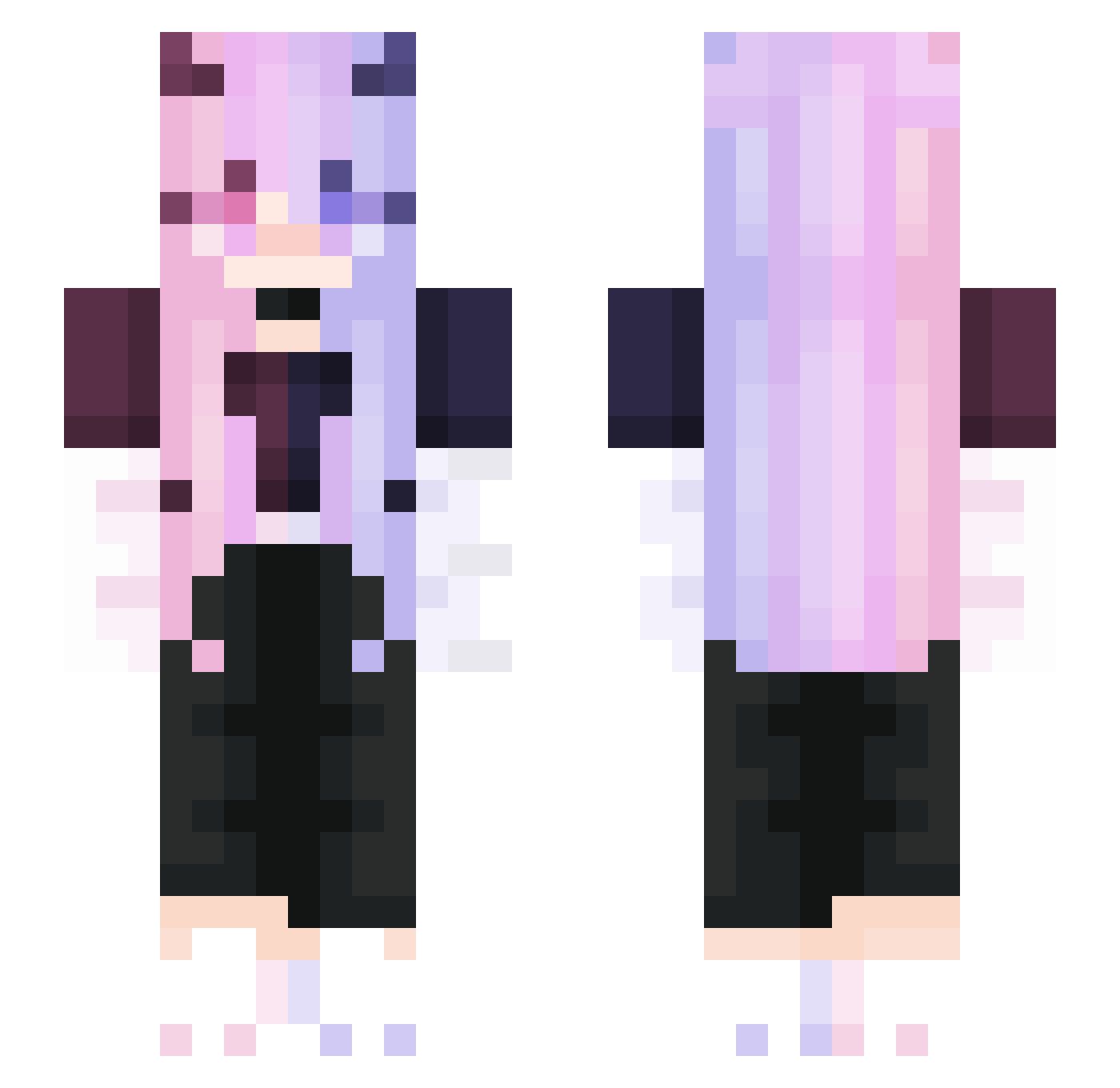
Current Minecraft skin of the player Blackpupil, loaded from the official Mojang API. Rotate the 3D model with your mouse or finger, then download the skin as a PNG file and use it in Minecraft: Bedrock Edition or Java Edition for free. When Blackpupil changes their skin, this page updates automatically and the old skin stays in the history below.
Other players with this skin (276)
Blackpupil was the 240th player we have seen with this skin, first spotted on 09.10.2026. The same skin was seen on these players. Open a nickname to see their current skin and skin history.
 Az4zelOuO Str1XzR JANNO4KA Itz_ReinMC evil_niko OGCosmic Kass1r irldog777 AzTeRrR karca584 AnLan H1fii Twitch_Mane PolinaShay MochixD Olsaxmw Cureisma VoluaQ Lencea716 wohaushy kitanoshima Ningxiaoche Synatikz DemoneyeQWQ Nightstarchen CKSTYLE verypaper Qylus Reokiy Punderful20 disenthrall takumi10235 MirriH3X noxh69 Wugezi Patrycja1809022 Yokesg AngelBlade Reazes SangHoney1014 zLqire Oniiri beatsboy27 Xiangyu_6A9 TourneyMaster HHZ_ ImGMoneyy AnnaKwienicka gkpttan Familist LLLLLLUCKY blucherv shenglonger320 Blanc1684 feiyueNotFound LittleSashimii amiyadgo dunhill4976 SN12_TW GreyratLia
More Demon Minecraft skins
How to install the Blackpupil skin
- Press the Download button above to save the skin as a PNG file.
- Minecraft: Bedrock Edition (PE): open the Dressing Room from the main menu (or tap your character → Edit Character), go to Classic Skins → Owned, press the + (new skin) button, choose the downloaded PNG and pick the Slim (Alex) model. Works on PC and mobile; consoles cannot import custom skins.
- Minecraft: Java Edition: open the Minecraft Launcher, go to the Skins tab, click New Skin, load the PNG, pick the Slim (Alex) model and press Save & Use. You can also upload it at minecraft.net → Profile → Change Skin.
The skin does not show up after import - what should I do?
Restart Minecraft and open the Dressing Room again - imported skins sometimes appear only after a restart. Also make sure you selected the imported skin and picked the Slim (Alex) model.
Which model should I choose, Classic or Slim?
This skin is designed for the Slim (Alex) model. If you pick the wrong model, the arms of the skin will look stretched or squeezed.
Is the skin of Blackpupil free to download?
Yes. Press Download, save the PNG file and use it in Minecraft: Bedrock Edition or Java Edition - no payment or registration needed. The skin also works on multiplayer servers and Realms.
More skins
Looking for more? Go back to all Minecraft skins and check the top skins of the week, month and all time, or find any player's skin by nickname.