
Ay0ub0 - Minecraft Skins & Skin History
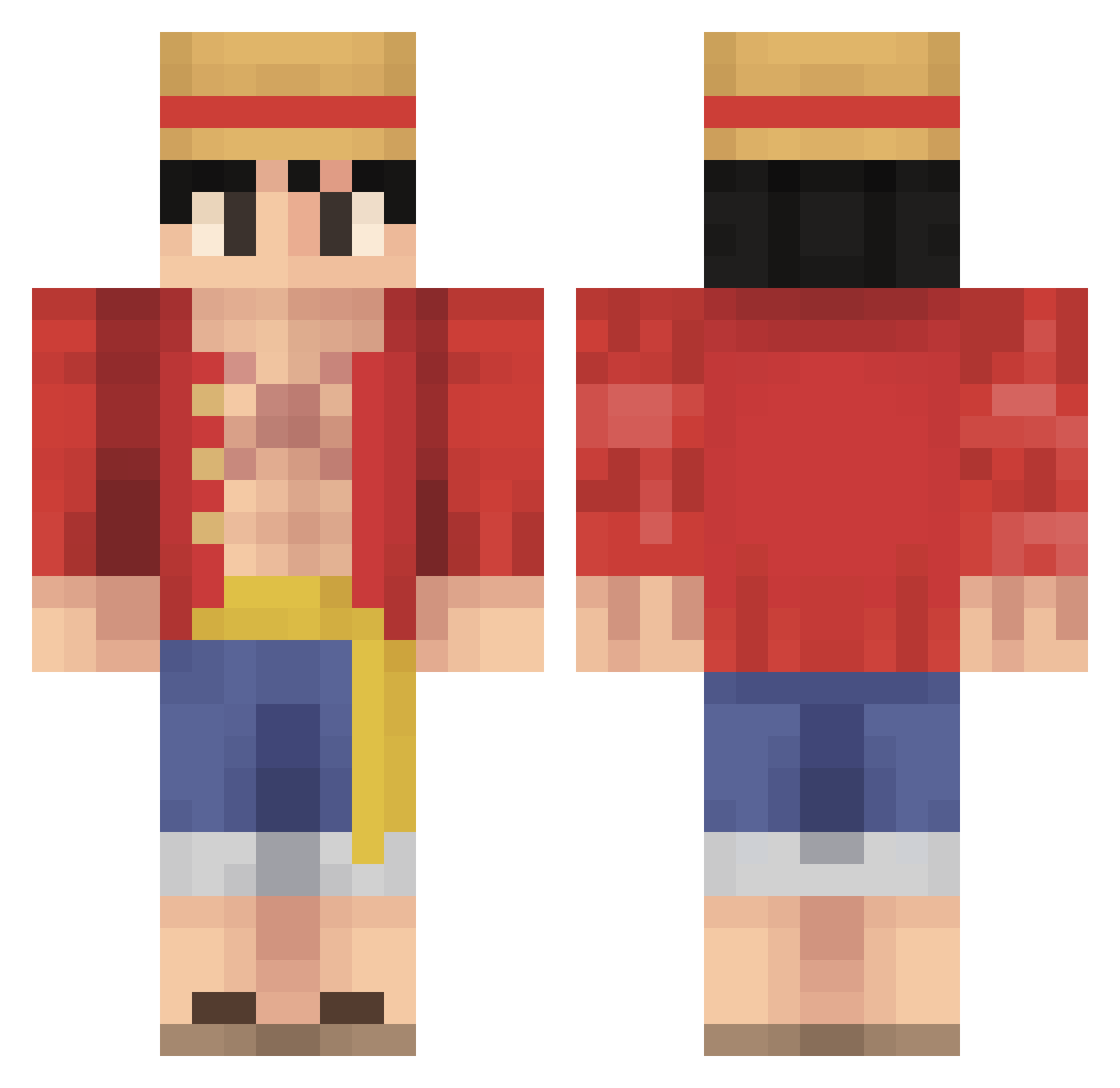
Current Minecraft skin of the player Ay0ub0, loaded from the official Mojang API. Rotate the 3D model with your mouse or finger, then download the skin as a PNG file and use it in Minecraft: Bedrock Edition or Java Edition for free. When Ay0ub0 changes their skin, this page updates automatically and the old skin stays in the history below.
Other players with this skin (542)
Ay0ub0 was the 516th player we have seen with this skin, first spotted on 26.10.2026. The same skin was seen on these players. Open a nickname to see their current skin and skin history.
 BloodyAlone npckid11 Beardrew99 VinsmokeEmre KeyboardAutism24 RustyRoy Fateness1 ZyWaAA frenan70 EmberPlayzzz Exalted_lofty UnityBlaZe CNER1 V4t1c4n_Burning Pablo1700 MartinTOON Jelandriel Nabaf Ayyoub010 Tytan_Max420 PlaeXtoo zeytin27 AdamyBoi BabyZOMB1E FireFox112 canguroveloz ILumiereI Wertder11 BUBBA_GUPPY LBreezy420 jdeegee Wyrnstrom GeorgiBoy1020 Niceman1000 P3SUS 3Kinq regziii ROTOM668 keremosman ninjatwist808 KongenAfDK Westcapalot Fuknhunkydory BITER812 bebe8498 DxS_03 Izaji ROHAL_ Plooshy el_pipexd This_Guy_J jmoneymike7 IZincsI Stokedminer_1 gpickens67 FearBlack MidwestGaming92 RocketMan341 Bytron1 weekah
More Monkey D Luffy Minecraft skins
See all 924 Monkey D Luffy skins
How to install the Ay0ub0 skin
- Press the Download button above to save the skin as a PNG file.
- Minecraft: Bedrock Edition (PE): open the Dressing Room from the main menu (or tap your character → Edit Character), go to Classic Skins → Owned, press the + (new skin) button, choose the downloaded PNG and pick the Classic (Steve) model. Works on PC and mobile; consoles cannot import custom skins.
- Minecraft: Java Edition: open the Minecraft Launcher, go to the Skins tab, click New Skin, load the PNG, pick the Classic (Steve) model and press Save & Use. You can also upload it at minecraft.net → Profile → Change Skin.
The skin does not show up after import - what should I do?
Restart Minecraft and open the Dressing Room again - imported skins sometimes appear only after a restart. Also make sure you selected the imported skin and picked the Classic (Steve) model.
Which model should I choose, Classic or Slim?
This skin is designed for the Classic (Steve) model. If you pick the wrong model, the arms of the skin will look stretched or squeezed.
Is the skin of Ay0ub0 free to download?
Yes. Press Download, save the PNG file and use it in Minecraft: Bedrock Edition or Java Edition - no payment or registration needed. The skin also works on multiplayer servers and Realms.
More skins
Looking for more? Go back to all Minecraft skins and check the top skins of the week, month and all time, or find any player's skin by nickname.