
3agatka - Minecraft Skins & Skin History
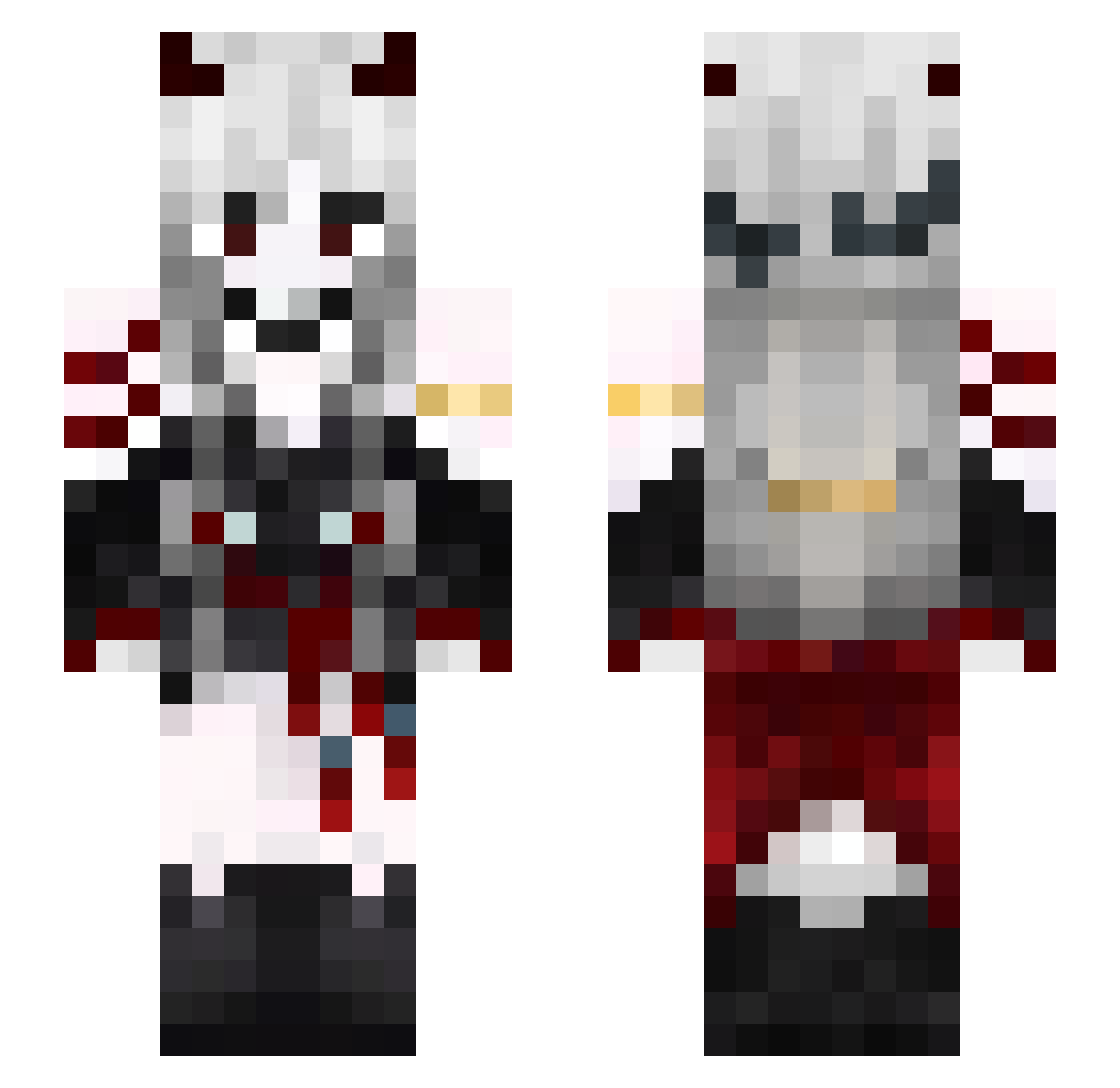
Current Minecraft skin of the player 3agatka, loaded from the official Mojang API. Rotate the 3D model with your mouse or finger, then download the skin as a PNG file and use it in Minecraft: Bedrock Edition or Java Edition for free. When 3agatka changes their skin, this page updates automatically and the old skin stays in the history below.
Other players with this skin (581)
3agatka was the 289th player we have seen with this skin, first spotted on 21.09.2026. The same skin was seen on these players. Open a nickname to see their current skin and skin history.
 DarkSinFairy6 Regone47 purple_dragon_39 SALAMANDERKABON TomiXcc RiNa1579 FallerzRVN hui_san AlyssasLake lilithneet delu49 jingluan THALYSON_01 C4Meeee FightTemboy Flufffzz phaedraah AnnabelleStr TDawgKek EFrigus QuickBoxCheater booksand QINGHAI0 warmcorpse Daeia2115 NightHornet9870 Moodqwe airiyandeew IAmTsumiko Rrouo1 ClaudoLasticot itsCrowly Nesboh_ MooncakeChan davide_giorio _UNGESUND_ JuliaM1406 bleghhhhhhhh Marcoskrome fifik0015 Not_Eroart unvolo_ Okamii____ tengyi0v0 Icey_Clown YuChEnG12 katia31 S5racz fixxxx1 BaselM15 Loading1249 AnsaMaria FafPitchou noX_iie Nefelibata__ FriZiiX_ Harucookie44 RxDz bentley1227 Loouuq
More Demon Minecraft skins
How to install the 3agatka skin
- Press the Download button above to save the skin as a PNG file.
- Minecraft: Bedrock Edition (PE): open the Dressing Room from the main menu (or tap your character → Edit Character), go to Classic Skins → Owned, press the + (new skin) button, choose the downloaded PNG and pick the Slim (Alex) model. Works on PC and mobile; consoles cannot import custom skins.
- Minecraft: Java Edition: open the Minecraft Launcher, go to the Skins tab, click New Skin, load the PNG, pick the Slim (Alex) model and press Save & Use. You can also upload it at minecraft.net → Profile → Change Skin.
The skin does not show up after import - what should I do?
Restart Minecraft and open the Dressing Room again - imported skins sometimes appear only after a restart. Also make sure you selected the imported skin and picked the Slim (Alex) model.
Which model should I choose, Classic or Slim?
This skin is designed for the Slim (Alex) model. If you pick the wrong model, the arms of the skin will look stretched or squeezed.
Is the skin of 3agatka free to download?
Yes. Press Download, save the PNG file and use it in Minecraft: Bedrock Edition or Java Edition - no payment or registration needed. The skin also works on multiplayer servers and Realms.
More skins
Looking for more? Go back to all Minecraft skins and check the top skins of the week, month and all time, or find any player's skin by nickname.