
Blocks Armor & Tools Add-on 26.0+
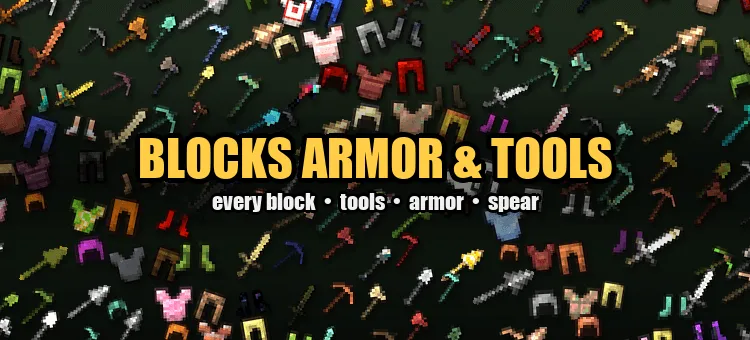
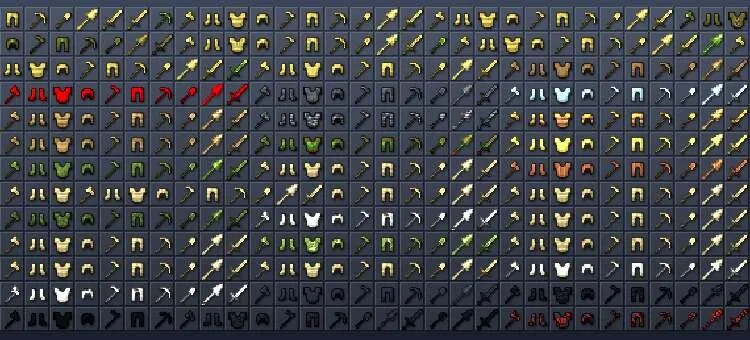
Almost any familiar material can now be turned into a full set of equipment with the mod Blocks Armor & Tools, which adds a Sword, Pickaxe, Axe, Shovel, Hoe, Spear, and a full Armor set for every vanilla block. The add-on includes more than 1000 blocks and around 10,000 items, and the equipment keeps the material's appearance in Minecraft.
Features
A full set of 10 items is available for every block
Tools and armor use the textures of the corresponding blocks
The spear can be thrown and used for long-range attacks
Equipment stats depend on the material: Dirt is weak, Diamond is durable, Netherite is stronger, and Bedrock is practically invulnerable
All items can be crafted on the Crafting Table
Special abilities
Bedrock - complete invulnerability and instant block mining, and the weapons kill mobs in one hit
Enchanting Table - automatically gets random enchantments every few seconds
Glowing blocks - create dynamic lighting when worn, held, or dropped
Slime - increases jump height, allows bouncing off the ground, and boosts knockback from attacks
Fire resistance - netherite, obsidian, magma, netherrack, and blackstone protect from fire and lava
Vampirism - weapons made of netherite and ancient debris restore health on hit
Ignition - weapons made of magma, netherrack, and blackstone set enemies on fire
Water power - prismarine, sea lantern, kelp, sponge, corals, and conduit let you breathe underwater and swim faster
Frost - ice, snow, and other cold blocks protect from freezing, and weapons slow enemies down
Fall protection - honey, slime, wool, carpets, hay, leaves, moss, and sponges completely remove fall damage
Animal care - wheat, hay, carrots, potatoes, beetroot, pumpkin, and watermelon heal and feed animals
Thorns - cactus, sweet berries, and dripleaf reflect damage back to the attacker
Changes in the new version
Added shields
Fixed crafting recipes
How to install Blocks Armor & Tools Add-on 26.0+
- Download the file below.
- Open it - Minecraft imports the pack by itself.
- Activate the pack in the world you want to play in.
 Godzilla and Kong Rise Of The Titans Add-on 1.18/1.17+
 Tools and Armor Add-on 1.17+
 SpongeBob and Gary Add-on
 JOJO's Bizarre Adventure Add-on 1.17+
 World Animals Add-on 1.21+/1.20+
 Witchery Expansion Add-on 1.20+