
Beautiful Background Texture Pack
Would you like to change the background of your custom menu? If so, then this is exactly what you need. Now you can change it to a more interesting one, for example, a night style or a more beautiful one.
All that will be changed is just the background of your menu, this will not affect the other features of the game. Improve your menu by making it more unique with this texture pack.
In general, the player can change the background to one of the new 4 types. All you need to do is go to the game settings. Below is the screenshot, we show you how to do this:
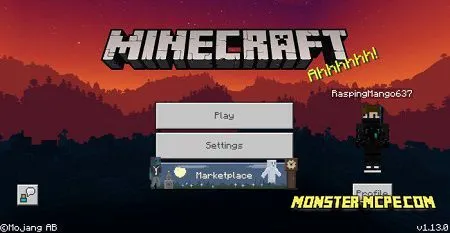
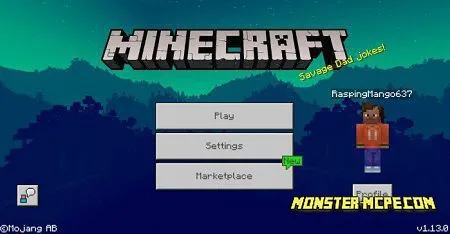
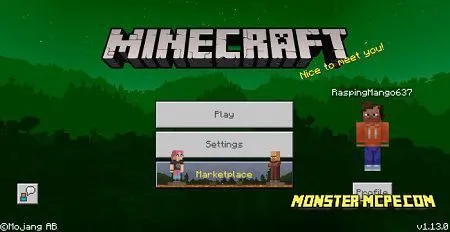
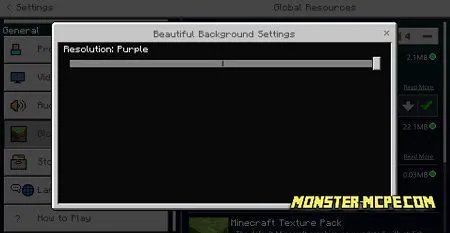
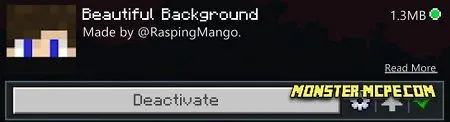
Attention: In order for the texture pack to work properly, we recommend that you restart the game after the installation.
How to install Beautiful Background Texture Pack
- Download the file below.
- Open it - Minecraft imports the pack by itself.
- Activate the pack in the world you want to play in.
Download Beautiful Background Texture Pack
Related News:
 Default Deviations Texture Pack
 Custom Cape Resource Pack
 Truly Vanilla RTX Texture Pack
 Food Info: Extended Texture Pack
 Custom Hotbar Texture Pack
 Scrambled Textures Joke Pack
Comments (0)