
xw_Kirito - Minecraft Skins & Skin History
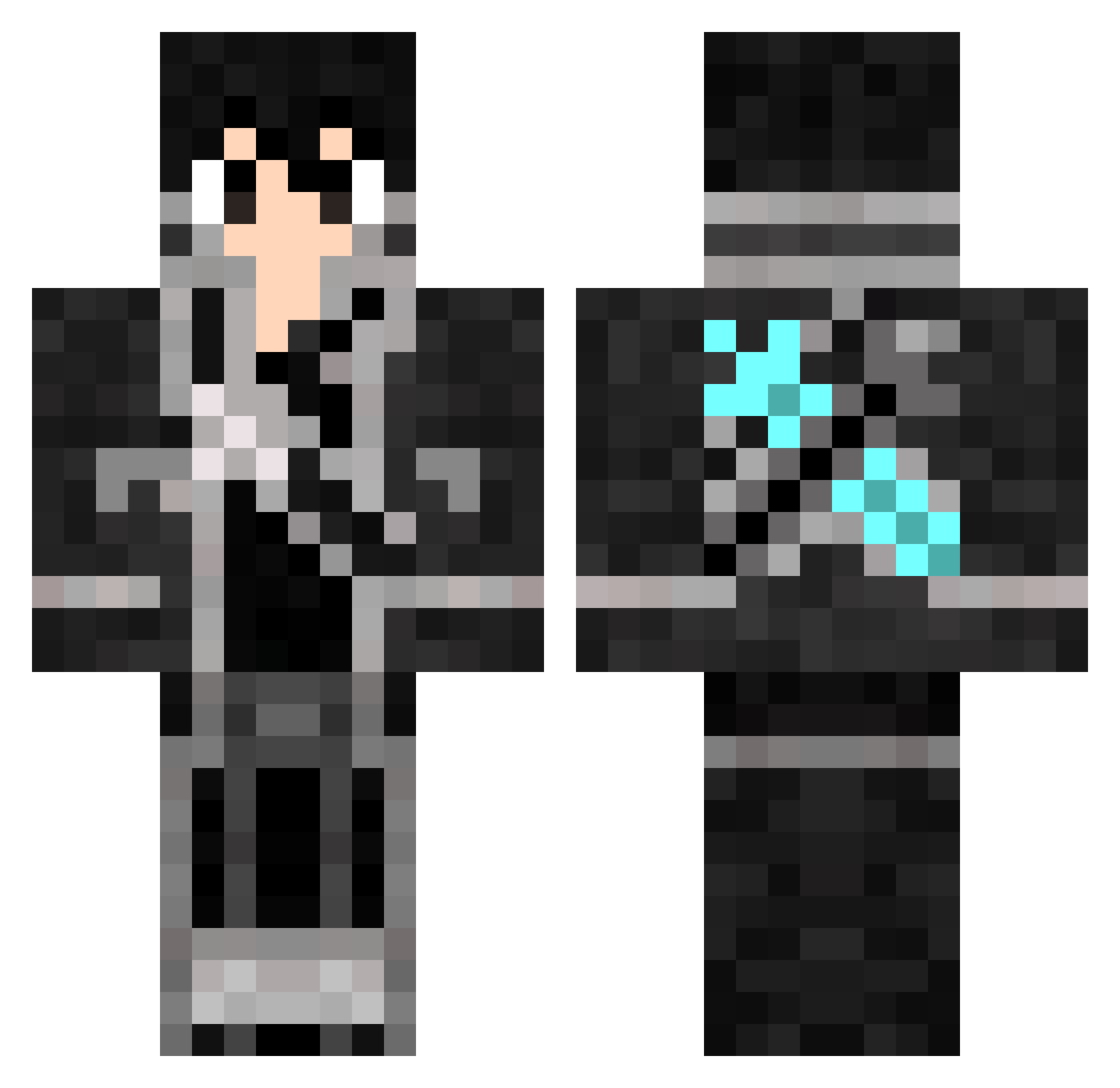
Current Minecraft skin of the player xw_Kirito, loaded from the official Mojang API. Rotate the 3D model with your mouse or finger, then download the skin as a PNG file and use it in Minecraft: Bedrock Edition or Java Edition for free. When xw_Kirito changes their skin, this page updates automatically and the old skin stays in the history below.
Other players with this skin (816)
xw_Kirito was the 261st player we have seen with this skin, first spotted on 29.08.2026. The same skin was seen on these players. Open a nickname to see their current skin and skin history.
 Lifenghang naegong zxc517 HollowKirito zorbar_swe SirVeee Dflk17 Puddle_AH EaseWhite neil9830409 Bambouli Zi__Mu floppolo Asche85 frankhsuby KylinLawliet amjad71480 Harken_dt Kirito_Wang Camealot Ruieeji xiaolv448 NikFire67 WinterZeus xScavenger_ KyserShin ZNkirito Scefy Falkux DavidLucas KILLER5585 Xiaoxiao_SC Texugos AlexmonDOTO Advent133 AxelzukE Capetao__ PekoGamer Jasoniito Rjuice mosquitoescry heN1314 yuurost Nur4xx Etharno0606 Renai69_ THUNDER13813 TmFtZQ SepiBell SxxtA3 edbagas KiritoYa12 ijfb3 jayden_pandgames DADYCHOCOLAT Yuki_016_ AmrPrince mikan0414 Kirito_941122 Ivan67423
More Kirito Minecraft skins
How to install the xw_Kirito skin
- Press the Download button above to save the skin as a PNG file.
- Minecraft: Bedrock Edition (PE): open the Dressing Room from the main menu (or tap your character → Edit Character), go to Classic Skins → Owned, press the + (new skin) button, choose the downloaded PNG and pick the Classic (Steve) model. Works on PC and mobile; consoles cannot import custom skins.
- Minecraft: Java Edition: open the Minecraft Launcher, go to the Skins tab, click New Skin, load the PNG, pick the Classic (Steve) model and press Save & Use. You can also upload it at minecraft.net → Profile → Change Skin.
The skin does not show up after import - what should I do?
Restart Minecraft and open the Dressing Room again - imported skins sometimes appear only after a restart. Also make sure you selected the imported skin and picked the Classic (Steve) model.
Which model should I choose, Classic or Slim?
This skin is designed for the Classic (Steve) model. If you pick the wrong model, the arms of the skin will look stretched or squeezed.
Is the skin of xw_Kirito free to download?
Yes. Press Download, save the PNG file and use it in Minecraft: Bedrock Edition or Java Edition - no payment or registration needed. The skin also works on multiplayer servers and Realms.
More skins
Looking for more? Go back to all Minecraft skins and check the top skins of the week, month and all time, or find any player's skin by nickname.