
xenostrike - Minecraft Skins & Skin History
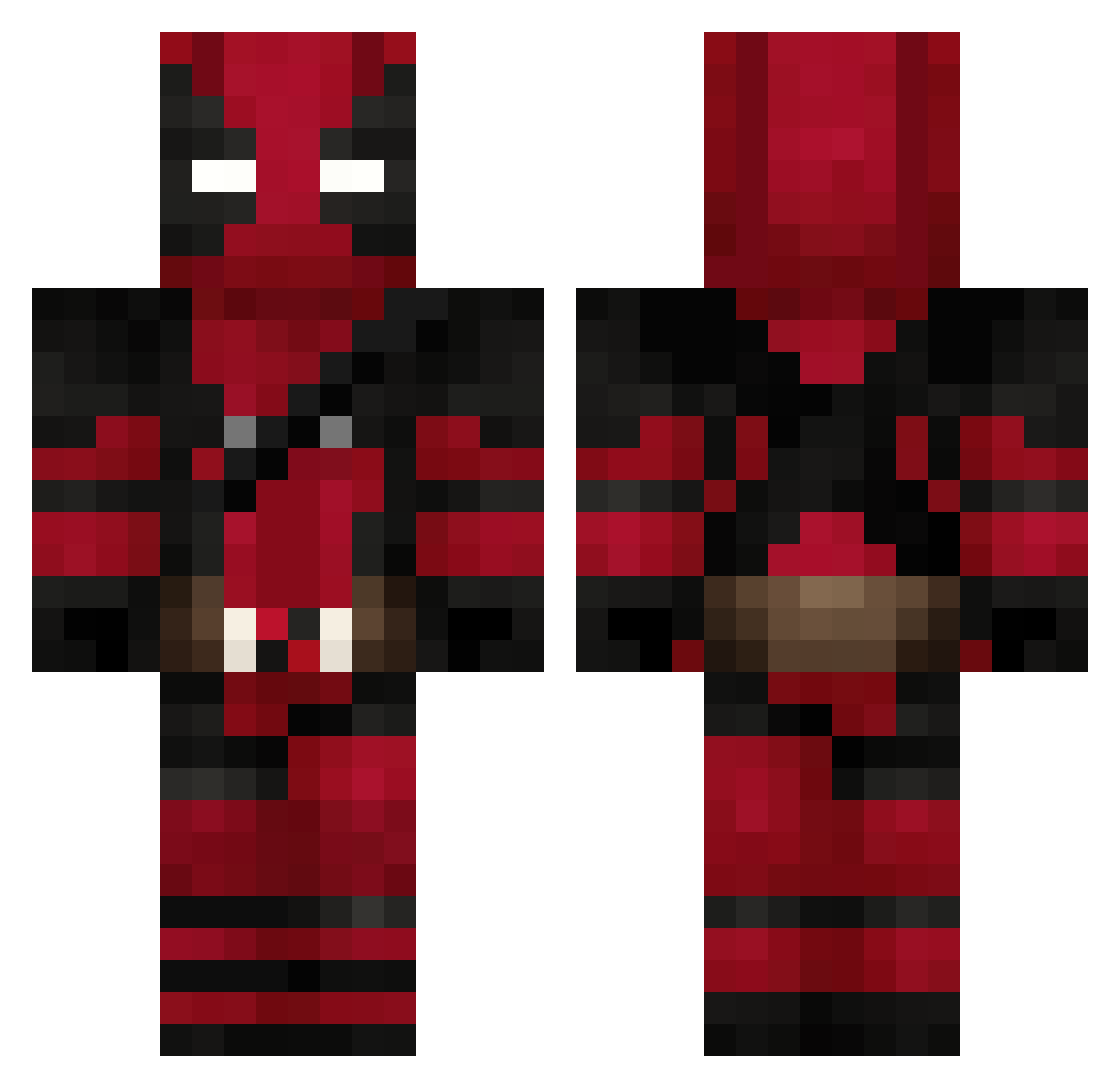
Current Minecraft skin of the player xenostrike, loaded from the official Mojang API. Rotate the 3D model with your mouse or finger, then download the skin as a PNG file and use it in Minecraft: Bedrock Edition or Java Edition for free. When xenostrike changes their skin, this page updates automatically and the old skin stays in the history below.
Other players with this skin (627)
xenostrike was the 379th player we have seen with this skin, first spotted on 21.09.2026. The same skin was seen on these players. Open a nickname to see their current skin and skin history.
 dadadadan Beastki11 PRO_IDCO Mr_Wajolote josy608 AlansCat Ontarax Sukide TMRDRD08 xDuda SpizgusPlastus Delta_Bank Spoina Stams_19 xplayGhostx mrsaifc1 OsirisRexx greenday772 ZipZap23 Calucpl papuche27 clauanmarcus893 Tux_55 Mikey_Butch zongyan77 Tersun DeathmasterC ascl3pius Mvaay Scaphaa15 demir333 Nova061010 timeo7a __caser__ Tutigun KalamarHD01 Takeshi2811 birkanokan96 Danizao420 BigBLackMoneksy dotto_br08 HerrMatrix0101 RENA_ENDO Shawn333 _Saelio_ SyntraX89 YuriPalha Spino658 MattySpice04 Smolq777 Fearless45450 R4PT0R110 Gazellelie ThePadem TheSmallPotaeto KARASAWA73 Daennima kxxre GHOSTK414 Deadpoo__
More Deadpool Minecraft skins
How to install the xenostrike skin
- Press the Download button above to save the skin as a PNG file.
- Minecraft: Bedrock Edition (PE): open the Dressing Room from the main menu (or tap your character → Edit Character), go to Classic Skins → Owned, press the + (new skin) button, choose the downloaded PNG and pick the Classic (Steve) model. Works on PC and mobile; consoles cannot import custom skins.
- Minecraft: Java Edition: open the Minecraft Launcher, go to the Skins tab, click New Skin, load the PNG, pick the Classic (Steve) model and press Save & Use. You can also upload it at minecraft.net → Profile → Change Skin.
The skin does not show up after import - what should I do?
Restart Minecraft and open the Dressing Room again - imported skins sometimes appear only after a restart. Also make sure you selected the imported skin and picked the Classic (Steve) model.
Which model should I choose, Classic or Slim?
This skin is designed for the Classic (Steve) model. If you pick the wrong model, the arms of the skin will look stretched or squeezed.
Is the skin of xenostrike free to download?
Yes. Press Download, save the PNG file and use it in Minecraft: Bedrock Edition or Java Edition - no payment or registration needed. The skin also works on multiplayer servers and Realms.
More skins
Looking for more? Go back to all Minecraft skins and check the top skins of the week, month and all time, or find any player's skin by nickname.