
williej201 - Minecraft Skins & Skin History
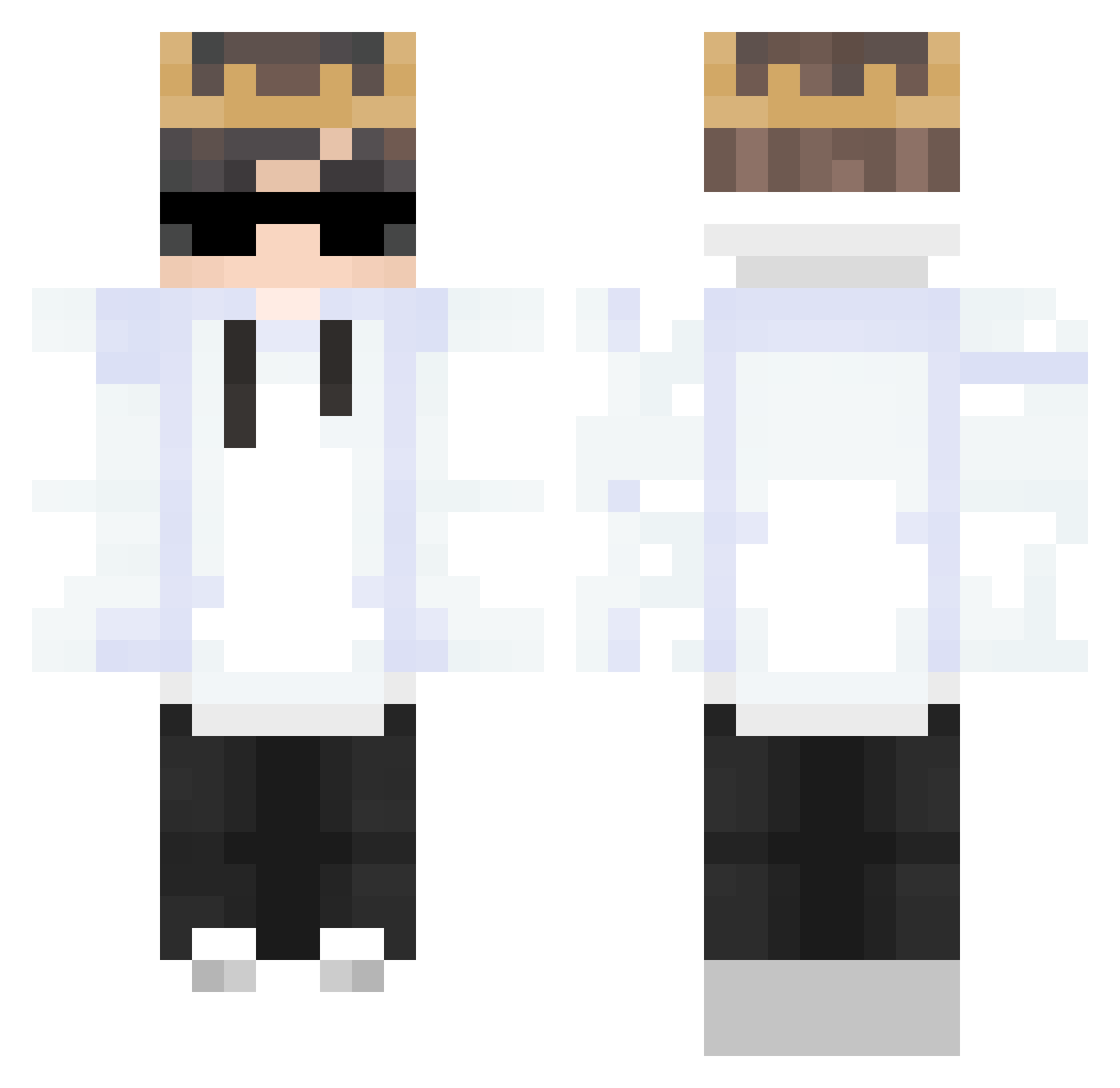
Current Minecraft skin of the player williej201, loaded from the official Mojang API. Rotate the 3D model with your mouse or finger, then download the skin as a PNG file and use it in Minecraft: Bedrock Edition or Java Edition for free. When williej201 changes their skin, this page updates automatically and the old skin stays in the history below.
Other players with this skin (311)
williej201 was the 67th player we have seen with this skin, first spotted on 18.08.2026. The same skin was seen on these players. Open a nickname to see their current skin and skin history.
 xcz555 Lvuki1 Polixe TheRealKnoT Tanbr03 Itz_LocNek iiMSZ Helseng4090 SteffenMcQuak SuXiao_HH Porsha_boy ly_hroFX_1111 Cebula_Filip SMART_GAMER755 _vitorinoo Nedoblade DextoBoy BooTavo Kuki3006 _miTs_ Perorin98 whegg rimeeeE tymeq211 OnurBozkurtFTW Beth66 msssssssz Danik_2016 Albedo8 Arckdown PIT20207 ApplesL minhquanvn2000 Kid3056 ChatTodoo Xelilov_053 Abduzcan_MX Lilberkele eii0918 LonelyNote myomyon777 Erickings sebbe28o6 WafiStar Xiaoxin233 17mdan OcreaDupeBot ItsJustMarfMarf TreymrCZ ImDracek reserve_life Skeezzar Corbsz Xyylos zMarcos_a3902 GodMajky kiryt Fede08_ Hydeee_ MaximussiX
More Technoblade Minecraft skins
See all 4186 Technoblade skins
How to install the williej201 skin
- Press the Download button above to save the skin as a PNG file.
- Minecraft: Bedrock Edition (PE): open the Dressing Room from the main menu (or tap your character → Edit Character), go to Classic Skins → Owned, press the + (new skin) button, choose the downloaded PNG and pick the Classic (Steve) model. Works on PC and mobile; consoles cannot import custom skins.
- Minecraft: Java Edition: open the Minecraft Launcher, go to the Skins tab, click New Skin, load the PNG, pick the Classic (Steve) model and press Save & Use. You can also upload it at minecraft.net → Profile → Change Skin.
The skin does not show up after import - what should I do?
Restart Minecraft and open the Dressing Room again - imported skins sometimes appear only after a restart. Also make sure you selected the imported skin and picked the Classic (Steve) model.
Which model should I choose, Classic or Slim?
This skin is designed for the Classic (Steve) model. If you pick the wrong model, the arms of the skin will look stretched or squeezed.
Is the skin of williej201 free to download?
Yes. Press Download, save the PNG file and use it in Minecraft: Bedrock Edition or Java Edition - no payment or registration needed. The skin also works on multiplayer servers and Realms.
More skins
Looking for more? Go back to all Minecraft skins and check the top skins of the week, month and all time, or find any player's skin by nickname.