
 bobixon1407 Fly_dog233 SikeDum buliro Cripunb TutunRO felipeerodri xshbaba ShaNya_FYW P1cles Rud959 MKJ2475 AwayFromHome_ Mano1611 YigitEnder1 joaonevx deffnotporter ThePink_Knight jimitimeo A1uitime Degreee CyclonicEar7075 Jake3122 Yuhan1112 MLGComboz Harryzbest Baho1 JTC_Car Sidgeonpex Relio11 TntCreeper69 Marshmellow14 vyxless uchihakillzzz WaxenBread nathalie59300 seunny yunguwon JanJaoZ Banone420 HappyRobby x106alt FareWellTechno _Technoblade_0 NoCeuTemPaum146 Pro_Technoblade miguelito_gamer_ vansh077 GlacierKing_ teopeo13 xhesterlivebet GCEpicPro spahis klatsches WojannnYT vinderthebest ChikaHagiwarav BM4TV FrkTurk31 Domthebomb66666
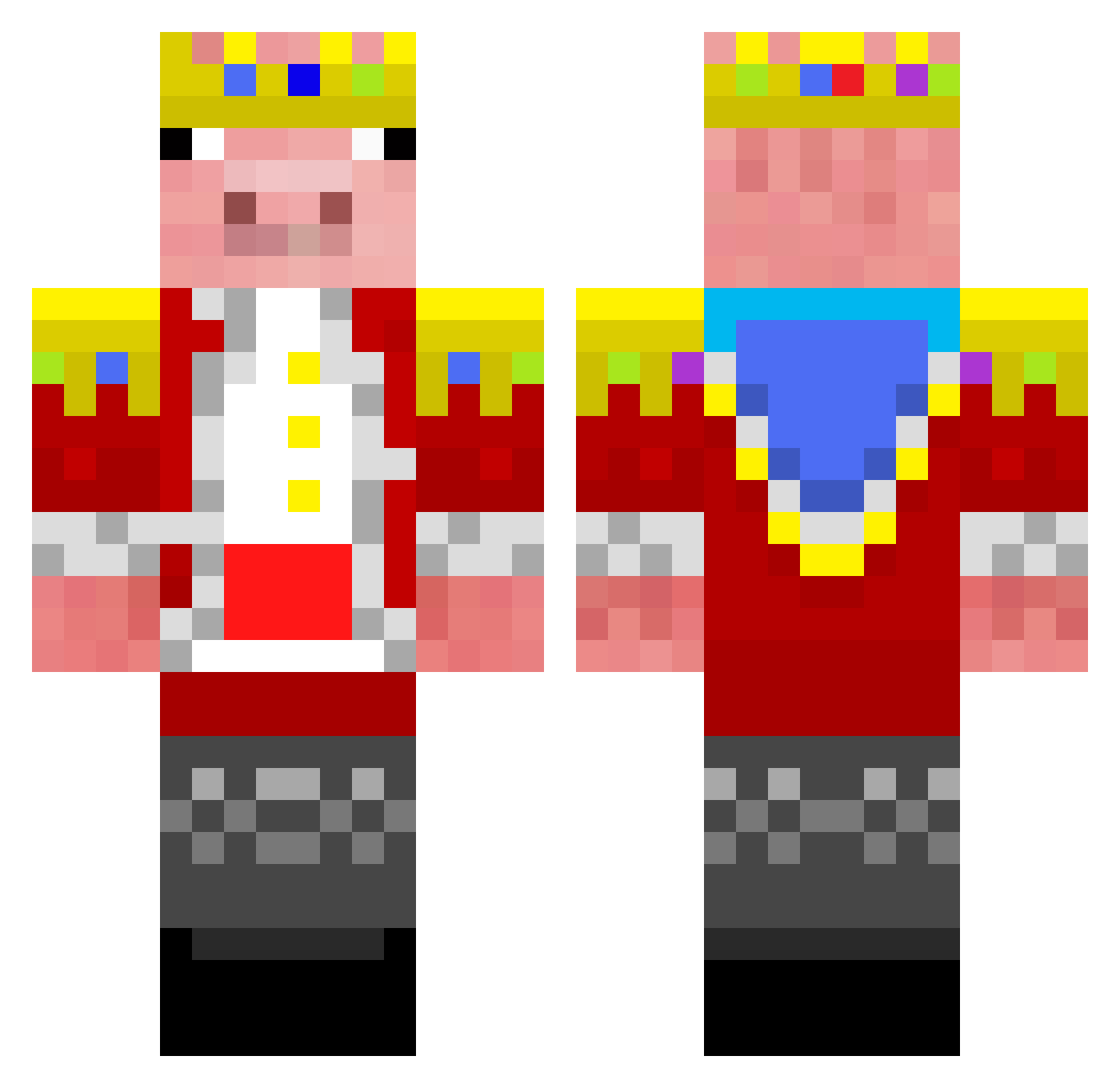
Minecraft skin of BAS29. Rotate the 3D model with your mouse or finger to view the skin from every angle, then download it as a PNG file and use it in Minecraft: Bedrock Edition or Java Edition for free. Rate the skin with stars to help other players find the best skins in our collection.
How to install the BAS29 skin
- Press the Download button above to save the skin as a PNG file.
- Minecraft: Bedrock Edition (PE): open the Dressing Room from the main menu (or tap your character → Edit Character), go to Classic Skins → Owned, press the + (new skin) button, choose the downloaded PNG and pick the Classic (Steve) model. Works on PC and mobile; consoles cannot import custom skins.
- Minecraft: Java Edition: open the Minecraft Launcher, go to the Skins tab, click New Skin, load the PNG, pick the Classic (Steve) model and press Save & Use. You can also upload it at minecraft.net → Profile → Change Skin.
The skin does not show up after import - what should I do?
Restart Minecraft and open the Dressing Room again - imported skins sometimes appear only after a restart. Also make sure you selected the imported skin and picked the Classic (Steve) model.
Which model should I choose, Classic or Slim?
This skin is designed for the Classic (Steve) model. If you pick the wrong model, the arms of the skin will look stretched or squeezed.
Is this skin free to use?
Yes. Press Download, save the PNG file and use it in Minecraft: Bedrock Edition or Java Edition - no payment or registration needed. The skin also works on multiplayer servers and Realms.
More Pig Minecraft skins
More skins
Looking for more? Go back to all Minecraft skins and check the top skins of the week, month and all time, or find any player's skin by nickname.