
miguelito_gamer_ - Minecraft Skins & Skin History
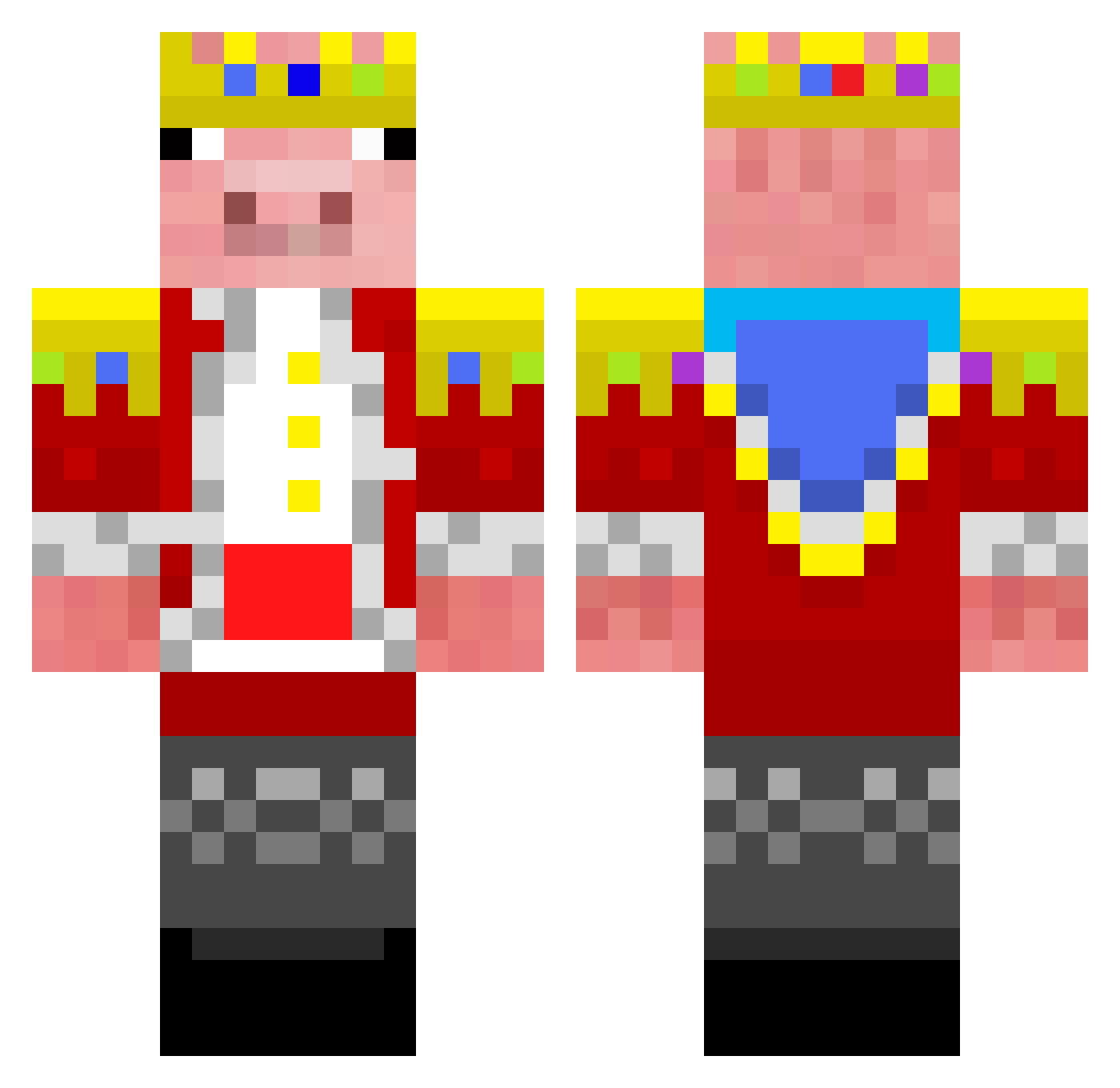
Current Minecraft skin of the player miguelito_gamer_, loaded from the official Mojang API. Rotate the 3D model with your mouse or finger, then download the skin as a PNG file and use it in Minecraft: Bedrock Edition or Java Edition for free. When miguelito_gamer_ changes their skin, this page updates automatically and the old skin stays in the history below.
Other players with this skin (285)
miguelito_gamer_ was the 241st player we have seen with this skin, first spotted on 19.10.2026. The same skin was seen on these players. Open a nickname to see their current skin and skin history.
 vansh077 GlacierKing_ teopeo13 Pro_Technoblade xhesterlivebet spahis klatsches vinderthebest FrkTurk31 Reinhardt_Xd NoCeuTemPaum146 samsoot SulleyandMike FareWellTechno x106alt HappyRobby zazaraki Banone420 dragonfrxit JanJaoZ liambm2003 yunguwon seunny nathalie59300 WaxenBread uchihakillzzz Ghost_oxxx vyxless Marshmellow14 Exo_Man1 TntCreeper69 bpowell06 Relio11 shrumski Sidgeonpex JTC_Car GladiatorFox2468 jaw071 Baho1 Harryzbest Junghe6483 MLGComboz Yuhan1112 Round2hell Estrologer SEVA2010 haribogreat6 Ansh3016 Jake3122 Technosanity NOTgeorgeB Entity_1013 dontdothis SXSXSXSX Rafalex2115 Razorgamer09 CyclonicEar7075 Degreee A1uitime Alucky_Noob
More Pig Minecraft skins
How to install the miguelito_gamer_ skin
- Press the Download button above to save the skin as a PNG file.
- Minecraft: Bedrock Edition (PE): open the Dressing Room from the main menu (or tap your character → Edit Character), go to Classic Skins → Owned, press the + (new skin) button, choose the downloaded PNG and pick the Classic (Steve) model. Works on PC and mobile; consoles cannot import custom skins.
- Minecraft: Java Edition: open the Minecraft Launcher, go to the Skins tab, click New Skin, load the PNG, pick the Classic (Steve) model and press Save & Use. You can also upload it at minecraft.net → Profile → Change Skin.
The skin does not show up after import - what should I do?
Restart Minecraft and open the Dressing Room again - imported skins sometimes appear only after a restart. Also make sure you selected the imported skin and picked the Classic (Steve) model.
Which model should I choose, Classic or Slim?
This skin is designed for the Classic (Steve) model. If you pick the wrong model, the arms of the skin will look stretched or squeezed.
Is the skin of miguelito_gamer_ free to download?
Yes. Press Download, save the PNG file and use it in Minecraft: Bedrock Edition or Java Edition - no payment or registration needed. The skin also works on multiplayer servers and Realms.
More skins
Looking for more? Go back to all Minecraft skins and check the top skins of the week, month and all time, or find any player's skin by nickname.